
Xray -orevision
A high-performance utility designed to provide block transparency for Fabric.
Screenshots
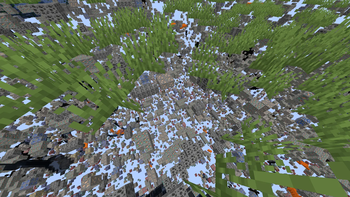
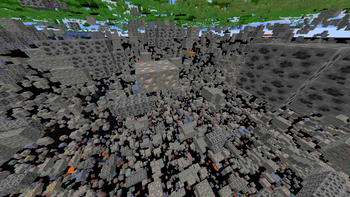
About this Mod
Xray -orevision
Xray -orevision Client for Fabric 1.21.1


Disclaimer
Use this mod at your own risk. The developer is not responsible for any server bans or penalties resulting from its use.
Overview
Xray -orevision is a high-performance client utility designed to provide clean visual transparency of subterranean blocks, highlighting valuable ores and resources.
Features
| Feature | Description | Technical Layer |
|---|---|---|
| Dynamic X-ray | Toggleable transparency for all common terrain blocks. | Mixin Injection |
| Integrated Lux | Built-in lightmap override (Fullbright). | Texture Manager Hook |
| Stealth Engine | Tricked resource pack acceptance and silent packets. | Protocol Spoofing |
Getting Started
Installation
If you are new to Minecraft modding, follow these steps to get Xray -orevision running:
- Install Fabric: Download the Fabric Loader and run the installer.
- Add Dependencies: Download the Fabric API and place it in your
.minecraft/modsfolder. - Deploy the Mod: Download the latest Xray -orevision
.jarfile and drop it into the samemodsfolder.
Tutorial: Your First Mine
Once you are in-game, follow this simple workflow to find resources:
- Toggle Vision: Press the X key to activate the X-ray scanner. You will immediately see ores through the ground.
Configuration and Controls
| Input | Action |
|---|---|
| X | Toggle Visual Scanner |
Available Versions
How to Install Xray -orevision on Your Server
Order Server
Order a Minecraft Java server with at least 3 GB RAM (4 GB recommended).
Set fabric Loader
In the panel under "Egg", select the fabric loader and matching Minecraft version (1.21.11).
Install Mod
Open the mod browser in the dashboard and search for "Xray -orevision". Click "Install" – done! Alternatively, upload the .jar via SFTP to the /mods folder.
Compatibility
Mod Loaders
Minecraft Versions
1.21.11
Server-side
~ OptionalRecommended RAM
4 GB(min. 3 GB)Frequently Asked Questions
Xray -orevision server crashes on startup – what to do?
Most common cause: wrong fabric version or insufficient RAM. Check the server log (latest.log) for "OutOfMemoryError" or "Mixin" errors. With Mado Hosting: ensure at least 3 GB RAM is allocated and the loader matches the mod version (1.21.11). You can switch loaders with one click in the panel.
Is Xray -orevision compatible with fabric?
Xray -orevision officially supports fabric for Minecraft 1.21.11. The Mado dashboard automatically detects incompatible loader combinations.
Server lagging with Xray -orevision – how to optimize performance?
Recommended RAM: 4 GB (per 8 players). Use /spark profiler to check if Xray -orevision consumes the most tick time. Common fixes: reduce server view-distance to 8-10, install "performant" or "starlight" as supplementary mods on Forge. With Mado Hosting, your server runs on NVMe SSDs with dedicated CPU cores for minimal latency.
Similar Mods




![[ETF] Entity Texture Features](https://cdn.modrinth.com/data/BVzZfTc1/af683d206d50b05258d865b0d6e4aa2f2cee12f2_96.webp)
![[EMF] Entity Model Features](https://cdn.modrinth.com/data/4I1XuqiY/6e5bbd0d06b1741bfdab6c0cfab6de8fdaf0064c_96.webp)
Rent Modded Server
Install Xray -orevision with just one click on your server.