
Yet Another Keystrokes Overlay
A customizable keystrokes overlay that lets you style each key to your heart’s content.
Screenshots
About this Mod
Yet Another Keystrokes Overlay (YAKO)
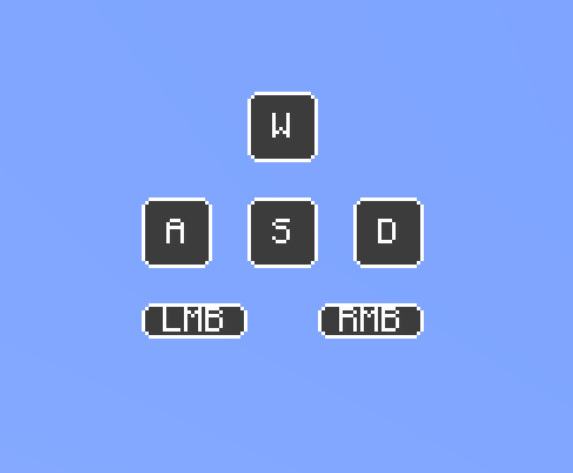
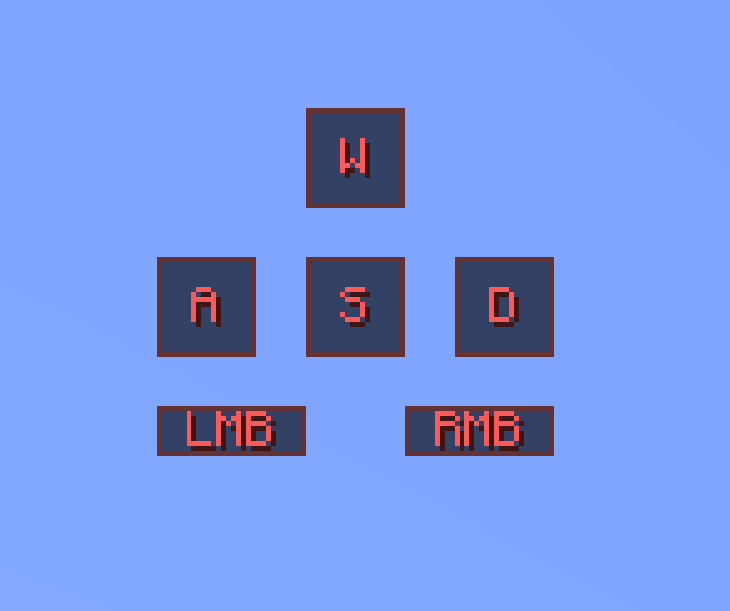
YAKO is a design-focused keystrokes overlay for Minecraft 1.20.1 (Fabric).
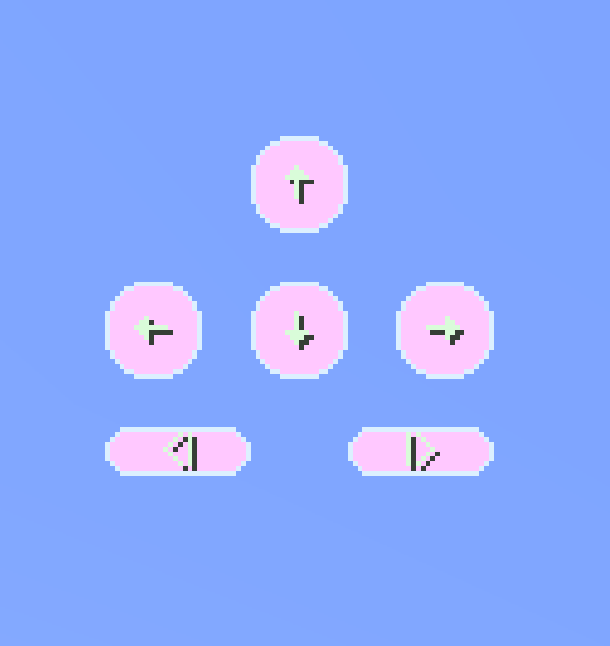
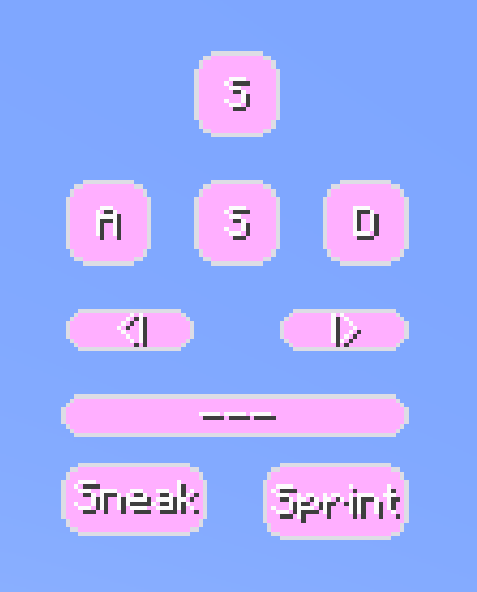
It shows your WASD, mouse buttons, sneak, jump, and sprint inputs — fully customizable to match your layout and visual preferences.
From rounded and transparent strokes to sound profiles and profile switching, YAKO is built with flexibility and user experience in mind.
Features
Visual Keystrokes HUD
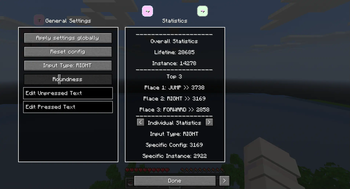
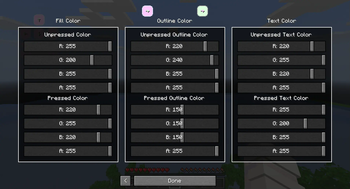
Shows real-time feedback for WASD, LMB/RMB, Shift, Ctrl, and Space. You can customize the layout, look, and text for each key individually.Customizable Layout
Drag and resize each keystroke freely. Supports transparent strokes, outlines, rounded borders, and custom labels.Interactive Mouse Controls
Intuitive mouse-based interactions let you build or edit your layout without menus (see controls below).Sound Feedback System
Enable keystroke sounds for a tactile typing experience. Choose betweenlinear,tactile, orclickysound profiles. Volume and sound state can be adjusted per layout profile.Profile System
Save and switch between multiple keystroke layouts using the/yakocommand. Each profile stores strokes, layout, sound settings, and more.Command-Based Customization
Use the/yakocommand to manage layouts, toggle features, switch lettering and adjust sound settings.Keypress Counter
Ever wonder how many times you pressed a specific button? With this feature you would have an answer!
Controls
These controls apply to layout editing mode (opened via the R key):
Left Click:
- On stroke: Select or drag to move
- On blank space: Drag to select multiple strokes
Middle Click:
- On stroke: Delete it
- On blank space: Create a new keystroke
Right Click:
- Resize a keystroke (drag to scale)
R (default keybind):
- Opens the YAKO menu
- If hovering over a stroke, opens its individual menu
K (default keybind):
- Toggle the entire overlay on/off
Commands (/yako)
Use /yako help for command hints in-game. Here's what you can do:
Profile Management
/yako list– List all saved profiles/yako create <name>– Create a new profile/yako set <name>– Switch to a specific profile/yako remove <name>– Delete the current profile (cannot delete the last one)/yako rename <profile> <name>– Rename a profile/yako reset– Resets the entire config
Settings
/yako settings– Show all controls and interactions as a quick reference/yako lettering– Toggle alternate keystroke lettering (not profile-persistent)
Keystroke Sounds
/yako sounds– Toggle sound on/off for keystrokes/yako sounds <linear|tactile|clicky>– Set sound profile/yako volume [<value>]– Show or set current volume (range: 0.01 to 25)
Help Menu
/yako help– Show available command categories/yako help <command>– Get usage for specific command
Future Features
Gradient & Rainbow Colors
Instead of single colors, give your keystrokes gradient or cycling rainbow colors!Keystroke Animations
Add animations to your Keystrokes, on press, while pressing or on release.Custom Input Types
Instead of being limited to the existing Input types, add your own to track new keys!
Early Development Disclaimer
YAKO is still in its early stages, so you may encounter the occasional bug or jank.
Feedback and suggestions are always welcome!
Dependencies
- Minecraft 1.20.1
- Fabric Loader ≥ 0.14.0
Available Versions
How to Install Yet Another Keystrokes Overlay on Your Server
Order Server
Order a Minecraft Java server with at least 3 GB RAM (4 GB recommended).
Set fabric Loader
In the panel under "Egg", select the fabric loader and matching Minecraft version (1.20.1).
Install Mod
Open the mod browser in the dashboard and search for "Yet Another Keystrokes Overlay". Click "Install" – done! Alternatively, upload the .jar via SFTP to the /mods folder.
Compatibility
Mod Loaders
Minecraft Versions
1.20.1
Server-side
✗ UnsupportedRecommended RAM
4 GB(min. 3 GB)Frequently Asked Questions
Yet Another Keystrokes Overlay server crashes on startup – what to do?
Most common cause: wrong fabric version or insufficient RAM. Check the server log (latest.log) for "OutOfMemoryError" or "Mixin" errors. With Mado Hosting: ensure at least 3 GB RAM is allocated and the loader matches the mod version (1.20.1). You can switch loaders with one click in the panel.
Is Yet Another Keystrokes Overlay compatible with fabric?
Yet Another Keystrokes Overlay officially supports fabric for Minecraft 1.20.1. The Mado dashboard automatically detects incompatible loader combinations.
Server lagging with Yet Another Keystrokes Overlay – how to optimize performance?
Recommended RAM: 4 GB (per 8 players). Use /spark profiler to check if Yet Another Keystrokes Overlay consumes the most tick time. Common fixes: reduce server view-distance to 8-10, install "performant" or "starlight" as supplementary mods on Forge. With Mado Hosting, your server runs on NVMe SSDs with dedicated CPU cores for minimal latency.
Similar Mods




![[ETF] Entity Texture Features](https://cdn.modrinth.com/data/BVzZfTc1/af683d206d50b05258d865b0d6e4aa2f2cee12f2_96.webp)
![[EMF] Entity Model Features](https://cdn.modrinth.com/data/4I1XuqiY/6e5bbd0d06b1741bfdab6c0cfab6de8fdaf0064c_96.webp)
Rent Modded Server
Install Yet Another Keystrokes Overlay with just one click on your server.