
YedelMod
QOL mod for small features related to the general game and larger features for Hypixel
Screenshots



About this Mod
YedelMod



| Mod versions | Powered by | Requires Hypixel Mod API |
|---|---|---|
| 1.0.0 to 1.1.0 | Essential | ❌ |
| 1.2.0 to 1.5.1 | Essential | ✅ |
| 2.0.0+ | OneConfig v0 | ✅ |
| 3.0.0+ (future) | OneConfig v1 | ❌ |
Use /yedel (/yedelmod) for settings and more info.
Use /yedel update or the check for update button in the settings menu to check for updates on Modrinth or GitHub.
Use /yedel yedelmessage for messages from me regarding the mod. These are usually tips or bug notices.
Developing
This mod uses the OneConfig tweaker to load OneConfig, both in the development environment and in production (manifest).
However, using the tweaker in development environment causes other OneConfig mods (in run/mods) to not load OneConfig.
If you are using other OneConfig mods, remove the tweaker from the run config.
NoForge note
NoForge seems to break Strength Indicators, which likely means the Hypixel Mod API won't work, meaning many other features like BedWars features won't work.
Features
Features
- Auto Welcome Guild Members
- Custom Hit Particles
- Dropper AutoGG
- Regex Chat Filter
- Random Placeholder
- SkyWars Strength Indicators
- Client-Side Auto-Block
- Limbo Creative Mode
- Favorite Server Button
HUDs
- Custom Text HUD
- Bedwars XP Display HUD
- Magic Milk Time HUD
Commands
All hosted under /yedel (yedelmod):
- cleartext
- constants
- formatting
- limbo (li)
- limbocreative (limbogmc, lgmc)
- ping [method]
- playtime (pt)
- setnick [nick]
- settext [text]
- settitle [title]
- simulatechat (simc) [text]
- update [platform]
- yedelmessage (message)
Keybinds
- Search the auction house for your held item
- Search the bazaar for your held item
- Submit insufficient evidence verdict
- Submit evidence without doubt verdict
Modern Features
Features backported from modern versions of the game.
Book Background (1.14+)
Keep Chat History on Chat Clear (1.15.2+)
Change Window Title (1.15.2+)
Damage Tilt (1.19.4+)
Hand Swings (1.15+)
- Item Uses
- Item Drops
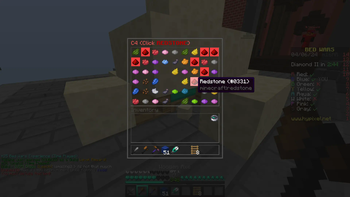
BedWars
BedWars Defusal Helper
Light Green Token Messages
Hide Slumber Ticket Messages
Hide Item Pickup Messages
Hide Silver Coin Count
Hide Comfy Pillow Messages
Hide Dreamer's Soul Fragment Messages
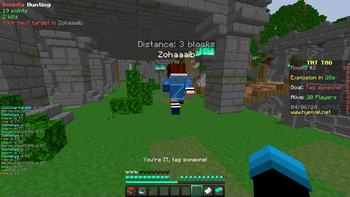
TNT Tag
- Bounty Hunting
Available Versions
How to Install YedelMod on Your Server
Order Server
Order a Minecraft Java server with at least 3 GB RAM (4 GB recommended).
Set forge Loader
In the panel under "Egg", select the forge loader and matching Minecraft version (1.8.9).
Install Mod
Open the mod browser in the dashboard and search for "YedelMod". Click "Install" – done! Alternatively, upload the .jar via SFTP to the /mods folder.
Compatibility
Mod Loaders
Minecraft Versions
1.8.9
Server-side
✗ UnsupportedRecommended RAM
4 GB(min. 3 GB)Frequently Asked Questions
YedelMod server crashes on startup – what to do?
Most common cause: wrong forge version or insufficient RAM. Check the server log (latest.log) for "OutOfMemoryError" or "Mixin" errors. With Mado Hosting: ensure at least 3 GB RAM is allocated and the loader matches the mod version (1.8.9). You can switch loaders with one click in the panel.
Is YedelMod compatible with forge?
YedelMod officially supports forge for Minecraft 1.8.9. The Mado dashboard automatically detects incompatible loader combinations.
Server lagging with YedelMod – how to optimize performance?
Recommended RAM: 4 GB (per 8 players). Use /spark profiler to check if YedelMod consumes the most tick time. Common fixes: reduce server view-distance to 8-10, install "performant" or "starlight" as supplementary mods on Forge. With Mado Hosting, your server runs on NVMe SSDs with dedicated CPU cores for minimal latency.
Similar Mods




Rent Modded Server
Install YedelMod with just one click on your server.