
Your Dog Stats
See your dog's health, mood, hunger and more with a premium HUD overlay!
Screenshots
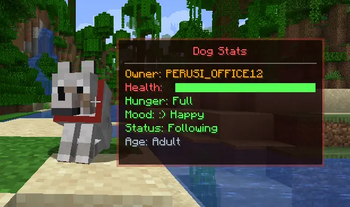
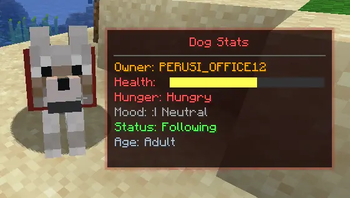
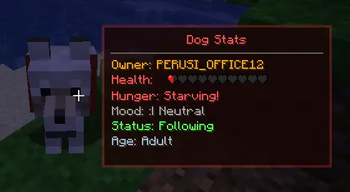
About this Mod
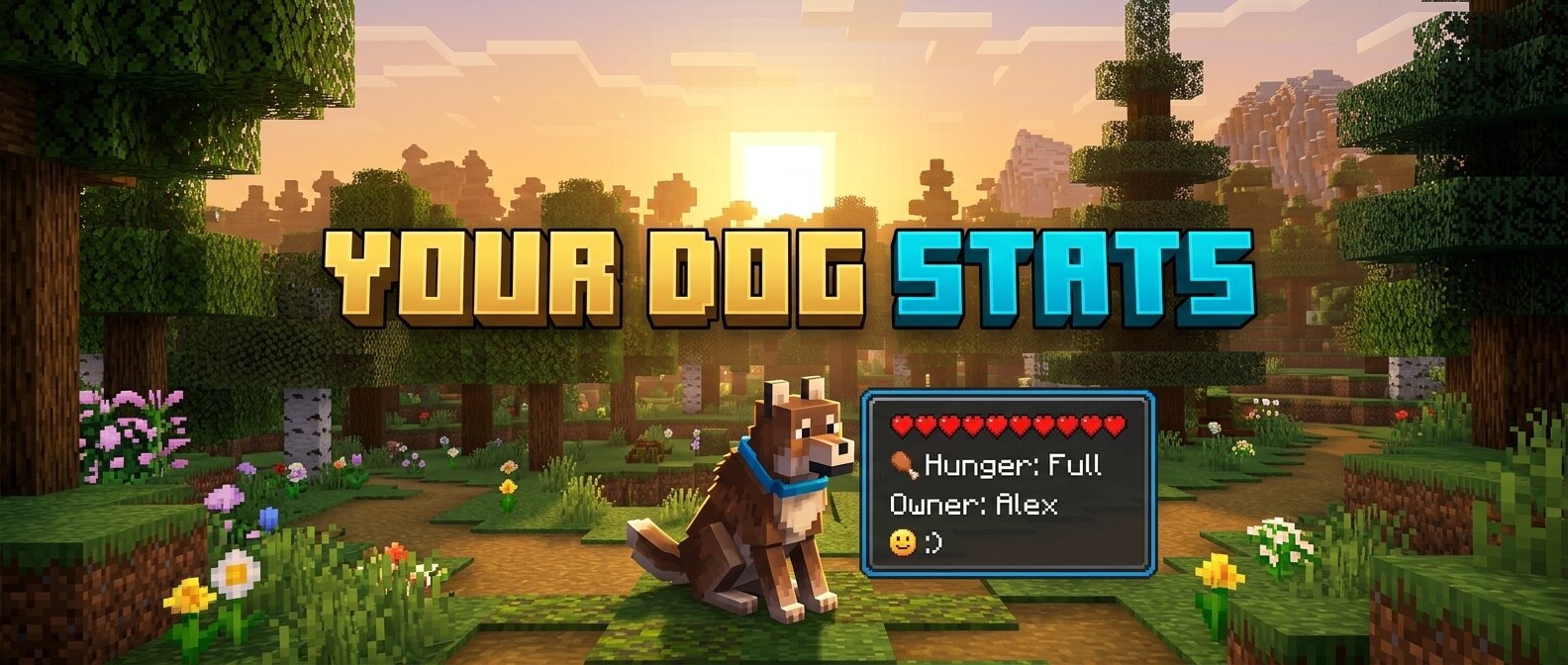
Your Dog Stats is a premium Minecraft mod (1.16.5 Forge) that adds an immersive, real-time HUD overlay for your tamed wolves. No more guessing how your dog is feeling or how much health they have left!
🐾 Features
- Owner Tracking: Always know who the dog belongs to.
- Dynamic Health Bar: A beautifully rendered health bar that changes color from Green (Healthy) to Red (Critical).
- Hunger Status: Simulated hunger tracking. Since wolves heal when fed, this keeps you informed of when they need a snack!
- Mood Indicators: Interactive emoji-based mood tracking:
:) Happy- Your dog is feeling great!:| Neutral- Your dog is doing okay.>:( Angry- Something has upset your companion!Relaxed- When your dog is sitting comfortably.
- Activity State: See at a glance if your dog is set to
SittingorFollowing. - Age Identification: Clearly distinguishes between
PuppiesandAdults. - Premium Aesthetics:
- Smooth Animations: HUD fades in and out gracefully when you look at a dog.
- Dynamic Borders: The HUD border color automatically updates to match the dog's collar color!
- Sleek UI: Dark, semi-transparent design that doesn't obstruct your view.
🛠️ Requirements
- Minecraft 1.16.5
- Forge (36.2.20 or newer recommended)
📥 Installation
- Download the latest
.jarfile. - Place it into your Minecraft
modsfolder. - Launch the game and enjoy your new companion stats!
Created with ❤️ for dog lovers.
Available Versions
How to Install Your Dog Stats on Your Server
Order Server
Order a Minecraft Java server with at least 3 GB RAM (4 GB recommended).
Set forge Loader
In the panel under "Egg", select the forge loader and matching Minecraft version (1.21.1).
Install Mod
Open the mod browser in the dashboard and search for "Your Dog Stats". Click "Install" – done! Alternatively, upload the .jar via SFTP to the /mods folder.
Compatibility
Mod Loaders
Minecraft Versions
1.21.1, 1.21, 1.16.5
Server-side
~ OptionalRecommended RAM
4 GB(min. 3 GB)Frequently Asked Questions
Your Dog Stats server crashes on startup – what to do?
Most common cause: wrong forge version or insufficient RAM. Check the server log (latest.log) for "OutOfMemoryError" or "Mixin" errors. With Mado Hosting: ensure at least 3 GB RAM is allocated and the loader matches the mod version (1.21.1). You can switch loaders with one click in the panel.
Is Your Dog Stats compatible with forge and neoforge?
Your Dog Stats officially supports forge, neoforge for Minecraft 1.21.1, 1.21, 1.16.5. The Mado dashboard automatically detects incompatible loader combinations.
Server lagging with Your Dog Stats – how to optimize performance?
Recommended RAM: 4 GB (per 8 players). Use /spark profiler to check if Your Dog Stats consumes the most tick time. Common fixes: reduce server view-distance to 8-10, install "performant" or "starlight" as supplementary mods on Forge. With Mado Hosting, your server runs on NVMe SSDs with dedicated CPU cores for minimal latency.
Similar Mods




![[ETF] Entity Texture Features](https://cdn.modrinth.com/data/BVzZfTc1/af683d206d50b05258d865b0d6e4aa2f2cee12f2_96.webp)
![[EMF] Entity Model Features](https://cdn.modrinth.com/data/4I1XuqiY/6e5bbd0d06b1741bfdab6c0cfab6de8fdaf0064c_96.webp)
Rent Modded Server
Install Your Dog Stats with just one click on your server.