
Zakuro
A mod that provides many modules for some extra modifies for vanilla survival.
Screenshots
About this Mod
Zakuro
A mod that provides many modules for some extra modifies for vanilla survival.



📖 What's this mod?
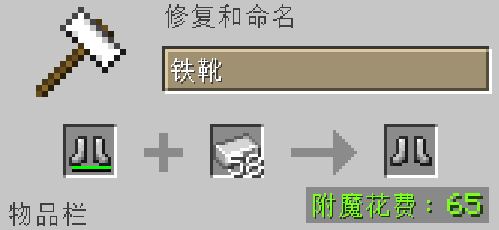
Have you ever been bothered by the prompt 'Too Expansive!' in the anvil while forging equipment?
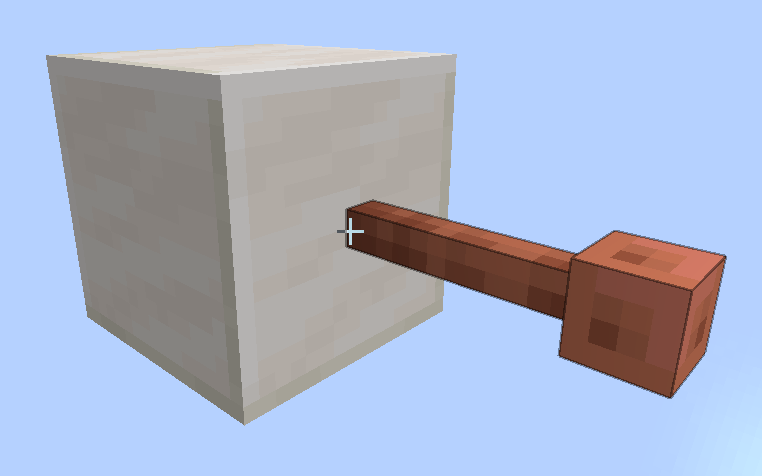
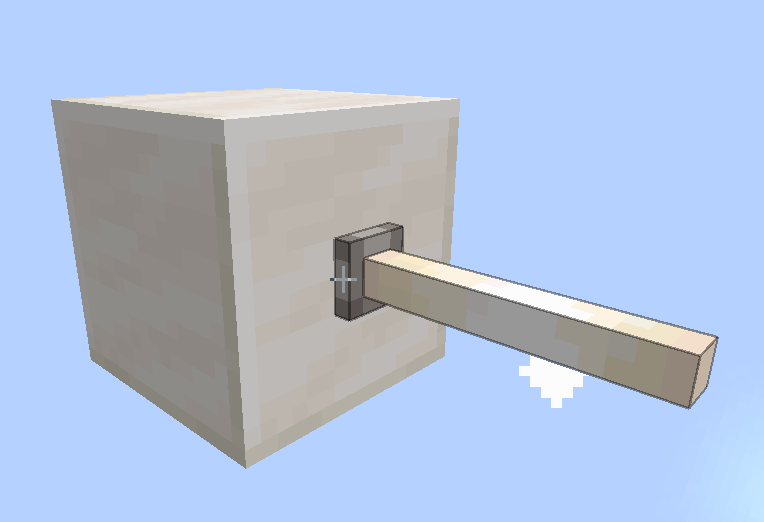
Have you ever noticed that the collision box of the end rod and lightning rod is larger than what they should actually have?
Have you...
There are many inconvenient places in Minecraft, and this mod provides some functions to may improve them.
🔧 Functions
Functions (also called Modules in this mod) are fully modular and switchable.You can get a built-in settings screen by installing ModMenu mod.
Some of the functions:
deleteTooExpensive
This module removes the "Too Expensive!" tip on the anvil and keeps the penalty level on the item.fixBlocksOutlineShape
This module fixes some blocks' outline shape and syncs it to the blocks' model.fixZombieReinforcement
This module fixes the zombie reinforcement and allows zombies and their variants to spawn clones of themselves, just like Minecraft 1.21.2 version does.
Here's the detailed modules page.
🤓 I have an idea!
Welcome to the issues page to submit your ideas! The author will do their best to implement it :)
😮 I found a bug!
Welcome to the issues page too to submit the bug! The author will do their fast to fix it :(
Available Versions
How to Install Zakuro on Your Server
Order Server
Order a Minecraft Java server with at least 3 GB RAM (4 GB recommended).
Set fabric Loader
In the panel under "Egg", select the fabric loader and matching Minecraft version (1.20.1).
Install Mod
Open the mod browser in the dashboard and search for "Zakuro". Click "Install" – done! Alternatively, upload the .jar via SFTP to the /mods folder.
Compatibility
Mod Loaders
Minecraft Versions
1.20.1
Server-side
✓ RequiredRecommended RAM
4 GB(min. 3 GB)Frequently Asked Questions
Zakuro server crashes on startup – what to do?
Most common cause: wrong fabric version or insufficient RAM. Check the server log (latest.log) for "OutOfMemoryError" or "Mixin" errors. With Mado Hosting: ensure at least 3 GB RAM is allocated and the loader matches the mod version (1.20.1). You can switch loaders with one click in the panel.
Is Zakuro compatible with fabric?
Zakuro officially supports fabric for Minecraft 1.20.1. The Mado dashboard automatically detects incompatible loader combinations.
Server lagging with Zakuro – how to optimize performance?
Recommended RAM: 4 GB (per 8 players). Use /spark profiler to check if Zakuro consumes the most tick time. Common fixes: reduce server view-distance to 8-10, install "performant" or "starlight" as supplementary mods on Forge. With Mado Hosting, your server runs on NVMe SSDs with dedicated CPU cores for minimal latency.
Similar Mods




Rent Modded Server
Install Zakuro with just one click on your server.