
Zeo's Click Bot
Play click and keyboard sounds ingame! The most realistic clickbot mod for Minecraft.
Screenshots
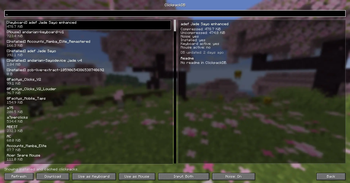
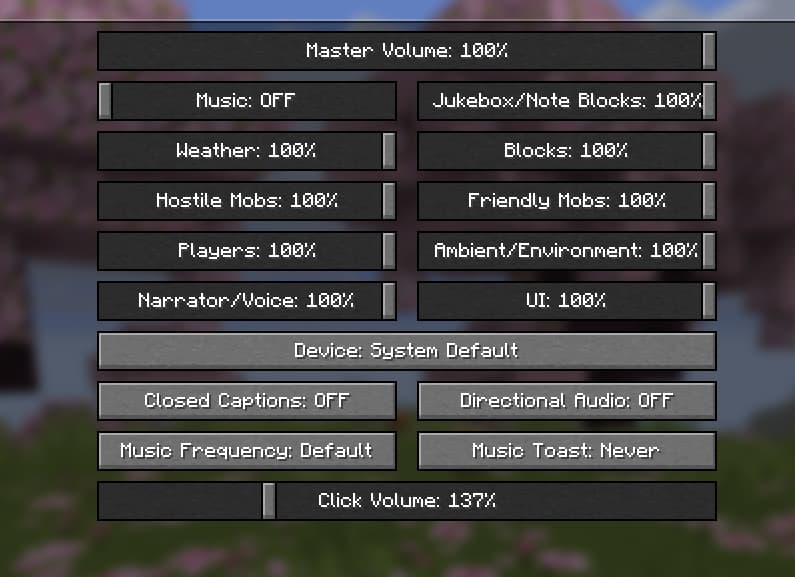
About this Mod
ZCB Live for Minecraft
ZCB Live had a long history of being a Geometry Dash only mod. Today we are expanding the horizons of what's possible with Minecraft modding, and bringing the untamed power of ZCB Live to Minecraft!
ZCB Live is a next-generation Minecraft clickbot. What it does is replicate the sound of a mouse and keyboard in the most realistic manner possible. Whether you're recording intense PvP matches, filming Bedwars highlights, or just playing casually, ZCB is designed to deliver an unforgettable Minecraft experience.
Features
- Incredibly easy to use
- ClickpackDB integration: download more than 800 clickpacks without ever leaving the game. We owe the Geometry Dash community for this one.
- Realistic click sound algorithm: pitch variation, volume changes, softclick/microclick/hardclick timings
- Keyboard timing can be tracked per row or per hand, with per-row as the default
Minecraft clickpacks
ZCB Live supports the GD player1 / player2 / *clicks / *releases layout and an optional new Minecraft format:
pack/
  player1/ # can also be `clicks`, `softclicks`, ... for mouse only
  player2/ # can also be `releases`, `softreleases`, ... for mouse only
  keyboard/
    row1/
    row2/
    row3/
    row4/
    special/
      spacebar/
      backspace/
      enter/
      tab/
      modifiers/
      navigation/
      function/
      numpad/
      other/ # fallback for special keys if the corresponding folder above is not present
  mouse/
    side/ # fallback for side keys if the corresponding folder below is not present
    side4/
    side5/
Each of the new Minecraft folders use the same softclicks/microclicks/clicks folder structure under the hood, except hardclicks/hardreleases are ignored. You don't have to fill all the folders, for missing folders inside the mouse and keyboard/special folders the clickbot will first choose fallback sounds from mouse/side or keyboard/special/other -> if that is also missing fallback sounds are for regular mouse clicks or keyboard
Screenshots


Discord
Join the Discord server for support on ZCB and a way to create and submit your own clickpacks: https://discord.gg/BRVVVzxESu
Available Versions
How to Install Zeo's Click Bot on Your Server
Order Server
Order a Minecraft Java server with at least 3 GB RAM (4 GB recommended).
Set fabric Loader
In the panel under "Egg", select the fabric loader and matching Minecraft version (26.1.2).
Install Mod
Open the mod browser in the dashboard and search for "Zeo's Click Bot". Click "Install" – done! Alternatively, upload the .jar via SFTP to the /mods folder.
Compatibility
Mod Loaders
Minecraft Versions
26.1.2, 26.1.1, 1.21.11 (+3 more)
Server-side
✗ UnsupportedRecommended RAM
4 GB(min. 3 GB)Frequently Asked Questions
Zeo's Click Bot server crashes on startup – what to do?
Most common cause: wrong fabric version or insufficient RAM. Check the server log (latest.log) for "OutOfMemoryError" or "Mixin" errors. With Mado Hosting: ensure at least 3 GB RAM is allocated and the loader matches the mod version (26.1.2). You can switch loaders with one click in the panel.
Is Zeo's Click Bot compatible with fabric?
Zeo's Click Bot officially supports fabric for Minecraft 26.1.2, 26.1.1, 1.21.11. The Mado dashboard automatically detects incompatible loader combinations.
Server lagging with Zeo's Click Bot – how to optimize performance?
Recommended RAM: 4 GB (per 8 players). Use /spark profiler to check if Zeo's Click Bot consumes the most tick time. Common fixes: reduce server view-distance to 8-10, install "performant" or "starlight" as supplementary mods on Forge. With Mado Hosting, your server runs on NVMe SSDs with dedicated CPU cores for minimal latency.
Similar Mods

![[ETF] Entity Texture Features](https://cdn.modrinth.com/data/BVzZfTc1/af683d206d50b05258d865b0d6e4aa2f2cee12f2_96.webp)
![[EMF] Entity Model Features](https://cdn.modrinth.com/data/4I1XuqiY/6e5bbd0d06b1741bfdab6c0cfab6de8fdaf0064c_96.webp)



Rent Modded Server
Install Zeo's Click Bot with just one click on your server.