
Zcraft Decoration
A Minecraft decoration mod focused on post-apocalyptic and abandoned props, featuring simple block-based models with detailed textures for immersive world building.
Screenshots
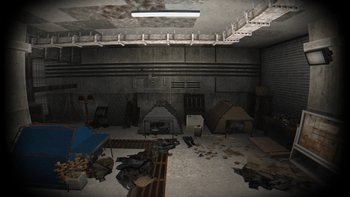
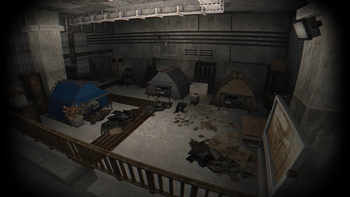
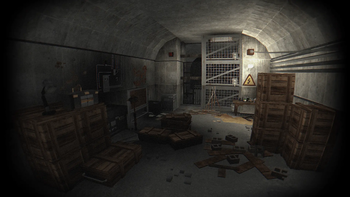
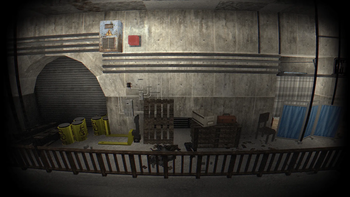
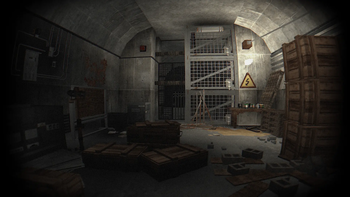
About this Mod
☢️ ZCraft: Zone Decor
ZCraft: Zone Decor is a decoration-focused Minecraft mod that adds a large collection of post-apocalyptic and abandoned props for immersive world-building.
Designed specifically for builders and modpack creators who want a strong atmosphere, consistent visual style, and clean performance. It is perfect for wasteland, survival, ruined city, and S.T.A.L.K.E.R.-style builds.
🛠️ Key Features & Props
The mod introduces a variety of highly detailed environmental props suited for ruined landscapes:
- Military & Survival Gear: Military crates, supply boxes, and tactical props.
- Industrial Clutter: Fuel barrels, discarded tires, and industrial debris.
- Abandoned Electronics: Damaged household appliances and ruined tech.
- Environmental Decor: General waste, rusted structures, and post-apocalyptic environmental props.
🌍 Join the Official S.T.A.L.K.E.R. Server! Discord
Looking for a place to experience these assets in action? I’m hosting a dedicated, full-scale S.T.A.L.K.E.R.-style Minecraft server!
- Hardcore Survival RPG: Inspired directly by the legendary S.T.A.L.K.E.R. universe.
- The Zone Experience: Features high-risk scavenging, deadly radiation zones, dangerous anomalies, and hostile mutants.
- Factions & Economy: Join player-run factions, fight for territory, and survive the harsh economy.
⚠️ This isn’t vanilla with a skin slapped on it. Every system is built around survival, risk, and pure atmosphere. If you know STALKER, you’ll understand immediately. If you don’t... the Zone will teach you fast.
Available Versions
How to Install Zcraft Decoration on Your Server
Order Server
Order a Minecraft Java server with at least 3 GB RAM (4 GB recommended).
Set forge Loader
In the panel under "Egg", select the forge loader and matching Minecraft version (1.20.1).
Install Mod
Open the mod browser in the dashboard and search for "Zcraft Decoration". Click "Install" – done! Alternatively, upload the .jar via SFTP to the /mods folder.
Compatibility
Mod Loaders
Minecraft Versions
1.20.1
Server-side
✓ RequiredRecommended RAM
4 GB(min. 3 GB)Frequently Asked Questions
Zcraft Decoration server crashes on startup – what to do?
Most common cause: wrong forge version or insufficient RAM. Check the server log (latest.log) for "OutOfMemoryError" or "Mixin" errors. With Mado Hosting: ensure at least 3 GB RAM is allocated and the loader matches the mod version (1.20.1). You can switch loaders with one click in the panel.
Is Zcraft Decoration compatible with forge?
Zcraft Decoration officially supports forge for Minecraft 1.20.1. The Mado dashboard automatically detects incompatible loader combinations.
Server lagging with Zcraft Decoration – how to optimize performance?
Recommended RAM: 4 GB (per 8 players). Use /spark profiler to check if Zcraft Decoration consumes the most tick time. Common fixes: reduce server view-distance to 8-10, install "performant" or "starlight" as supplementary mods on Forge. With Mado Hosting, your server runs on NVMe SSDs with dedicated CPU cores for minimal latency.
Similar Mods

![[ETF] Entity Texture Features](https://cdn.modrinth.com/data/BVzZfTc1/af683d206d50b05258d865b0d6e4aa2f2cee12f2_96.webp)
![[EMF] Entity Model Features](https://cdn.modrinth.com/data/4I1XuqiY/6e5bbd0d06b1741bfdab6c0cfab6de8fdaf0064c_96.webp)



Rent Modded Server
Install Zcraft Decoration with just one click on your server.