
ZenXArch's Skyblock
An expanded skyblock challenge
Screenshots

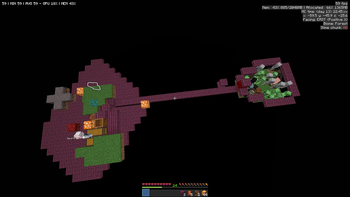
About this Mod
This is very minimal expansion of the nothing skyblock challenge.
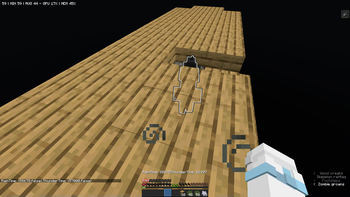
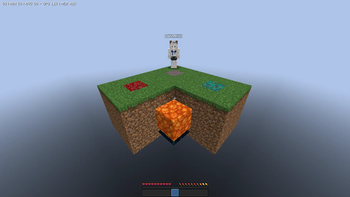
The mod tries to make minimal changes to vanilla minecraft while also providing the player with a world where every single block is placed by/generated by the player.



Worldgen Features
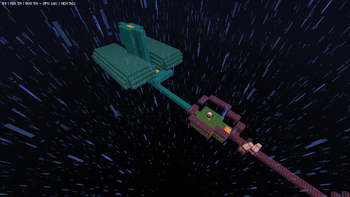
- Completely void worldgen. You still get biomes and structures.
- Stronghold portal rooms don't spawn. You get a starting portal.
- Ender dragon doesn't spawn by default, neither the exit portal. You have to respawn the dragon yourself.
- Beware hardcore players would be trapped if they go through the portal.
- Chunk regen exploits won't work.
Datapack features
- The "zenxarch:skyblock" chunk generator has the same codec as noise chunk generator with optional "spawnHeight" for spawn platform.
- The spawn platform spawns at y=0 (defined in world preset) and is defined by a single file 'data/zenxarch/structure/spawn_platform.nbt'
- The "zenxarch:flatblock" chunk generator has the same codec as noise chunk generator with list of "layers" with blocks and height for flatblock layers.
Example flatblock entry
    {
      "type": "zenxarch:flatblock",
      "biome_source": {
        "type": "minecraft:multi_noise",
        "preset": "minecraft:overworld"
      },
      "layers": [
        {
          "block": "minecraft:bedrock",
          "height": 1
        },
        {
          "block": "minecraft:dirt",
          "height": 2
        },
        {
          "block": "minecraft:grass_block",
          "height": 1
        }
      ],
      "settings": "minecraft:overworld"
    }
Extra Features
- Fixes wandering traders not being able to spawn on snow layers
- Following are all enabled by default and controlled by gamerules
- Magma blocks (just like mud) drip lava
- Magma drips lava first, then converts to netherrack
- Falling dripstone crushes stone into sand
- Pigs spawn on mud
- Adds gamerules to control wandering trader spawn rates.
How to start a new world
Just select the Skyblock world preset in create world menu
OR select the Flatblock world preset and customize it
(currently reuses superflat customization screen)
How to progress
- Bridge 24 blocks with the dirt
- Kill skeletons
- Bonemeal nylium
- expand/go down
- kill zombies for iron
- Get water with cauldrons/rain
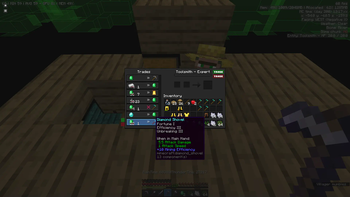
- Sell items to wandering trader
- Get oak sapling from wandering trader
- Kill drowned for copper
- Breed lots of pigs
- Get them hit by lightning
- Kill em for gold
- With apple from oak tree, make golden apple
- Heal zombie villager with golden apple and weakness potion thrown by witch
- Get diamond pickaxe from villager
- Build large platform just below height limit (maxY - 3)
- Wait for end stone shower (Happens every 100_000-150_000 ticks)
- Make end portal using end bricks frame and light it using thunder
- Go to end and farm obsidian
- Go to nether
- enjoy the game
Getting lava (requires lava gamerule turned on)
- Go to nether and kill magma cubes or slimes+blazes for magma cream
- Get dripstone from wandering trader
- Get lava with cauldrons and magma blocks
- Enjoy cobblestone generator
How to get obsidian back from the end w/o keep Inventory
Ender pearls.
Throw one in the sky and quick grab stuff in the end into your inventory.
How to spawn dragon in the end
Watch Kenedian's video https://www.youtube.com/watch?v=bxX76HMgx98 for most details. Basically place end crystals where the end fountain is supposed to be.For getting the end fountain's position go to a vanilla world with same seed as your skyblock/flatblock world.
Now place end crystals in same coordinates as that vanilla world.
The end fountain spawns at coordinates x: 0 z: 0 and somewhere around y:64.
You can guess the position being at most a few blocks up or down from there.
Socials



Future plans
- Probably add a superflat world preset with all biomes/structures.
- Add a farming method for sand.
- Add netherrack/nylium to nether portal extension blocks.
- Add other renewable.
- Add option to use the bonus chest feature to get a bonus chest.
- Bonus chest spawn with different skyblock loot depending on game difficulty
- Different starting islands using datapacks
Credits
- FrozenLib for dripstone code
- Carpet sky additions reborn for worldgen code
- Protosky for worldgen code
- Kenedian. Their video inspired the idea of getting obsidian from the end. I did copy the empty end and the starting portal block from their video. Also a very good video that lists all the renewable stuff and how to get them in skyblock.
- JokeyPokey and others for taking skyblock to the extreme + videos,theory and other stuff
Btw there isn't code included from these projects. I just looked at these to figure out stuff like empty worldgen,fix end portal location,dripstone override.
Available Versions
How to Install ZenXArch's Skyblock on Your Server
Order Server
Order a Minecraft Java server with at least 4 GB RAM (6 GB recommended).
Set fabric Loader
In the panel under "Egg", select the fabric loader and matching Minecraft version (1.21.11).
Install Mod
Open the mod browser in the dashboard and search for "ZenXArch's Skyblock". Click "Install" – done! Alternatively, upload the .jar via SFTP to the /mods folder.
Compatibility
Mod Loaders
Minecraft Versions
1.21.11, 1.21.10, 1.21.10-rc1 (+14 more)
Server-side
✓ RequiredRecommended RAM
6 GB(min. 4 GB)Frequently Asked Questions
ZenXArch's Skyblock server crashes on startup – what to do?
Most common cause: wrong fabric version or insufficient RAM. Check the server log (latest.log) for "OutOfMemoryError" or "Mixin" errors. With Mado Hosting: ensure at least 4 GB RAM is allocated and the loader matches the mod version (1.21.11). You can switch loaders with one click in the panel.
Is ZenXArch's Skyblock compatible with fabric and quilt?
ZenXArch's Skyblock officially supports fabric, quilt for Minecraft 1.21.11, 1.21.10, 1.21.10-rc1. The Mado dashboard automatically detects incompatible loader combinations.
Server lagging with ZenXArch's Skyblock – how to optimize performance?
Recommended RAM: 6 GB (per 5 players). Use /spark profiler to check if ZenXArch's Skyblock consumes the most tick time. Common fixes: reduce server view-distance to 8-10, install "performant" or "starlight" as supplementary mods on Forge. With Mado Hosting, your server runs on NVMe SSDs with dedicated CPU cores for minimal latency.
Similar Mods




Rent Modded Server
Install ZenXArch's Skyblock with just one click on your server.