
Zombieium
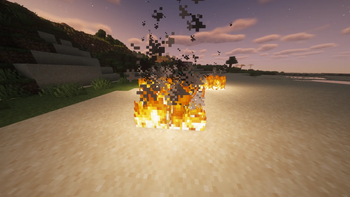
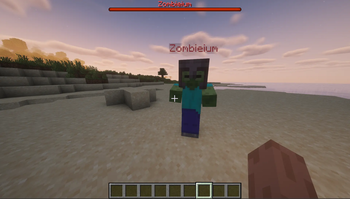
Zombieium adds configurable night-time zombie waves and an optional boss encounter with a red warning beam, fiery arrival effects, and unique drops.
Screenshots
About this Mod
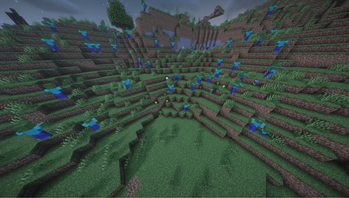
Zombieium turns Minecraft nights into a focused zombie survival experience.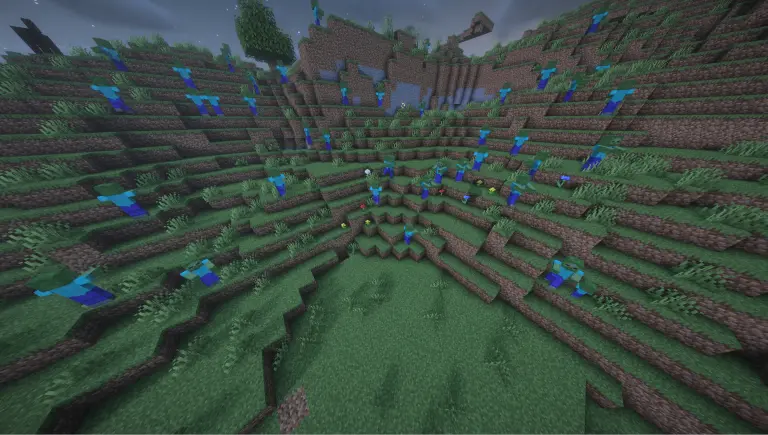
While enabled, the mod:
- Spawns vanilla Zombies around players at night (configurable distance, interval, amount, and nearby cap)
- (Optionally) keeps the Overworld hostile-mob roster “zombie-only” by removing other hostile mobs as they load
- Adds a Boss Event: after midnight, a red beam marks a player—and when it ends, Zombieium arrives (bossbar, buffs, boosted stats, and dramatic arrival effects)
Features
Night zombie spawner
- Configurable min/max spawn distance
- Configurable zombies per cycle + spawn interval
- Configurable max nearby zombies per player (prevents runaway swarms)
Target filtering
- Optional: skip creative players
- Optional: skip spectators
Boss Event
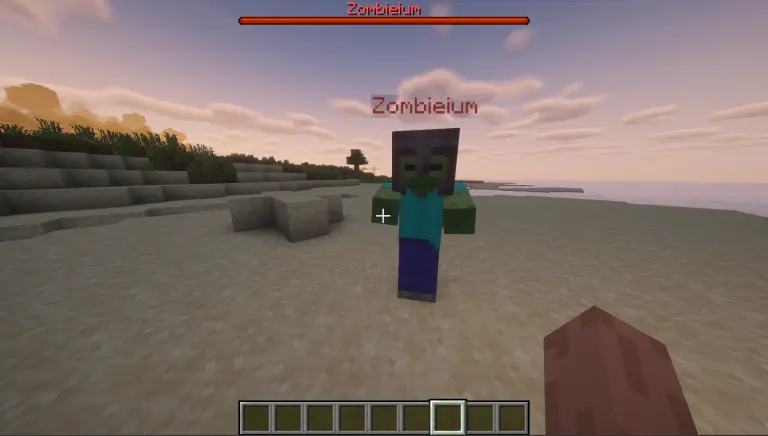
- Configurable minimum night, chance %, beam duration
- Boss stats tuning: max health, speed, follow range, attack damage multipliers
- Optional boss chat announcements + bossbar
Config UI
- Works with ModMenu (in-game settings screen)
- Also stored as config/zombieium.json
Debug mode
- Extra info in chat/logs about spawns and failures
Commands
/zombieium status
- Shows current settings + boss state
/zombieium reload
- Reloads config from disk
/zombieium spawnnow
- Forces a spawn cycle (useful for testing)
/zombieium boss status
- Shows boss/beam status
/zombieium boss start
- Forces the boss event (Overworld, night, eligible player)
/zombieium boss end
- Ends the active boss encounter
Notes / Compatibility
- Server-side gameplay mod: install on the server for effect.
- Client-side optional: install on the client if you want the ModMenu config screen.
Config highlights (defaults)
- Zombies per cycle: 4
- Interval: 120 ticks (6s)
- Distance: 20–200 blocks
- Nearby cap: 16 zombies per player
- Boss: starts from night 3, 5% chance after midnight, 60 ticks beam
Available Versions
How to Install Zombieium on Your Server
Order Server
Order a Minecraft Java server with at least 3 GB RAM (4 GB recommended).
Set fabric Loader
In the panel under "Egg", select the fabric loader and matching Minecraft version (1.21.11).
Install Mod
Open the mod browser in the dashboard and search for "Zombieium". Click "Install" – done! Alternatively, upload the .jar via SFTP to the /mods folder.
Compatibility
Mod Loaders
Minecraft Versions
1.21.11
Server-side
✓ RequiredRecommended RAM
4 GB(min. 3 GB)Frequently Asked Questions
Zombieium server crashes on startup – what to do?
Most common cause: wrong fabric version or insufficient RAM. Check the server log (latest.log) for "OutOfMemoryError" or "Mixin" errors. With Mado Hosting: ensure at least 3 GB RAM is allocated and the loader matches the mod version (1.21.11). You can switch loaders with one click in the panel.
Is Zombieium compatible with fabric?
Zombieium officially supports fabric for Minecraft 1.21.11. The Mado dashboard automatically detects incompatible loader combinations.
Server lagging with Zombieium – how to optimize performance?
Recommended RAM: 4 GB (per 8 players). Use /spark profiler to check if Zombieium consumes the most tick time. Common fixes: reduce server view-distance to 8-10, install "performant" or "starlight" as supplementary mods on Forge. With Mado Hosting, your server runs on NVMe SSDs with dedicated CPU cores for minimal latency.
Similar Mods




Rent Modded Server
Install Zombieium with just one click on your server.