Zombies Utils
A all-in-one mod for Hypixel Zombies. Targets speedrunners, features should match speedrum.com guidelines.
Screenshots
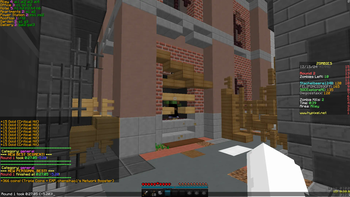
About this Mod
Summary
This mod is a client-sided QoL mod for Hypixel's Zombies minigame (in the Arcade Lobby).
Goal is to keep all features compliant to speedrun.com. Note that this mod alone is not sufficient for these leaderboards' submissions (e.g. "keystrokes" are required and not planned for Zombies Utils).
Features:
- timer:
- accurate (server-synced game-time)
- automated round splitting
- tracking of personal bests (similar to LiveSplit)
- simple management for categories
- SLA (display active window spawn-points)
- one hotkey for a chat message
- wave spawn timer
- visually
- auditory
- Rocket Launcher offset
- player visibility toggle
- right-click CPS counter
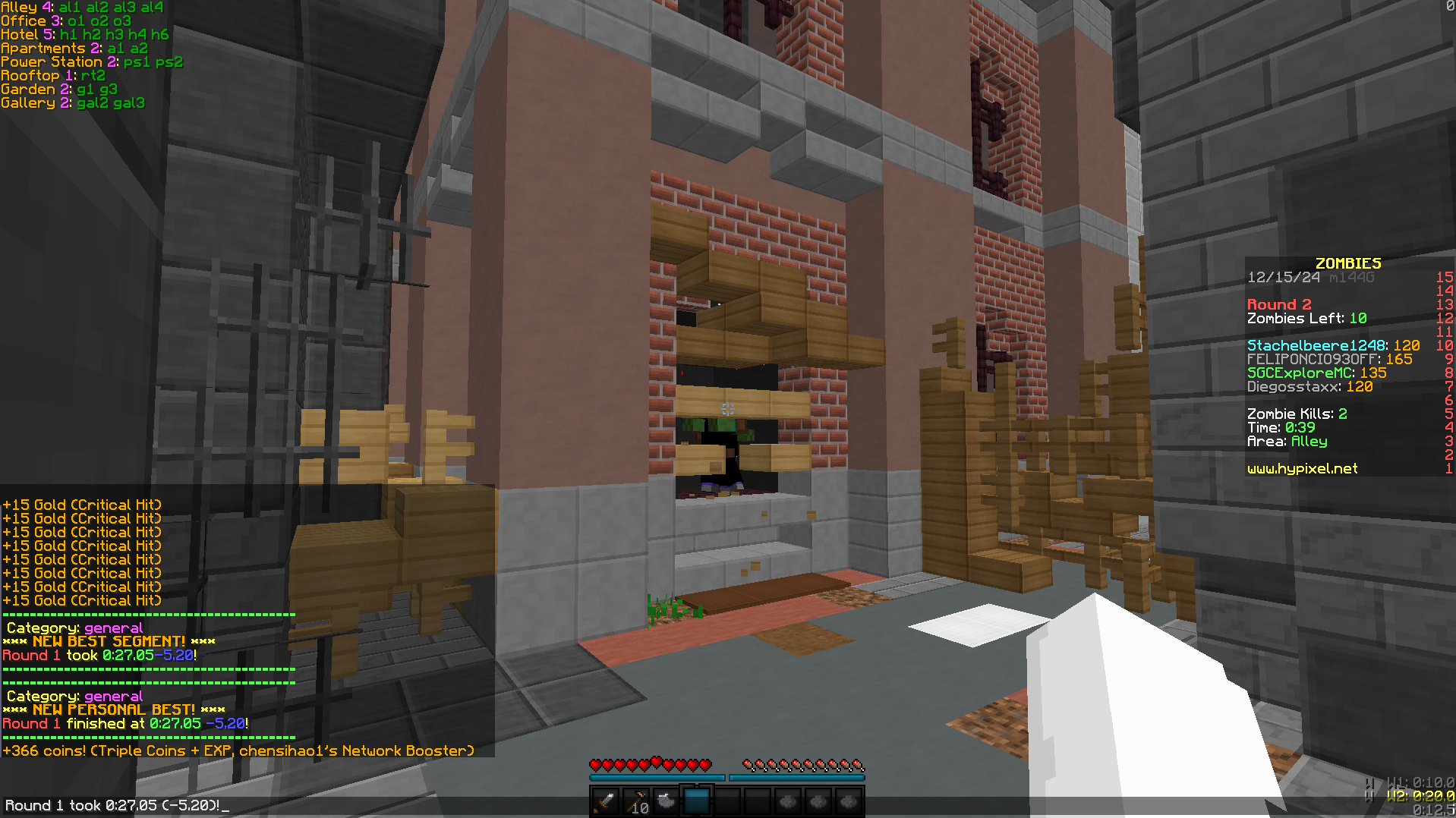
^^^ This refers to the 1.8.9 Forge edition.
Config GUI is implemented via Minecraft Forge's built-in mod config. For up-to-date details on configuration, hotkeys and commands check here: 1.8.9
Fabric Version
Fabric version is currently in development.
features ported
- servertick-based timer (the best one so far perhaps)
- playervis
- wavetiming (auditory and visual), with mob prefixes
- tracking of personal bests (with categories)
- yaw / pitch HUD & entity counter (the latter is bugged in newer vanilla, but available in 1.8.9 debug HUD)
- chat macros
- 1.8.9 sneak height (essential in zombies)
I have plans to make fabric the primary version of this mod. It is certainly in a playable state, but not as complete as the legacy version.
Note that the fabric mod has a few required dependencies (Hypixel's official protocol extensions, my own Zombies library, YACL and Fabric API). You can find these linked on the version detail pages. Third-party launchers can take care of this for you.
Available Versions
How to Install Zombies Utils on Your Server
Order Server
Order a Minecraft Java server with at least 3 GB RAM (4 GB recommended).
Set fabric Loader
In the panel under "Egg", select the fabric loader and matching Minecraft version (26.1.2).
Install Mod
Open the mod browser in the dashboard and search for "Zombies Utils". Click "Install" – done! Alternatively, upload the .jar via SFTP to the /mods folder.
Compatibility
Mod Loaders
Minecraft Versions
26.1.2, 1.21.11, 1.8.9
Server-side
✗ UnsupportedRecommended RAM
4 GB(min. 3 GB)Frequently Asked Questions
Zombies Utils server crashes on startup – what to do?
Most common cause: wrong fabric version or insufficient RAM. Check the server log (latest.log) for "OutOfMemoryError" or "Mixin" errors. With Mado Hosting: ensure at least 3 GB RAM is allocated and the loader matches the mod version (26.1.2). You can switch loaders with one click in the panel.
Is Zombies Utils compatible with fabric and forge?
Zombies Utils officially supports fabric, forge for Minecraft 26.1.2, 1.21.11, 1.8.9. Note: Forge and Fabric mods are NOT cross-compatible – pick one loader and stick with it. The Mado dashboard automatically detects incompatible loader combinations.
Server lagging with Zombies Utils – how to optimize performance?
Recommended RAM: 4 GB (per 8 players). Use /spark profiler to check if Zombies Utils consumes the most tick time. Common fixes: reduce server view-distance to 8-10, install "performant" or "starlight" as supplementary mods on Forge. With Mado Hosting, your server runs on NVMe SSDs with dedicated CPU cores for minimal latency.
Similar Mods




![[ETF] Entity Texture Features](https://cdn.modrinth.com/data/BVzZfTc1/af683d206d50b05258d865b0d6e4aa2f2cee12f2_96.webp)
![[EMF] Entity Model Features](https://cdn.modrinth.com/data/4I1XuqiY/6e5bbd0d06b1741bfdab6c0cfab6de8fdaf0064c_96.webp)
Rent Modded Server
Install Zombies Utils with just one click on your server.