
ZoomitSky
Normal and Cinematic Zoom [Fabric]
Screenshots
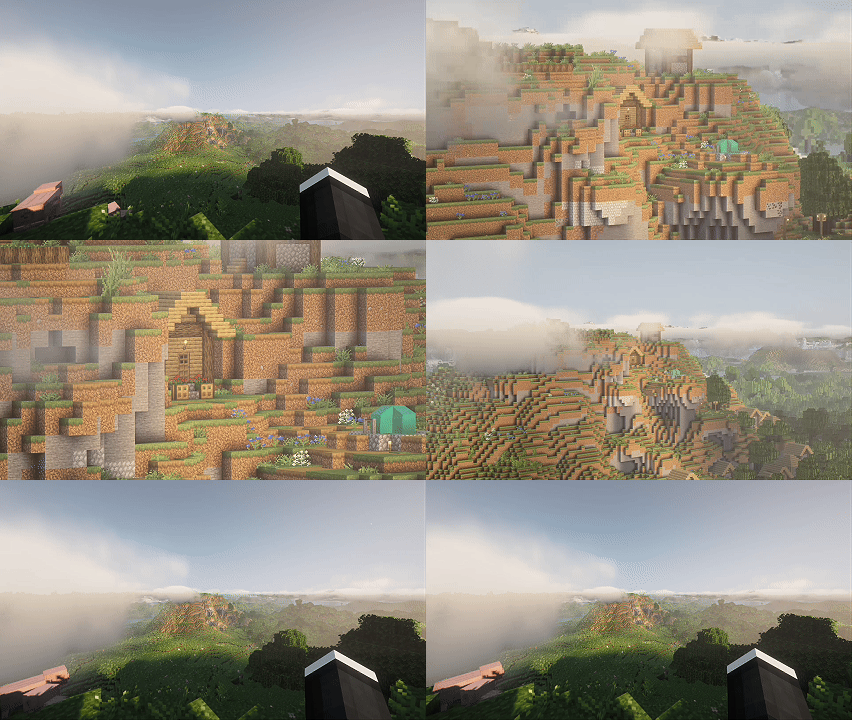
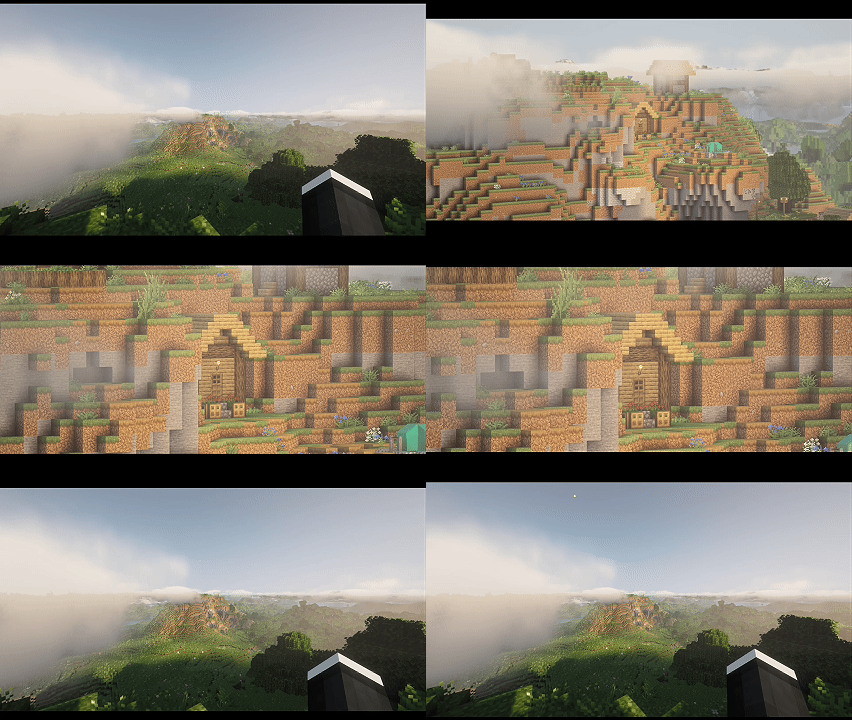


About this Mod
This mod implements a normal zoom and a cinematic zoom with multiple modes and customizable settings. Perfect for exploration, content creators, and players looking for an enhanced visual experience.
Mod features:
Two Zoom Modes
- Normal Zoom (Z): Clean and fast zoom without visual distractions.
- Cinematic Zoom (C): Includes cinematic black bars and hides the interface for professional shots.
Two Control Styles
- Hold Down: Hold the key to zoom (classic mode).
- Press Once: Press to activate/deactivate zoom (ideal for long shots).
- Switch between modes with a single key (customizable from keyboard settings).
Adjustable Zoom with Scroll
Use the mouse wheel to dynamically adjust the zoom level.
Adaptive Sensitivity
Mouse sensitivity is automatically reduced with zoom to improve control and precision even at maximum zoom.
Reset Zoom
Resets the zoom level to default values with a single key.
In-Game Configuration
Adjust zoom behavior directly from the Mod Menu config screen — no need to edit files manually.
Controls
| Action | Default Key |
|---|---|
| Normal Zoom | Z |
| Cinematic Zoom | C |
| Toggle Control Style | V |
| Reset Zoom | (Empty) |
All keys are fully configurable.
Dependencies
- Fabric API
- Mod Menu (for config screen)
- Cloth Config (for config screen)
Available Versions
How to Install ZoomitSky on Your Server
Order Server
Order a Minecraft Java server with at least 3 GB RAM (4 GB recommended).
Set fabric Loader
In the panel under "Egg", select the fabric loader and matching Minecraft version (1.21.11).
Install Mod
Open the mod browser in the dashboard and search for "ZoomitSky". Click "Install" – done! Alternatively, upload the .jar via SFTP to the /mods folder.
Compatibility
Mod Loaders
Minecraft Versions
1.21.11, 1.21.10, 1.21.9 (+9 more)
Server-side
✗ UnsupportedRecommended RAM
4 GB(min. 3 GB)Frequently Asked Questions
ZoomitSky server crashes on startup – what to do?
Most common cause: wrong fabric version or insufficient RAM. Check the server log (latest.log) for "OutOfMemoryError" or "Mixin" errors. With Mado Hosting: ensure at least 3 GB RAM is allocated and the loader matches the mod version (1.21.11). You can switch loaders with one click in the panel.
Is ZoomitSky compatible with fabric?
ZoomitSky officially supports fabric for Minecraft 1.21.11, 1.21.10, 1.21.9. The Mado dashboard automatically detects incompatible loader combinations.
Server lagging with ZoomitSky – how to optimize performance?
Recommended RAM: 4 GB (per 8 players). Use /spark profiler to check if ZoomitSky consumes the most tick time. Common fixes: reduce server view-distance to 8-10, install "performant" or "starlight" as supplementary mods on Forge. With Mado Hosting, your server runs on NVMe SSDs with dedicated CPU cores for minimal latency.
Similar Mods




Rent Modded Server
Install ZoomitSky with just one click on your server.