
All the Create
All the Create is a Create-centric modpack with over 50 add-ons and custom recipes that enrich the Create gaming experience, all in an elegant terralith-based world generation that encourages exploration.
Screenshots
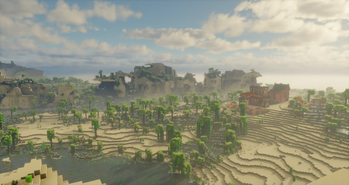
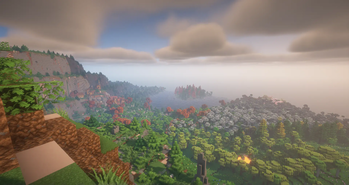
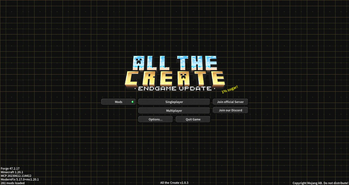

Über dieses Modpack

All the Create is a modpack centered around the Create mod, offering a unique gaming experience halfway between kitchen-sink and quest-oriented, all with a world generation based on the Terralith-Tectonic couple. You'll also be able to explore the Aether, collecting the resources you need to progress.
⚙️ The full potential of Create

The modpack features over 2,000 custom recipes and is designed around a global progression curve. Add-ons such as Create Nuclear, The Factory Must Grow, Vintage Improvements and Create Broken Bad have been integrated into the modpack. You'll also find the classic Applied Energistics 2, whose recipes have been redesigned to fit Create
A carefully configured public server is available. A pre-generated world is available for you to build your biggest factories with your friends.
Verfügbare Versionen
All the Create Server einrichten
Server bestellen
Wähle mindestens 6 GB RAM (8 GB empfohlen für All the Create). Je nach Spieleranzahl: +1 GB pro 5 Spieler.
Modpack im Dashboard installieren
Öffne den Modpack-Browser im Dashboard, suche nach "All the Create" und klicke "Installieren". Der forge-Loader und Minecraft 1.20.1 werden automatisch konfiguriert.
Server starten & spielen
Starte den Server – alle Mods werden automatisch geladen. Teile die Server-IP mit Freunden und spielt zusammen!
Häufige Fragen
All the Create Server crasht oder startet nicht – was tun?
Häufigste Ursachen: zu wenig RAM oder falscher forge-Loader. Prüfe latest.log auf "OutOfMemoryError" → erhöhe RAM auf mindestens 8 GB. Bei "Mixin" oder "ClassNotFoundException": Modpack-Version und Loader stimmen nicht überein. Bei Mado Hosting werden Loader und Minecraft-Version beim Modpack-Install automatisch konfiguriert – das verhindert die meisten Startprobleme.
Wie viel RAM braucht ein All the Create Server wirklich?
Minimum 6 GB, empfohlen 8 GB für stabile Performance. +1 GB pro 5 Spieler. Wichtig: Minecraft-Modpacks brauchen mehr RAM als Vanilla – plane pro zusätzlichem Spieler extra ein. Bei Mado Hosting kannst du den RAM jederzeit live hochskalieren, ohne Datenverlust (ab €7.800000000000001/Monat).
Kann ich eigene Mods zu All the Create hinzufügen, ohne Konflikte?
Ja, aber achte auf die Kompatibilität: Nutze nur Mods für den gleichen Loader (forge) und die gleiche Minecraft-Version (1.20.1). Häufige Probleme: ID-Konflikte bei Rezept-Mods und inkompatible Coremod-Versionen. Im Mado Dashboard zeigt der Mod-Browser nur kompatible Mods an und warnt bei bekannten Konflikten.
All the Create Server laggt – Performance-Tipps
1) RAM auf 8 GB+ erhöhen. 2) Server-View-Distance auf 8 reduzieren (server.properties). 3) Pre-Generiere Chunks mit dem "Chunky" Plugin. 4) Prüfe mit /spark profiler welche Mods die meiste Tick-Time verbrauchen. Bei Mado Hosting laufen alle Server auf NVMe-SSDs mit dedizierten CPU-Kernen – das eliminiert Hardware als Engpass.
Ähnliche Modpacks
![Better MC [FABRIC] - BMC2](https://cdn.modrinth.com/data/shFhR8Vx/a19c2bcb51d38f32f138d3607e91cb2b7b8e387f_96.webp)
![Better MC [FORGE] - BMC4](https://cdn.modrinth.com/data/4BV47HRn/7f5ef7cc61b2593609aabef3ed07a866a4f11b73_96.webp)


All the Create Server mieten
Starte deinen eigenen Server mit automatischer Modpack-Installation.
Details
- Lizenz
- Creative Commons Attribution 4.0 International
- Server-seitig
- Nicht unterstützt
- Client-seitig
- Nicht unterstützt
Unterstützte Versionen
Starte deinen All the Create Server jetzt
Ab €7.80/Monat; für die beste Performance werden 8 GB RAM empfohlen.
Server konfigurieren →