
Bedrock Edition: Renew
Bedrock Edition ported into Java with the menus, features and more, "play with your friends"!
Screenshots
Über dieses Modpack
Bedrock Edition: Renew

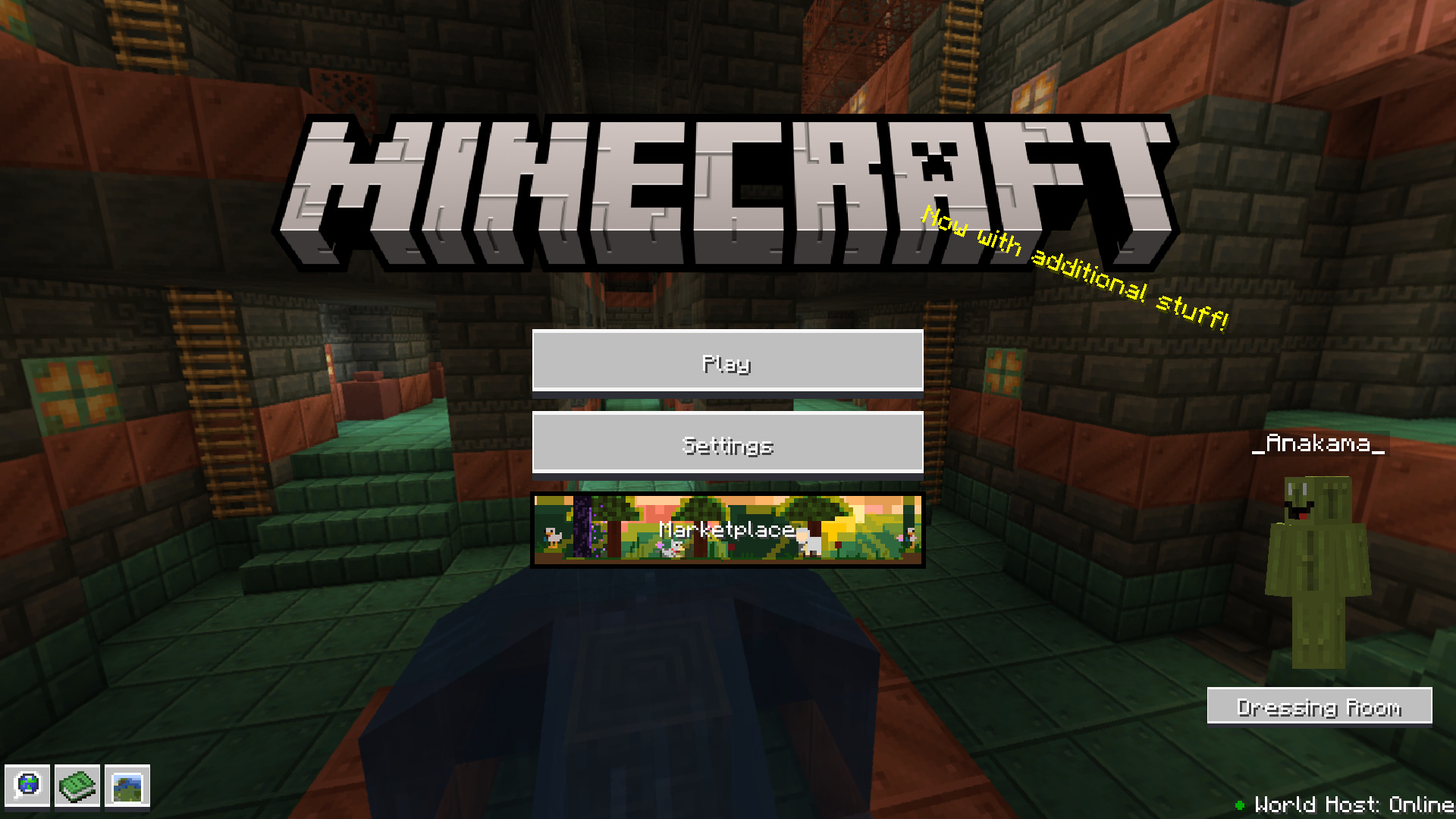
This modpack makes Minecraft Java Edition, Bedrock Edition. It changes the in-game menus, adds a lot of Bedrock features and imrproves the game's optimization.
Features
- Armor Stand Arms.
- Bedrock-like loading screens with helpful tips.
- Third person eating animations.
- Sheared Sheep Colors
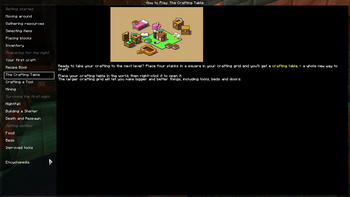
- How to play menu.
- Entity Culling.
- Bedrock Pause Menu.
- No Chat Reports.
- Position and "paper doll" overlay.
- Dynamic Inactive Hud Opacity.
- Saving status overlay.
- 3D fishing hook
- Bedrock Cauldrons that hold dyed water and potions
- Bedrock Sun Glare
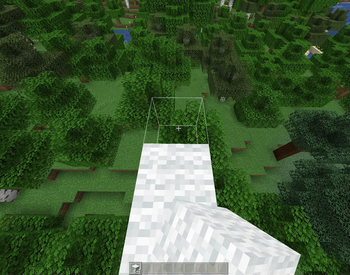
- Bedrock Chunk Loading Animation
- Bedrock Crafting Recipes (Toggleable).
- Bedrock-like chat.
- Bedrock Edition world color noise for grass and water.
- Idle hand animations.
- Held item descriptions (enchantments, books and potions).
- Reach-around block placement.
- Dying and Fallen Trees!
- Bedrock Light block shading.
- Disable flying momentum (Drift) in creative mode.
- Stop elytra flying by pressing space on air.
- Quick armor swapping.
- Items don't despawn after you die.
- Bedrock Impaling.
- Bedrock Jumping Sounds.
- Bedrock Inventory Animations.
- Bedrock Wither.
- Bedrock like menus.
- Bedrock like gui colors.
- Enchantment icons.
- Better held item info.
- Instant world quit.
- Nether Portal Fix on multiplayer servers.
- Block Culling.
- Automatic language choosing.
- Better packet sending.
- Smooth scrolling.
- Better and cleaner debug menu (F3).
- Bedrock Armor Stand Arms.
- Bedrock Accarute Block Placement.
- Bedrock Bubbles.
- Capes feature (Allows you to see/use capes from other mods like OptiFine).
- See greater then server's render distance.
- Skyboxes in Fabric.
- Debugify (fixes a lot of vanilla bugs).
- Shaders.
- Model Gap Fix.
- Controler support.
- Bedrock Snowy Leaves.
- Leaf Culling.
- First Person Animations in Third Person.
- No Attack Cooldown.
- No Mining cooldown.
- World Hosting to your friends.
- OptiFine Texture Pack Features.
- ScreenShot Viewer In-Gane.
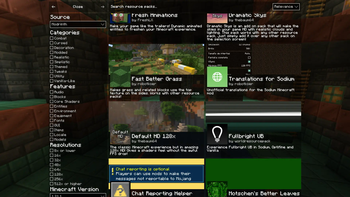
- Bedrock-like marketplace which allows you to download datapacks, resourcepacks, worlds and shaders.
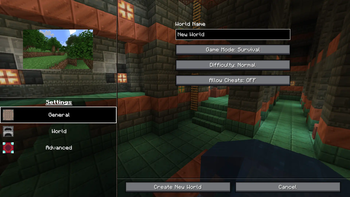
- Bedrock-like world creating menu.
- Camera from education edition.
- Bedrock-like Creative Inventory.
- No Chat Reports and Telemetry.
- Longer chat history.
- Better Performance
Questions & Answers
Can you use this modpack in servers?
Yes and no; Bedrock Edition: Renew is built for singeplayer and world hosting, other servers' anti-cheats may detect this modpack as a cheat, or just don't allow you to join at all. And also yes, you can copy the mods folder from the modpack into a fabric server's mods folder and then use the server with this modpack.Why the Dress Room button is not working?
I deleted the mod to it because it was crashing the game, so its just a decoration.
I suggest you should do this, or I should contact you.
You can use the contact box at the bottom of the main page of my website if you need to contact me, and you can submit an issue at the NetherTeam Issue Tracker.
Credits
- Idea and the original modpack: xdf22.
- Other: Anakama.
- Some of Bedrock Assets: seriousfreezing
- Bedrock-like GUI Textures: Made by StardustSys and edited by Anakama.
NOTE:
- This project uses assets from Bedrock Reloaded.
Verfügbare Versionen
Bedrock Edition: Renew Server einrichten
Server bestellen
Wähle mindestens 6 GB RAM (8 GB empfohlen für Bedrock Edition: Renew). Je nach Spieleranzahl: +1 GB pro 5 Spieler.
Modpack im Dashboard installieren
Öffne den Modpack-Browser im Dashboard, suche nach "Bedrock Edition: Renew" und klicke "Installieren". Der fabric-Loader und Minecraft 1.21.1 werden automatisch konfiguriert.
Server starten & spielen
Starte den Server – alle Mods werden automatisch geladen. Teile die Server-IP mit Freunden und spielt zusammen!
Häufige Fragen
Bedrock Edition: Renew Server crasht oder startet nicht – was tun?
Häufigste Ursachen: zu wenig RAM oder falscher fabric-Loader. Prüfe latest.log auf "OutOfMemoryError" → erhöhe RAM auf mindestens 8 GB. Bei "Mixin" oder "ClassNotFoundException": Modpack-Version und Loader stimmen nicht überein. Bei Mado Hosting werden Loader und Minecraft-Version beim Modpack-Install automatisch konfiguriert – das verhindert die meisten Startprobleme.
Wie viel RAM braucht ein Bedrock Edition: Renew Server wirklich?
Minimum 6 GB, empfohlen 8 GB für stabile Performance. +1 GB pro 5 Spieler. Wichtig: Minecraft-Modpacks brauchen mehr RAM als Vanilla – plane pro zusätzlichem Spieler extra ein. Bei Mado Hosting kannst du den RAM jederzeit live hochskalieren, ohne Datenverlust (ab €7.800000000000001/Monat).
Kann ich eigene Mods zu Bedrock Edition: Renew hinzufügen, ohne Konflikte?
Ja, aber achte auf die Kompatibilität: Nutze nur Mods für den gleichen Loader (fabric) und die gleiche Minecraft-Version (1.21.1). Häufige Probleme: ID-Konflikte bei Rezept-Mods und inkompatible Coremod-Versionen. Im Mado Dashboard zeigt der Mod-Browser nur kompatible Mods an und warnt bei bekannten Konflikten.
Bedrock Edition: Renew Server laggt – Performance-Tipps
1) RAM auf 8 GB+ erhöhen. 2) Server-View-Distance auf 8 reduzieren (server.properties). 3) Pre-Generiere Chunks mit dem "Chunky" Plugin. 4) Prüfe mit /spark profiler welche Mods die meiste Tick-Time verbrauchen. Bei Mado Hosting laufen alle Server auf NVMe-SSDs mit dedizierten CPU-Kernen – das eliminiert Hardware als Engpass.
Ähnliche Modpacks
![Cobblemon Official Modpack [Fabric]](https://cdn.modrinth.com/data/5FFgwNNP/e7f9ee2e9d361623847853fe2ddce42f519ee64f.png)
![COBBLEVERSE - Pokemon Adventure [Cobblemon]](https://cdn.modrinth.com/data/Jkb29YJU/581ecf54530972afb18a04660afd820f2f24f6c7.png)
![Better MC [FABRIC] - BMC2](https://cdn.modrinth.com/data/shFhR8Vx/a19c2bcb51d38f32f138d3607e91cb2b7b8e387f_96.webp)


![Better MC [FORGE] - BMC4](https://cdn.modrinth.com/data/4BV47HRn/7f5ef7cc61b2593609aabef3ed07a866a4f11b73_96.webp)
Bedrock Edition: Renew Server mieten
Starte deinen eigenen Server mit automatischer Modpack-Installation.
Details
- Lizenz
- GNU General Public License v3.0 only
- Server-seitig
- Erforderlich
- Client-seitig
- Erforderlich
Unterstützte Versionen
Starte deinen Bedrock Edition: Renew Server jetzt
Ab €7.80/Monat; für die beste Performance werden 8 GB RAM empfohlen.
Server konfigurieren →