
Bedrock Reloaded
A redesigned and improved experience of the Bedrock edition.
Screenshots
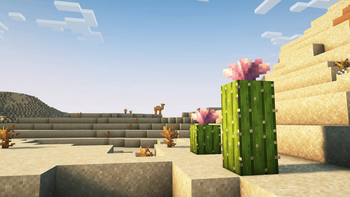
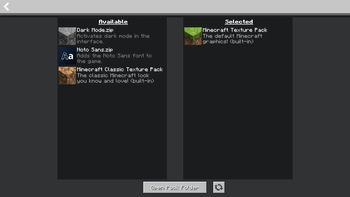
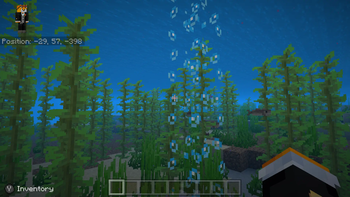
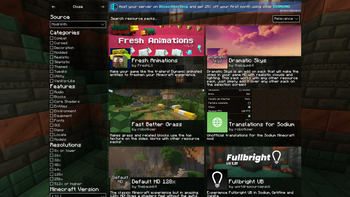
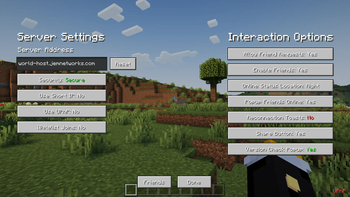
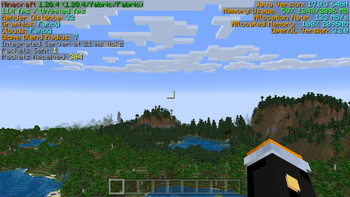
Über dieses Modpack






Minecraft Java and Bedrock have several issues due to the lack of parity between the two editions — notably differences in textures, behaviors, and more. This can be frustrating for players unfamiliar with Java or even disrupt the overall gameplay experience between the two versions.
This modpack includes only carefully selected mods, datapacks, and resource packs that specifically target parity issues, aligning textures, behaviors, and mechanics to make Java behave more like Bedrock while keeping the experience stable and consistent.
The result is a more coherent experience for players transitioning between the two editions, reducing confusion and preserving the original feel of Bedrock.

Why not just stick with Bedrock? The Bedrock edition may feel smoother out of the box, but it’s limited by its closed ecosystem and lack of mod support. Bedrock Reloaded runs on the powerful Java base, giving you real customization, mod flexibility, and advanced performance tuning — all while maintaining the familiar Bedrock feel.
High Performance
- A well-selected set of performance-enhancing mods is included — improving the efficiency of internal calculations and game systems.
- Runs smoothly at 96 chunks on Distant Horizons, even with shaders enabled.
Stability
- Fixes several bugs and inconsistencies present in the Java edition.
- Unlike Bedrock, there is a way to add mods and other free additional content.
Flexible
- Most of Bedrock's features can be disabled with a few clicks.
- Server-friendly, allowing you to quickly and easily set up.
- The modpack and many of the included mods are open-source.
Verfügbare Versionen
Bedrock Reloaded Server einrichten
Server bestellen
Wähle mindestens 6 GB RAM (8 GB empfohlen für Bedrock Reloaded). Je nach Spieleranzahl: +1 GB pro 5 Spieler.
Modpack im Dashboard installieren
Öffne den Modpack-Browser im Dashboard, suche nach "Bedrock Reloaded" und klicke "Installieren". Der fabric-Loader und Minecraft 26.3 werden automatisch konfiguriert.
Server starten & spielen
Starte den Server – alle Mods werden automatisch geladen. Teile die Server-IP mit Freunden und spielt zusammen!
Häufige Fragen
Bedrock Reloaded Server crasht oder startet nicht – was tun?
Häufigste Ursachen: zu wenig RAM oder falscher fabric-Loader. Prüfe latest.log auf "OutOfMemoryError" → erhöhe RAM auf mindestens 8 GB. Bei "Mixin" oder "ClassNotFoundException": Modpack-Version und Loader stimmen nicht überein. Bei Mado Hosting werden Loader und Minecraft-Version beim Modpack-Install automatisch konfiguriert – das verhindert die meisten Startprobleme.
Wie viel RAM braucht ein Bedrock Reloaded Server wirklich?
Minimum 6 GB, empfohlen 8 GB für stabile Performance. +1 GB pro 5 Spieler. Wichtig: Minecraft-Modpacks brauchen mehr RAM als Vanilla – plane pro zusätzlichem Spieler extra ein. Bei Mado Hosting kannst du den RAM jederzeit live hochskalieren, ohne Datenverlust (ab €7.800000000000001/Monat).
Kann ich eigene Mods zu Bedrock Reloaded hinzufügen, ohne Konflikte?
Ja, aber achte auf die Kompatibilität: Nutze nur Mods für den gleichen Loader (fabric) und die gleiche Minecraft-Version (26.3). Häufige Probleme: ID-Konflikte bei Rezept-Mods und inkompatible Coremod-Versionen. Im Mado Dashboard zeigt der Mod-Browser nur kompatible Mods an und warnt bei bekannten Konflikten.
Bedrock Reloaded Server laggt – Performance-Tipps
1) RAM auf 8 GB+ erhöhen. 2) Server-View-Distance auf 8 reduzieren (server.properties). 3) Pre-Generiere Chunks mit dem "Chunky" Plugin. 4) Prüfe mit /spark profiler welche Mods die meiste Tick-Time verbrauchen. Bei Mado Hosting laufen alle Server auf NVMe-SSDs mit dedizierten CPU-Kernen – das eliminiert Hardware als Engpass.
Ähnliche Modpacks
![Cobblemon Official Modpack [Fabric]](https://cdn.modrinth.com/data/5FFgwNNP/e7f9ee2e9d361623847853fe2ddce42f519ee64f.png)
![COBBLEVERSE - Pokemon Adventure [Cobblemon]](https://cdn.modrinth.com/data/Jkb29YJU/581ecf54530972afb18a04660afd820f2f24f6c7.png)
![Better MC [FABRIC] - BMC2](https://cdn.modrinth.com/data/shFhR8Vx/a19c2bcb51d38f32f138d3607e91cb2b7b8e387f_96.webp)


![Better MC [FORGE] - BMC4](https://cdn.modrinth.com/data/4BV47HRn/7f5ef7cc61b2593609aabef3ed07a866a4f11b73_96.webp)
Bedrock Reloaded Server mieten
Starte deinen eigenen Server mit automatischer Modpack-Installation.
Details
- Lizenz
- GNU General Public License v3.0 only
- Server-seitig
- Optional
- Client-seitig
- Optional
Unterstützte Versionen
Starte deinen Bedrock Reloaded Server jetzt
Ab €7.80/Monat; für die beste Performance werden 8 GB RAM empfohlen.
Server konfigurieren →