
Cornetto
A modpack that optimizes the game without sacrificing the graphics
Über dieses Modpack


⚠️ Since as of 1.21.6, Mojang has been drastically improving the performance of the game, especially since 26.3, some mods like Sodium feels less and less necessary. It's definitely worth trying out the game without Sodium enabled, as it might even run better on your device (or only slightly worse, but allows you to use vanilla shaders without any issues as well>:P)
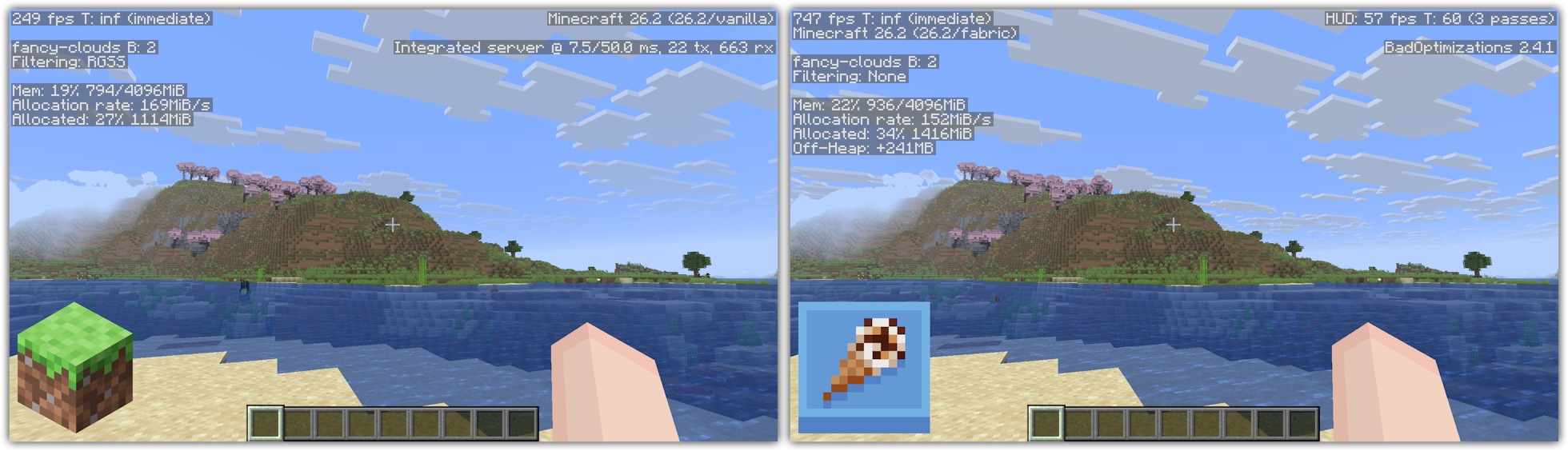
Cornetto (Italian: [kor' netto]; 'little horn') is a small modpack that strives to optimizes your game, with no extra knick-knacks attached to it, meaning you can just add any of your favourite mods on top of this modpack!
This client side modpack (meaning you can join any server with it!) is meant for anyone who likes to keep things basic, or for the people who want to add other mods without having to deal with the optimization part. This pack doesn't add new features to it, like a zoom or no chat report function. (Though very unlikely, some servers don't allow login and chat packets to be altered.)
Please keep in mind that this modpack may or may not work better than other modpacks on your system. This varies between systems as not every computer uses the exact same hardware. But since this modpack only uses a whopping 27 mods, it'll most likely work perfectly on your system too.
What does Cornetto stand for?
OpenJDK Corretto > Cornetto - funny ice cream, hah, get it? Yeah, me neither.
What mods are included?
Cornetto exists out of the following mods;
- Async Logger - Makes logging operations asynchronous
- AsyncParticles - Offloads particles to the GPU
- Audition - Lowers CPU overhead from the sound engine
- BadOptimizations - A collection of micro optimisations
- Better Block Entities - Optimizes how block entities are rendered
- Dynamic FPS - Reduces resource usage while Minecraft is in the background
- Enchanted's Sodium Options - Makes the Sodium video settings screen look more like vanilla's. While purely cosmetical, this does not affect performance.
- Entity Culling - Stops rendering entities that aren't on the screen
- FerriteCore - Reduces memory usage
- Gnetum - Distributes HUD updates over multiple frames
- ImmediatelyFast - Optimizes mode rendering
- Ixeris - Optimises event polling
- Jasione - Reduces GC pressure
- kennytvs-epic-force-close-loading-screen-mod-for-fabric - disables the world loading screen
- MixinTrace - Makes crash logs easier to read
- ModernFix - Fixes a lot of bugs and reduces memory usage
- Moonrise - Optimises the integrated and dedicated server
- More Culling - Introduces multiple culling methods to the game
- Particle Core - Stops rendering particles you can't see
- Quick Pack - Optimises pack loading times
- Server Pinger Fixer - Improves how servers are pinged
- Sodium - Improves how the game is rendered
- StackDeobfuscator - Makes unreadable crash reports more readable
If you have encounter any bugs or issues, feel free to join my Discord to report them!
Verfügbare Versionen
Cornetto Server einrichten
Server bestellen
Wähle mindestens 6 GB RAM (8 GB empfohlen für Cornetto). Je nach Spieleranzahl: +1 GB pro 5 Spieler.
Modpack im Dashboard installieren
Öffne den Modpack-Browser im Dashboard, suche nach "Cornetto" und klicke "Installieren". Der fabric-Loader und Minecraft 26.3 werden automatisch konfiguriert.
Server starten & spielen
Starte den Server – alle Mods werden automatisch geladen. Teile die Server-IP mit Freunden und spielt zusammen!
Häufige Fragen
Cornetto Server crasht oder startet nicht – was tun?
Häufigste Ursachen: zu wenig RAM oder falscher fabric-Loader. Prüfe latest.log auf "OutOfMemoryError" → erhöhe RAM auf mindestens 8 GB. Bei "Mixin" oder "ClassNotFoundException": Modpack-Version und Loader stimmen nicht überein. Bei Mado Hosting werden Loader und Minecraft-Version beim Modpack-Install automatisch konfiguriert – das verhindert die meisten Startprobleme.
Wie viel RAM braucht ein Cornetto Server wirklich?
Minimum 6 GB, empfohlen 8 GB für stabile Performance. +1 GB pro 5 Spieler. Wichtig: Minecraft-Modpacks brauchen mehr RAM als Vanilla – plane pro zusätzlichem Spieler extra ein. Bei Mado Hosting kannst du den RAM jederzeit live hochskalieren, ohne Datenverlust (ab €7.800000000000001/Monat).
Kann ich eigene Mods zu Cornetto hinzufügen, ohne Konflikte?
Ja, aber achte auf die Kompatibilität: Nutze nur Mods für den gleichen Loader (fabric) und die gleiche Minecraft-Version (26.3). Häufige Probleme: ID-Konflikte bei Rezept-Mods und inkompatible Coremod-Versionen. Im Mado Dashboard zeigt der Mod-Browser nur kompatible Mods an und warnt bei bekannten Konflikten.
Cornetto Server laggt – Performance-Tipps
1) RAM auf 8 GB+ erhöhen. 2) Server-View-Distance auf 8 reduzieren (server.properties). 3) Pre-Generiere Chunks mit dem "Chunky" Plugin. 4) Prüfe mit /spark profiler welche Mods die meiste Tick-Time verbrauchen. Bei Mado Hosting laufen alle Server auf NVMe-SSDs mit dedizierten CPU-Kernen – das eliminiert Hardware als Engpass.
Ähnliche Modpacks

![Cobblemon Official Modpack [Fabric]](https://cdn.modrinth.com/data/5FFgwNNP/e7f9ee2e9d361623847853fe2ddce42f519ee64f.png)
![COBBLEVERSE - Pokemon Adventure [Cobblemon]](https://cdn.modrinth.com/data/Jkb29YJU/581ecf54530972afb18a04660afd820f2f24f6c7.png)
![Better MC [FABRIC] - BMC2](https://cdn.modrinth.com/data/shFhR8Vx/a19c2bcb51d38f32f138d3607e91cb2b7b8e387f_96.webp)


Cornetto Server mieten
Starte deinen eigenen Server mit automatischer Modpack-Installation.
Details
- Lizenz
- LicenseRef-All-Rights-Reserved
- Server-seitig
- Nicht unterstützt
- Client-seitig
- Erforderlich
Unterstützte Versionen
Starte deinen Cornetto Server jetzt
Ab €7.80/Monat; für die beste Performance werden 8 GB RAM empfohlen.
Server konfigurieren →