
Create: Maximized (Old)
A melting pot of Create addons with an upcoming quest tree that teach you how they work. See Create: Maximized for the new, Aeronautics-updated version.
Screenshots
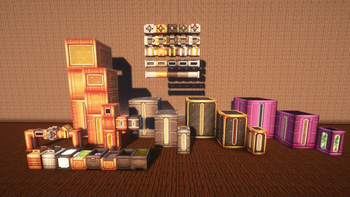
Über dieses Modpack
See https://modrinth.com/modpack/create-maximized for the updated version, including Create: Aeronautics!
The Create mod is among the best mods in all of modern minecraft. Good enough to have tons of addons for itself alone. This modpack will introduce you to many Create addons for you to enjoy.
What is Create?
Create is a technology mod based on automation and movement. Create's simple yet complex functions make it the perfect candidate to expand. Using Create, you can automate the production, extraction and refinement of Minecraft's resources at the same time.
Create relies on a thing called rotational force. Rotational force operates on 2 variables: speed and stress. Speed is the rpm of a shaft, and stress is the capacity of a machine before it stops working. Rotational Force is the lifeblood of Create, and Create: Maximized by extension. There are many ways to create Rotational Force.
Create features machines called contraptions. Contraptions are capable of smoothly moving blocks around, and many other functions you can explore, such as mining, cutting down whole trees, farming, the possibilities in Create are truly endless.
Maximized
A quest tree is available now on versions up to 0.4. Coming to later versions soon.
External Mods (Not all are present in newer versions):
https://www.curseforge.com/minecraft/mc-mods/polylib
https://www.curseforge.com/minecraft/mc-mods/gravestone-mod
https://www.curseforge.com/minecraft/mc-mods/create-confectionery
https://www.curseforge.com/minecraft/mc-mods/create-recycle-everything
https://www.curseforge.com/minecraft/mc-mods/fast-leaf-decay
https://www.curseforge.com/minecraft/mc-mods/sophisticated-backpacks
https://www.curseforge.com/minecraft/mc-mods/sophisticated-core
https://www.curseforge.com/minecraft/mc-mods/quark
https://www.curseforge.com/minecraft/mc-mods/quark-delight
https://www.curseforge.com/minecraft/mc-mods/controlling
https://www.curseforge.com/minecraft/mc-mods/create-wooderwheels
The Trackwork 1.20.1 port can be found in The Official Valkyrien Skies Discord Server
createmaximized-1.0.0-forge-1.20.1.jar - made by myself
Verfügbare Versionen
Create: Maximized (Old) Server einrichten
Server bestellen
Wähle mindestens 6 GB RAM (8 GB empfohlen für Create: Maximized (Old)). Je nach Spieleranzahl: +1 GB pro 5 Spieler.
Modpack im Dashboard installieren
Öffne den Modpack-Browser im Dashboard, suche nach "Create: Maximized (Old)" und klicke "Installieren". Der forge-Loader und Minecraft 1.20.1 werden automatisch konfiguriert.
Server starten & spielen
Starte den Server – alle Mods werden automatisch geladen. Teile die Server-IP mit Freunden und spielt zusammen!
Häufige Fragen
Create: Maximized (Old) Server crasht oder startet nicht – was tun?
Häufigste Ursachen: zu wenig RAM oder falscher forge-Loader. Prüfe latest.log auf "OutOfMemoryError" → erhöhe RAM auf mindestens 8 GB. Bei "Mixin" oder "ClassNotFoundException": Modpack-Version und Loader stimmen nicht überein. Bei Mado Hosting werden Loader und Minecraft-Version beim Modpack-Install automatisch konfiguriert – das verhindert die meisten Startprobleme.
Wie viel RAM braucht ein Create: Maximized (Old) Server wirklich?
Minimum 6 GB, empfohlen 8 GB für stabile Performance. +1 GB pro 5 Spieler. Wichtig: Minecraft-Modpacks brauchen mehr RAM als Vanilla – plane pro zusätzlichem Spieler extra ein. Bei Mado Hosting kannst du den RAM jederzeit live hochskalieren, ohne Datenverlust (ab €7.800000000000001/Monat).
Kann ich eigene Mods zu Create: Maximized (Old) hinzufügen, ohne Konflikte?
Ja, aber achte auf die Kompatibilität: Nutze nur Mods für den gleichen Loader (forge) und die gleiche Minecraft-Version (1.20.1). Häufige Probleme: ID-Konflikte bei Rezept-Mods und inkompatible Coremod-Versionen. Im Mado Dashboard zeigt der Mod-Browser nur kompatible Mods an und warnt bei bekannten Konflikten.
Create: Maximized (Old) Server laggt – Performance-Tipps
1) RAM auf 8 GB+ erhöhen. 2) Server-View-Distance auf 8 reduzieren (server.properties). 3) Pre-Generiere Chunks mit dem "Chunky" Plugin. 4) Prüfe mit /spark profiler welche Mods die meiste Tick-Time verbrauchen. Bei Mado Hosting laufen alle Server auf NVMe-SSDs mit dedizierten CPU-Kernen – das eliminiert Hardware als Engpass.
Ähnliche Modpacks

![COBBLEVERSE - Pokemon Adventure [Cobblemon]](https://cdn.modrinth.com/data/Jkb29YJU/581ecf54530972afb18a04660afd820f2f24f6c7.png)




Create: Maximized (Old) Server mieten
Starte deinen eigenen Server mit automatischer Modpack-Installation.
Details
- Lizenz
- LicenseRef-All-Rights-Reserved
- Server-seitig
- Erforderlich
- Client-seitig
- Erforderlich
Unterstützte Versionen
Starte deinen Create: Maximized (Old) Server jetzt
Ab €7.80/Monat; für die beste Performance werden 8 GB RAM empfohlen.
Server konfigurieren →