
Create: Maximized (Old)
A melting pot of Create addons with an upcoming quest tree that teach you how they work. See Create: Maximized for the new, Aeronautics-updated version.
Screenshots
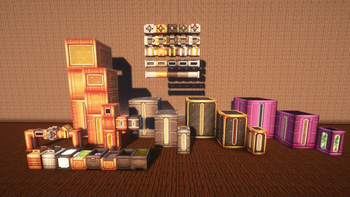
About this Modpack
See https://modrinth.com/modpack/create-maximized for the updated version, including Create: Aeronautics!
The Create mod is among the best mods in all of modern minecraft. Good enough to have tons of addons for itself alone. This modpack will introduce you to many Create addons for you to enjoy.
What is Create?
Create is a technology mod based on automation and movement. Create's simple yet complex functions make it the perfect candidate to expand. Using Create, you can automate the production, extraction and refinement of Minecraft's resources at the same time.
Create relies on a thing called rotational force. Rotational force operates on 2 variables: speed and stress. Speed is the rpm of a shaft, and stress is the capacity of a machine before it stops working. Rotational Force is the lifeblood of Create, and Create: Maximized by extension. There are many ways to create Rotational Force.
Create features machines called contraptions. Contraptions are capable of smoothly moving blocks around, and many other functions you can explore, such as mining, cutting down whole trees, farming, the possibilities in Create are truly endless.
Maximized
A quest tree is available now on versions up to 0.4. Coming to later versions soon.
External Mods (Not all are present in newer versions):
https://www.curseforge.com/minecraft/mc-mods/polylib
https://www.curseforge.com/minecraft/mc-mods/gravestone-mod
https://www.curseforge.com/minecraft/mc-mods/create-confectionery
https://www.curseforge.com/minecraft/mc-mods/create-recycle-everything
https://www.curseforge.com/minecraft/mc-mods/fast-leaf-decay
https://www.curseforge.com/minecraft/mc-mods/sophisticated-backpacks
https://www.curseforge.com/minecraft/mc-mods/sophisticated-core
https://www.curseforge.com/minecraft/mc-mods/quark
https://www.curseforge.com/minecraft/mc-mods/quark-delight
https://www.curseforge.com/minecraft/mc-mods/controlling
https://www.curseforge.com/minecraft/mc-mods/create-wooderwheels
The Trackwork 1.20.1 port can be found in The Official Valkyrien Skies Discord Server
createmaximized-1.0.0-forge-1.20.1.jar - made by myself
Available Versions
How to Set Up a Create: Maximized (Old) Server
Order Server
Choose at least 6 GB RAM (8 GB recommended for Create: Maximized (Old)). Based on player count: per 5 players.
Install Modpack in Dashboard
Open the modpack browser in the dashboard, search for "Create: Maximized (Old)" and click "Install". The forge loader and Minecraft 1.20.1 are configured automatically.
Start Server & Play
Start the server – all mods are loaded automatically. Share the server IP with friends and play together!
Frequently Asked Questions
Create: Maximized (Old) server crashes or won't start – what to do?
Most common causes: insufficient RAM or wrong forge loader. Check latest.log for "OutOfMemoryError" → increase RAM to at least 8 GB. For "Mixin" or "ClassNotFoundException" errors: modpack version and loader don't match. With Mado Hosting, loader and Minecraft version are auto-configured on modpack install – preventing most startup issues.
How much RAM does a Create: Maximized (Old) server really need?
Minimum 6 GB, recommended 8 GB for stable performance. per 5 players. Important: Minecraft modpacks need more RAM than vanilla – plan extra per additional player. With Mado Hosting, you can scale RAM up live at any time without data loss (from €7.800000000000001/month).
Can I add custom mods to Create: Maximized (Old) without conflicts?
Yes, but check compatibility: only use mods for the same loader (forge) and same Minecraft version (1.20.1). Common issues: ID conflicts with recipe mods and incompatible coremod versions. The Mado dashboard mod browser only shows compatible mods and warns about known conflicts.
Create: Maximized (Old) server lagging – performance tips
1) Increase RAM to 8 GB+. 2) Reduce server view-distance to 8 (server.properties). 3) Pre-generate chunks with the "Chunky" plugin. 4) Use /spark profiler to check which mods consume the most tick time. With Mado Hosting, all servers run on NVMe SSDs with dedicated CPU cores – eliminating hardware as a bottleneck.
Similar Modpacks

![COBBLEVERSE - Pokemon Adventure [Cobblemon]](https://cdn.modrinth.com/data/Jkb29YJU/581ecf54530972afb18a04660afd820f2f24f6c7.png)




Rent Create: Maximized (Old) Server
Start your own server with automatic modpack installation.
Supported Versions
Start your Create: Maximized (Old) Server now
From €7.80/month; 8 GB RAM is recommended for best performance.
Configure Server →