
Create: Physics And Aeronautics
A Create modpack centered around physics, roads, and vehicles, featuring planes, cars, trucks, and more.
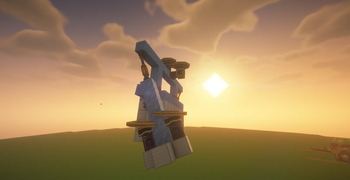
Screenshots
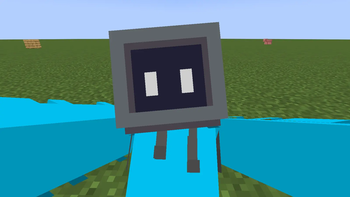
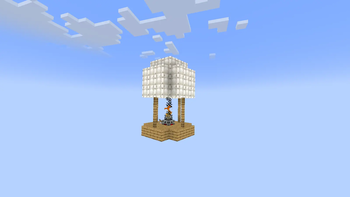
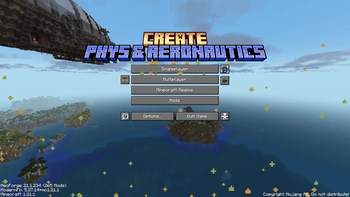
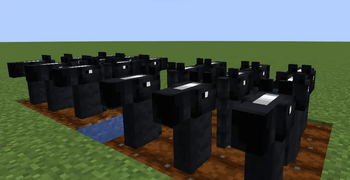
Über dieses Modpack



Also check out Create: Aeronautics, the core mod this pack is built around.
Trailer Sneak Peek
This is only a sneak peek of the trailer, not the full trailer.
About
Create: Phys & Aeronautics is a modpack built around the mod Create: Aeronautics, combining Create-style engineering with a performance-focused setup. You can build things like planes, cars, machines, entire factories, and lots of other cool stuff.
It originally started as a lightweight “Lite” pack for lower-end PCs, but evolved into a more complete gameplay experience instead of just a trimmed-down version.
Note: This modpack is made for NeoForge 1.21.1 and will not work on other Minecraft versions or mod loaders such as Fabric.
Contact
If you need help, want to give feedback, or just hang out:
- Discord (preferred): Join the server using the button above
- Direct contact:
arthurbao12
How to install (Modrinth)
- Download the modpack from this page.
- Create a new instance in your launcher.
- Import the modpack.
- Launch and play.
Troubleshooting
If this prompt appears during loading:
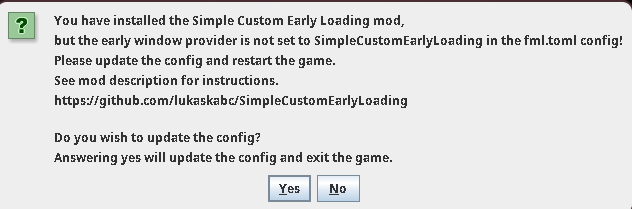
Click Yes, then restart the game.
If the game crashes on startup:
- Remove the mod
Simple Custom Early Loading Screen - Delete the
fml.tomlfile inside theconfigfolder
If the game crashes on startup with a different error:
- Try using Java 21 if you aren't already. Other Java versions (newer or older) may cause issues with this modpack.
Frequently Asked Questions
Why is this so buggy?
We're a small team, and we don't have a very large player base. Because of that, it can be difficult to find every possible bug before release.
We are always trying to improve the pack, so if you find any issues, please report them on our Discord or contact us directly.
Why is the trailer taking sooo long?
We're a small team and we don't have professional video editors or advanced experience with tools like Replay Mod and other cinematic mods.
Making a good trailer takes a lot of time, especially when we're also working on the modpack itself.
Is this AI generated?
Not really.
We use AI for things like grammar corrections, helping debug crashes, and small development tasks. However, the modpack, ideas, configuration, testing, and overall work are still made by us.
Can I play this on Fabric?
No.
This modpack is made specifically for NeoForge 1.21.1 and will not work on Fabric or other Minecraft versions/loaders.
Can I play this on a low-end PC?
The pack was originally created as a lightweight pack, but it has grown into a bigger experience with more content.
Performance will depend on your hardware, but we still include optimization mods and recommended settings to help improve performance.
Why do sometimes updates take soo long?
It's because we are also working on a server-side version of the modpack, Sometimes mods just don't work properly on servers (because of buggy updates, compatibility issues, or simply not supporting server-side usage). This means some of our attention has been shifted away from the normal modpack.
Can I use worlds from newer Minecraft versions?
Yes — in most cases.
This modpack includes Vanilla Backport, which brings features from newer Minecraft versions into older ones while keeping them as close to vanilla as possible.
Because of that, worlds from newer versions (like 1.21.11) will often work, since many of their features can be converted into Vanilla Backport equivalents.
That said, this isn’t perfect. Some mechanics, data changes, or edge cases may not translate exactly, so always make a backup before loading an existing world.
Can i use this modpack on a dedicated server?
Yes — to do this you need to use the server-side version of this modpack and set it up on your dedicated server
Credits
Authors
- arthursimao567 — Creator and maintainer of Create: Phys & Aeronautics
- jacobxny — Helped with feedback, testing, and improving the modpack description
- Scarlet's — Technically he gets to be here since he helped with... advertising check out his modpack too!
Music
Potato — "Wanderlust"
Used as the previous main menu theme.
https://www.youtube.com/watch?v=BcwpQgv_k-kStarlotte — "Cirrus"
Used as the current main menu theme.
https://starlotte.bandcamp.com/track/cirrus
Licensed under CC BY-SA 4.0: https://creativecommons.org/licenses/by-sa/4.0/
No modifications were made to the original track.
Mods, Assets & Other Contributions
Create: Aeronautics
The core mod this pack is built around. The Andesite Propeller model used in the modpack logo comes from Create: Aeronautics.
https://modrinth.com/mod/create-aeronauticsCreate: Aeronautics Team
Thanks for the original models, assets, and branding work that helped shape the identity of this modpack.Reimagined Intro by NoobTrieu
Used with permission from the original creator.
https://modrinth.com/user/NoobTrieu
Includes the custom intro animation featured in this modpack.Stoat by Bobisnotaperson
https://modrinth.com/datapack/stoatCreate: Addon Organizer by SockyWocky
https://www.curseforge.com/minecraft/mc-mods/create-addon-organizer
A very useful tool for organizing Create addons and mod sections, especially in a large modpack with many included mods.Superb Warfare by Mercurows, CrushedBiscuitsPralineCandy, and Light_Quanta
A warfare-focused mod featuring firearms, heavy weapons, and vehicles.
Included in this modpack under its original licenses.
Code licensed under GNU GPL v3.0: https://www.gnu.org/licenses/gpl-3.0.txt
Assets licensed under CC BY-NC-SA 3.0.
https://modrinth.com/mod/superb-warfare
Special Thanks
- All mod developers whose work is included in this modpack.
- Everyone who tested the pack, reported bugs, and provided feedback.
- The Create community for the inspiration and creativity that made projects like this possible.
Verfügbare Versionen
Create: Physics And Aeronautics Server einrichten
Server bestellen
Wähle mindestens 6 GB RAM (8 GB empfohlen für Create: Physics And Aeronautics). Je nach Spieleranzahl: +1 GB pro 5 Spieler.
Modpack im Dashboard installieren
Öffne den Modpack-Browser im Dashboard, suche nach "Create: Physics And Aeronautics" und klicke "Installieren". Der neoforge-Loader und Minecraft 1.21.1 werden automatisch konfiguriert.
Server starten & spielen
Starte den Server – alle Mods werden automatisch geladen. Teile die Server-IP mit Freunden und spielt zusammen!
Häufige Fragen
Create: Physics And Aeronautics Server crasht oder startet nicht – was tun?
Häufigste Ursachen: zu wenig RAM oder falscher neoforge-Loader. Prüfe latest.log auf "OutOfMemoryError" → erhöhe RAM auf mindestens 8 GB. Bei "Mixin" oder "ClassNotFoundException": Modpack-Version und Loader stimmen nicht überein. Bei Mado Hosting werden Loader und Minecraft-Version beim Modpack-Install automatisch konfiguriert – das verhindert die meisten Startprobleme.
Wie viel RAM braucht ein Create: Physics And Aeronautics Server wirklich?
Minimum 6 GB, empfohlen 8 GB für stabile Performance. +1 GB pro 5 Spieler. Wichtig: Minecraft-Modpacks brauchen mehr RAM als Vanilla – plane pro zusätzlichem Spieler extra ein. Bei Mado Hosting kannst du den RAM jederzeit live hochskalieren, ohne Datenverlust (ab €7.800000000000001/Monat).
Kann ich eigene Mods zu Create: Physics And Aeronautics hinzufügen, ohne Konflikte?
Ja, aber achte auf die Kompatibilität: Nutze nur Mods für den gleichen Loader (neoforge) und die gleiche Minecraft-Version (1.21.1). Häufige Probleme: ID-Konflikte bei Rezept-Mods und inkompatible Coremod-Versionen. Im Mado Dashboard zeigt der Mod-Browser nur kompatible Mods an und warnt bei bekannten Konflikten.
Create: Physics And Aeronautics Server laggt – Performance-Tipps
1) RAM auf 8 GB+ erhöhen. 2) Server-View-Distance auf 8 reduzieren (server.properties). 3) Pre-Generiere Chunks mit dem "Chunky" Plugin. 4) Prüfe mit /spark profiler welche Mods die meiste Tick-Time verbrauchen. Bei Mado Hosting laufen alle Server auf NVMe-SSDs mit dedizierten CPU-Kernen – das eliminiert Hardware als Engpass.
Ähnliche Modpacks

![Cobblemon Official Modpack [Fabric]](https://cdn.modrinth.com/data/5FFgwNNP/e7f9ee2e9d361623847853fe2ddce42f519ee64f.png)
![COBBLEVERSE - Pokemon Adventure [Cobblemon]](https://cdn.modrinth.com/data/Jkb29YJU/581ecf54530972afb18a04660afd820f2f24f6c7.png)
![Better MC [FABRIC] - BMC2](https://cdn.modrinth.com/data/shFhR8Vx/a19c2bcb51d38f32f138d3607e91cb2b7b8e387f_96.webp)


Create: Physics And Aeronautics Server mieten
Starte deinen eigenen Server mit automatischer Modpack-Installation.
Unterstützte Versionen
Starte deinen Create: Physics And Aeronautics Server jetzt
Ab €7.80/Monat; für die beste Performance werden 8 GB RAM empfohlen.
Server konfigurieren →