
DirtTW's Basement Optimize Pack
A modpack that aims to optimize Minecraft by using mostly client-side mods while maintaining the vanilla experience.
Screenshots
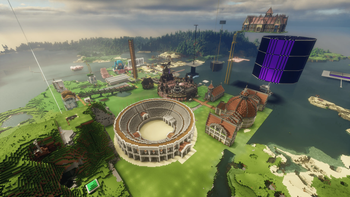

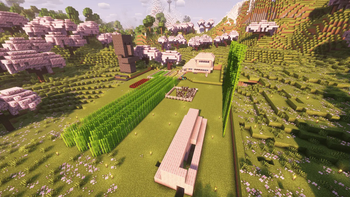
Über dieses Modpack

DirtTW's Basement Optimize Pack (DBOP)
Boost your Minecraft performance without sacrificing the vanilla experience!





DBOP is a Fabric modpack carefully curated to maximize your Minecraft performance while preserving the core vanilla gameplay you know and love.
Key Features:
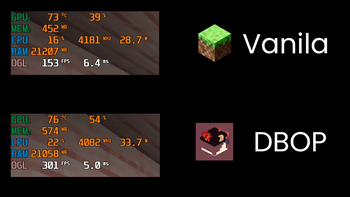
- Supercharged Performance: Experience significant FPS boosts with the power of Sodium.
- Beautiful Visuals: Immerse yourself with stunning shader support provided by Iris.
- Vanilla Gameplay: Enjoy the classic Minecraft experience without any gameplay altering modifications.
- Lightning-Fast Loading: Get into the game quicker with the enhanced loading speeds of ModernFix.
- Optifine Parity: Enjoy familiar features from Optifine seamlessly integrated.
- Performance Profiling: Easily identify and address performance bottlenecks with the help of Spark.
- Enhanced Multiplayer: Connect with friends seamlessly using WorldHost and share your singleplayer worlds with e4mc.
中文
DirtTW's Basement Optimize Pack (DBOP) (土靈的地下室優化包)
提升你的Minecraft效能,同時保留原版遊戲體驗!
DBOP 是一個基於 Fabric 模组平台的優化包,大部分模组都是客戶端的,能夠顯著提升 Minecraft 的遊戲效能。
主要特色:
- 極致效能: 借助 Sodium 的強大功能,體驗顯著的 FPS 提升。
- 精美畫面: 使用 Iris 提供的驚艷光影效果,讓遊戲世界更加身臨其境。
- 原版體驗: 享受經典的 Minecraft 遊戲體驗,不含任何會改變遊戲玩法的模組。
- 快速載入: ModernFix 讓 Minecraft 的載入速度更快,讓你更快進入遊戲。
- Optifine 功能: 無縫整合 Optifine 的常用功能,讓你倍感熟悉。
- 效能分析: 使用 Spark 輕鬆識別和解決效能瓶頸。
- 強化多人遊戲體驗: 使用 WorldHost 與好友無縫連線,並透過 e4mc 分享你的單人遊戲世界。
需要幫助或想回報問題?
- GitHub: https://github.com/dirttw/DBOP
- 開發者 GitHub: https://github.com/dirttw
- 安裝教學: https://dirttw.github.io/DBOP-Installtutorial/
- Discord: dirttw
- Discord 伺服器: 土靈泥土幫
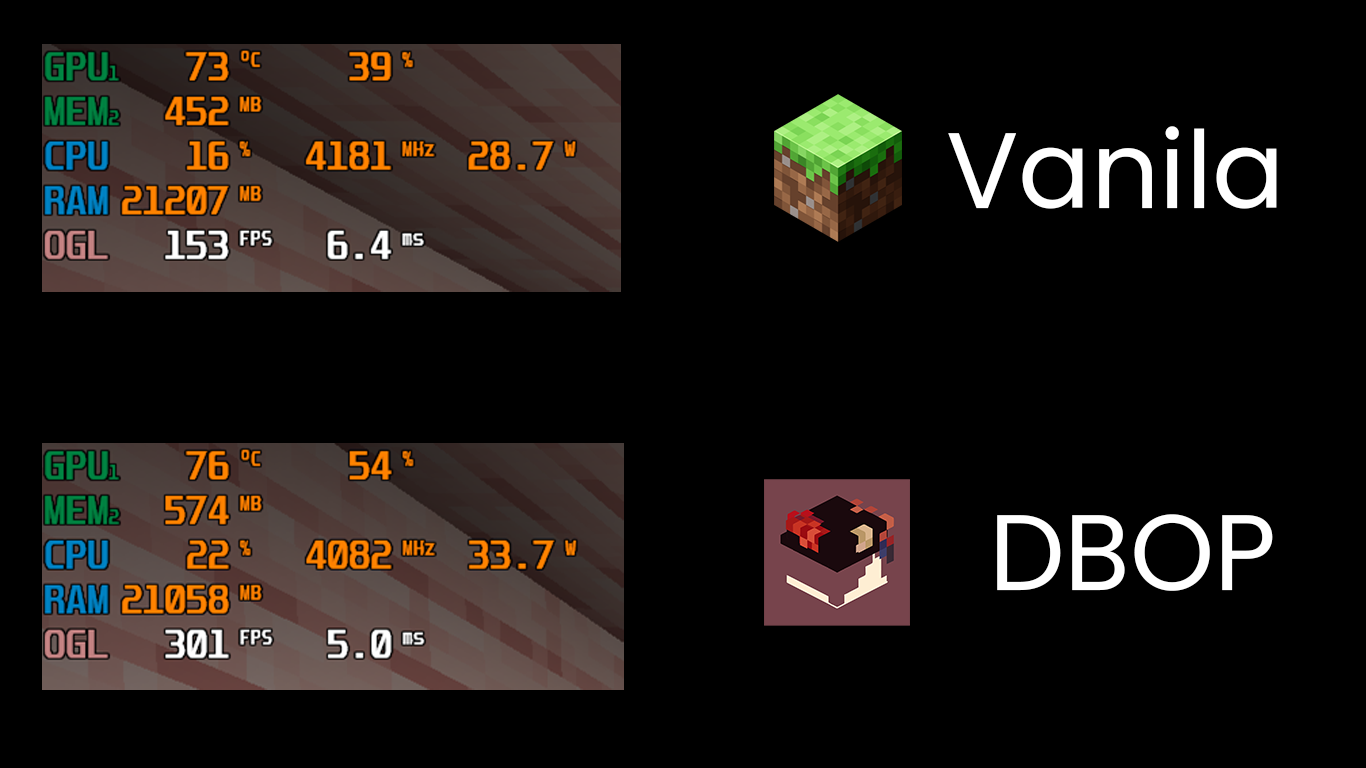
(Tested on Intel i5-11400H, NVIDIA GeForce RTX 3050, 32GB RAM - utilizing 4GB for the game)
Credits:
- Autopublish github workflow from Fabulously Optimized
- All mod authors
Need Help or Want to Report an Issue?
- GitHub: https://github.com/dirttw/DBOP
- Developer's GitHub: https://github.com/dirttw
- Installation Tutorial: https://dirttw.github.io/DBOP-Installtutorial/
- Discord: dirttw
- Discord Server: 土靈泥土幫
Verfügbare Versionen
DirtTW's Basement Optimize Pack Server einrichten
Server bestellen
Wähle mindestens 4 GB RAM (6 GB empfohlen für DirtTW's Basement Optimize Pack). Je nach Spieleranzahl: +1 GB pro 8 Spieler.
Modpack im Dashboard installieren
Öffne den Modpack-Browser im Dashboard, suche nach "DirtTW's Basement Optimize Pack" und klicke "Installieren". Der fabric-Loader und Minecraft 1.21.8 werden automatisch konfiguriert.
Server starten & spielen
Starte den Server – alle Mods werden automatisch geladen. Teile die Server-IP mit Freunden und spielt zusammen!
Häufige Fragen
DirtTW's Basement Optimize Pack Server crasht oder startet nicht – was tun?
Häufigste Ursachen: zu wenig RAM oder falscher fabric-Loader. Prüfe latest.log auf "OutOfMemoryError" → erhöhe RAM auf mindestens 6 GB. Bei "Mixin" oder "ClassNotFoundException": Modpack-Version und Loader stimmen nicht überein. Bei Mado Hosting werden Loader und Minecraft-Version beim Modpack-Install automatisch konfiguriert – das verhindert die meisten Startprobleme.
Wie viel RAM braucht ein DirtTW's Basement Optimize Pack Server wirklich?
Minimum 4 GB, empfohlen 6 GB für stabile Performance. +1 GB pro 8 Spieler. Wichtig: Minecraft-Modpacks brauchen mehr RAM als Vanilla – plane pro zusätzlichem Spieler extra ein. Bei Mado Hosting kannst du den RAM jederzeit live hochskalieren, ohne Datenverlust (ab €5.2/Monat).
Kann ich eigene Mods zu DirtTW's Basement Optimize Pack hinzufügen, ohne Konflikte?
Ja, aber achte auf die Kompatibilität: Nutze nur Mods für den gleichen Loader (fabric) und die gleiche Minecraft-Version (1.21.8). Häufige Probleme: ID-Konflikte bei Rezept-Mods und inkompatible Coremod-Versionen. Im Mado Dashboard zeigt der Mod-Browser nur kompatible Mods an und warnt bei bekannten Konflikten.
DirtTW's Basement Optimize Pack Server laggt – Performance-Tipps
1) RAM auf 6 GB+ erhöhen. 2) Server-View-Distance auf 8 reduzieren (server.properties). 3) Pre-Generiere Chunks mit dem "Chunky" Plugin. 4) Prüfe mit /spark profiler welche Mods die meiste Tick-Time verbrauchen. Bei Mado Hosting laufen alle Server auf NVMe-SSDs mit dedizierten CPU-Kernen – das eliminiert Hardware als Engpass.
Ähnliche Modpacks

![Cobblemon Official Modpack [Fabric]](https://cdn.modrinth.com/data/5FFgwNNP/e7f9ee2e9d361623847853fe2ddce42f519ee64f.png)
![COBBLEVERSE - Pokemon Adventure [Cobblemon]](https://cdn.modrinth.com/data/Jkb29YJU/581ecf54530972afb18a04660afd820f2f24f6c7.png)
![Better MC [FABRIC] - BMC2](https://cdn.modrinth.com/data/shFhR8Vx/a19c2bcb51d38f32f138d3607e91cb2b7b8e387f_96.webp)


DirtTW's Basement Optimize Pack Server mieten
Starte deinen eigenen Server mit automatischer Modpack-Installation.
Unterstützte Versionen
Starte deinen DirtTW's Basement Optimize Pack Server jetzt
Ab €5.20/Monat; für die beste Performance werden 6 GB RAM empfohlen.
Server konfigurieren →