
Modrinth · Fabric
Definition: Create Server mieten
Dein eigener Definition: Create Server auf AMD Ryzen 9 ohne Thread-Limit. Der Server ist in der Regel unter 60 Sekunden bereit, das Pack installierst du danach mit einem Klick im Modpack-Browser.
Модпак для игры на приватном сервере Definition: Create
- Downloads
- 4.0K
- Follower
- 0
- Loader
- Fabric
- Minecraft
- 1.20.1
- Aktualisiert
- –
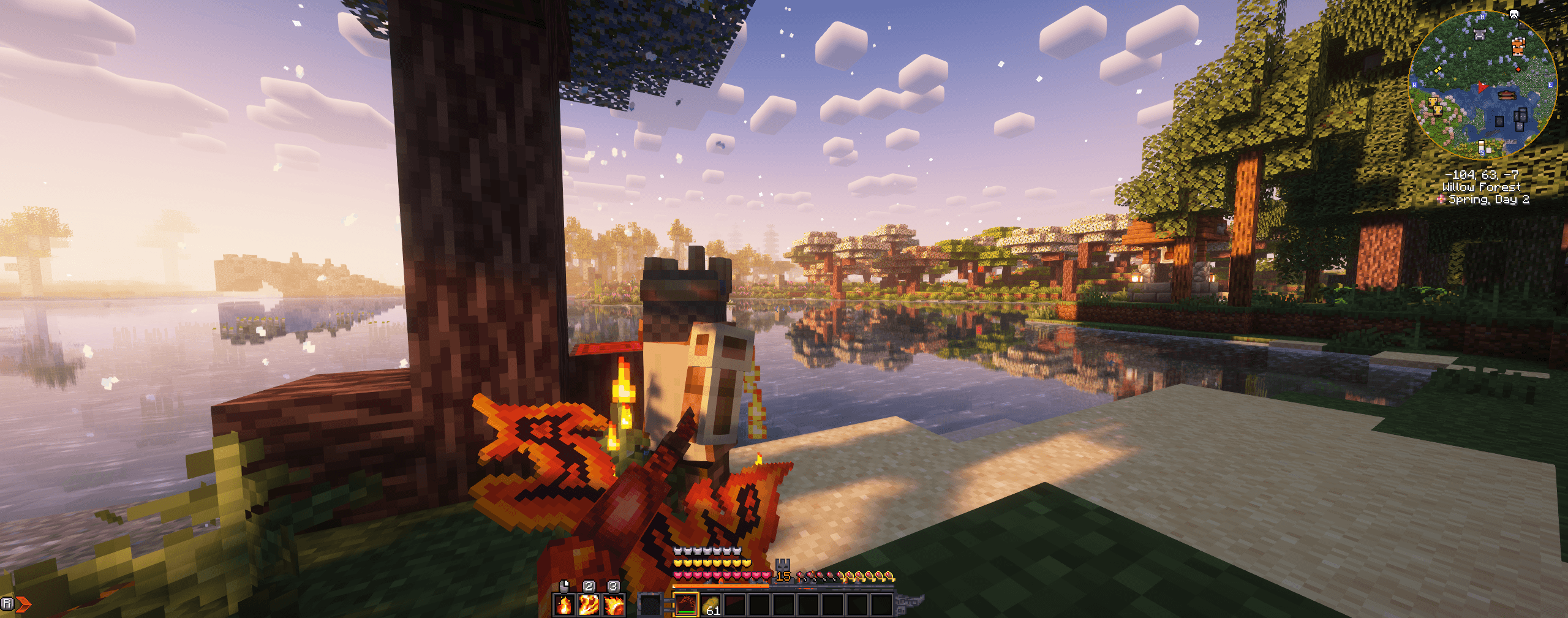
Screenshots
So sieht Definition: Create aus
Bilder: Definition: Create auf Modrinth, vom Projektteam veröffentlicht.
Einrichtung
In vier Schritten zum Definition: Create Server
Prüfe bei Fehlern zuerst Startprotokoll, Java-Version, Loader und Abhängigkeiten. Erhöhe RAM nur bei Hinweisen auf Speichermangel. Behalte vor Updates eine Kopie der funktionierenden Installation.
- 01
Konfigurieren
8 GB RAM sind vorausgewählt und Definition: Create ist im Konfigurator vorgemerkt. Laufzeit und Add-ons wählst du selbst.
- 02
Bezahlen
Per Kreditkarte oder PayPal. Der Server ist in der Regel unter 60 Sekunden bereit.
- 03
Pack installieren
Öffne den Modpack-Browser im Panel, wähle Modrinth, prüfe die Projekt-ID und installiere die gewünschte Pack-Version. Sichere eine bestehende Welt vorher.
- 04
Verbinden
Alle Spieler installieren dieselbe Pack-Version in einem kompatiblen Launcher und verbinden sich über die Serveradresse aus dem Panel.
Modrinth-Projekt-ID: qJogrMu3
Das Panel
Pack installieren, Fehler finden.
Echte Screenshots aus dem Mado Panel. Beides ist bei jedem Minecraft Server enthalten.
Modpack-Browser
Modrinth und CurseForge direkt im Panel.
Pack suchen, Version wählen, installieren. Loader und Serverdateien musst du nicht von Hand hochladen.

KI-Crash-Analyse
Wenn ein Mod crasht, liest die Analyse das Log.
Große Modpacks scheitern oft an einer einzelnen Mod, Java-Version oder fehlenden Abhängigkeit. Die Analyse nennt eine wahrscheinliche Ursache und einen Lösungsvorschlag.

Versionen
Veröffentlichte Pack-Versionen
Server und Spieler brauchen dieselbe Pack-Version. Wähle sie im Modpack-Browser passend zu den Clients deiner Gruppe.
Definition: Create · Modrinth- Definition: Create 2.1.010. Oktober 2024Minecraft 1.20.1 · Fabric
- Definition: Create 2.0.023. September 2024Minecraft 1.20.1 · Fabric
- Definition: Create 1.3.021. Juli 2024Minecraft 1.20.1 · Fabric
Originalbeschreibung des Projektautors
Definition: Create
Это сборка для игры на приватном сервере Definition: Create.
Сборка является "чистой", без лишних моддификакций, минимальный набор для захода на сервер, но помимо него я советую вам поставить также моды на оптимизацию. Лично я скачал свою оптимизационную сборку OptiDef ModPack и обьединил её с этой. Вы можете сделать точно также или добавить свои моды оптимизации как я сказал ранее.
Если же у вас возникли проблемы со сборкой то попробуйте её обновить или напишите администрации в дискорде сервера или мне (Defom_kills)
Как установить?
Чтобы установить данную сборку вам необходимо скачать лаунчер который поддерживает формат файлов .mcpack.
Лично я для этого рекомендую скачать Modrinth APP, но вы можете использовать и MultiMC, PrismLauncher и ATlauncher, но с ними могут появится некоторые ошибки (моды могут быть выключены в сборке, с чем это связанно я не знаю)
Если вы молодец и выбрали Modrinth APP, то Далее в приложении нажимаем на лупу в левой панельке и ищем этот модпак вводя его название InCube: Create
и после нажимаем install. Готово!Если вы выбрали другой лаунчер то хз лоол)). Смотрите гайд как импортировать mcpack в вашем лаунчере.
Зачем/Почему использовать именно мою сборку?
Потому что
- Она точно работает и проверена
- Кастомная менюшка с кнопой захода на сервер сразу и обновлением ресурспаков/схематик/модов
- Полный набор модов которые могут облегчить игру или улучшить её
ENG
Definition: Create
This is a build for a game on a private server Definition: Create.
The assembly is "clean", without unnecessary modifications, the minimum set for entering the server, but in addition to it, I advise you to also put mods for optimization. Personally, I downloaded my optimization build OptiDef ModPack and connected it with this one. You can do exactly the same or add your own optimization mods as I said earlier.
If you have any problems with the build, then try to update it or write to the administration in the server discord or to me (`Defom_kills')
How to install?
To install this build, you need to download a launcher that supports the file format.mcpack.
Personally, I recommend downloading Modrinth APP for this , but you can also use MultiMC, PrismLauncher and ATLauncher, but some errors may appear with them (mods may be turned off in the assembly, I do not know what this is related to)
If you did well and chose Modrinth APP, then next in the application click on the magnifying glass in the left panel and search for this modpack by entering its name InCube: Create
and then click install. Ready!If you chose another launcher, then idk lool)). See the guide on how to import mcpack in your launcher.
Why/Why use my particular build?
Because
- It works exactly and is tested
- Custom menu with a button to log in to the server immediately and update the resource packs/schematics/mods
- A complete set of mods that can make the game easier or improve it
Ähnliche Packs
Weitere server-fähige Modpacks
 Server-fähig

Prominence™ II: Hasturian Era
von ElocinDev
Lore-rich RPG modpack built on custom content. Level up and get stronger with the Talent Tree, forge and upgrade your own artifact weapon, and fight powerful bosses to stop the Void’s invasion.
 Server-fähig

Create+
von Sshmoob
A simple, optimized, Vanilla+ pack, with the special exception of Create (and its addons). Now with Create: Aeronautics!
 Server-fähig

Homestead
von Tokimi
Welcome to Homestead, a hand-crafted world brimming with quests to embark on, vibrant landscapes and endless building possibilities. Settle in, explore, and create the cozy life you've always dreamed of!
 Server-fähig

BlockFront: Guns, War & More
von BlockFront
Featuring guns, explosives, vehicles, and more, BlockFront is an action-packed Minecraft mod that lets players immerse themselves in realistic World War II combat.
Bereit für deinen Definition: Create Server?
8 GB RAM ab 16,00 € im Monat. 35 % auf den 1. Monat mit MADO35.