
Elixir
A well-researched performance & optimization modpack to make the game run smoother! With shader & Fresh Animations support. 26.3 ✔
Screenshots

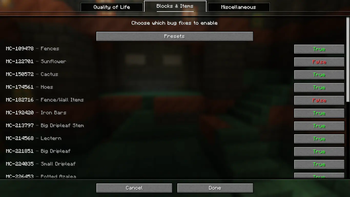
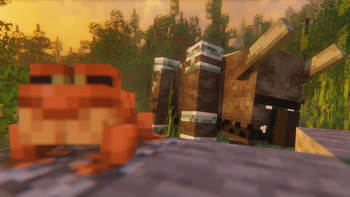
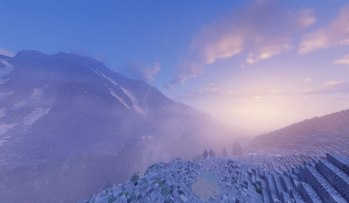


Über dieses Modpack

👋 Welcome to Elixir

What is Elixir?
Elixir is a Fabric modpack dedicated to purely performance and resource pack compatibility. It makes for a great modpack template for new modpacks as it remains up-to-date and allows the user to customize and add on their own mods that they want to the pack without it coming pre-packaged with additional bloat. And it's great for users who don't often use mods because it should act very similarly to vanilla but with much better performance.
Performance & Compatibility
Elixir's optimizations allow for far better FPS, memory usage, chunk loading, resource pack compatibility, modpack compatibility, and more! In general, the specific optimization mods implemented in this pack more often than not lead to better results and compatibility than OptiFine and some other alternatives. As for compatibility, for example, Elixir offers support for resourcepacks such as Fresh Animations, Dramatic Skys, and Redstone Tweaks. NOTE: Support is always dependent on if the mod dependencies are updated to the latest Minecraft versions.
Quality of Life
Quality of life features are secondary to performance, compatibility, and the vanilla feel. Any additions to Elixir are carefully curated to match this criteria. A zoom mod or a mod adding a targeted entity's health to the F3 screen, for example, are simple features that do not distract from the vanilla game, and due to their simplicity, they present practically zero performance or compatibility issues including with other existing mods.
Vanilla Parity
One issue that plagues many other existing performance modpacks is a lack of vanilla parity due to a few included mods or config settings that in some cases affects gameplay in a way that differs from vanilla. This includes parts of the game such as world generation, rng, mob spawning, and entity pathfinding, which can negatively impact redstone contraptions, farms, and lead to conflicts with a larger set of mods that players may also want to use. As a result of its importance, I made it my goal to create a modpack that maintains vanilla parity in gameplay.
Shaders
Using Iris's shader implementation, Elixir enables the usage of both old and new shaderpacks while also benefitting from some very helpful performance mods!
Feature Request?
Any feature suggestions you'd like to see implemented within Elixir? Head over to the issue tracker to suggest them!
Mod List/Adding Mods
You can find a list of mods for each version that's released over on the wiki! This modpack was also made to be built on top of as a base for any other QoL client-side mods you may want such as camera or brightness mods!
Modpack Versioning: x.v#
- "x" corresponds to a full Minecraft update (26.1, 26.4, 28.3, for example)
- "v#" is the modpack version (v1, v2, v7, v15, for example)
- Here are some example versions with this new system: 26.1-snapshot1, 26.1-snapshot4-v3, 26.1-pre2-v2, 26.1-rc1, 26.1-v1, 26.1-v5, 26.1-v9, 27.3.1-snapshot3, 28.4-v2+neoforge
- Previous vs New Versioning Systems: 4.0.0-alpha.1-26.1 vs 26.1-v1, 4.0.0-beta.1-26.1 vs 26.1-v2, 4.0.0-26.1 vs 26.1-v3, 4.0.1-26.1 vs 26.1-v4, 4.1.0-alpha.1-26.2 vs 26.2-v1, 5.3.0-27.4 vs 27.4-v1
Snapshots
Elixir updates live with snapshots to get you all the great performance and features of the standard releases, but for the snapshots too. This includes early releases for Sodium, Iris, and more when available.
🙋 FAQ
Q: How do I install a modpack?
A: You can find instructions for this over on the wiki!
Q: Is this client-side or server-side?
A: Client-side. You should be able to play with it on any server that allows vanilla clients!
Q: How do I report bugs or provide feature suggestions?
A: Simply create an issue over on the issue tracker!
Q: How can I support you?
A: Just following the modpack by pressing the heart icon on the top of the page would be greatly appreciated!
💻 Need your own Minecraft server?
Verfügbare Versionen
Elixir Server einrichten
Server bestellen
Wähle mindestens 4 GB RAM (6 GB empfohlen für Elixir). Je nach Spieleranzahl: +1 GB pro 5 Spieler.
Modpack im Dashboard installieren
Öffne den Modpack-Browser im Dashboard, suche nach "Elixir" und klicke "Installieren". Der fabric-Loader und Minecraft 26.3 werden automatisch konfiguriert.
Server starten & spielen
Starte den Server – alle Mods werden automatisch geladen. Teile die Server-IP mit Freunden und spielt zusammen!
Häufige Fragen
Elixir Server crasht oder startet nicht – was tun?
Häufigste Ursachen: zu wenig RAM oder falscher fabric-Loader. Prüfe latest.log auf "OutOfMemoryError" → erhöhe RAM auf mindestens 6 GB. Bei "Mixin" oder "ClassNotFoundException": Modpack-Version und Loader stimmen nicht überein. Bei Mado Hosting werden Loader und Minecraft-Version beim Modpack-Install automatisch konfiguriert – das verhindert die meisten Startprobleme.
Wie viel RAM braucht ein Elixir Server wirklich?
Minimum 4 GB, empfohlen 6 GB für stabile Performance. +1 GB pro 5 Spieler. Wichtig: Minecraft-Modpacks brauchen mehr RAM als Vanilla – plane pro zusätzlichem Spieler extra ein. Bei Mado Hosting kannst du den RAM jederzeit live hochskalieren, ohne Datenverlust (ab €5.2/Monat).
Kann ich eigene Mods zu Elixir hinzufügen, ohne Konflikte?
Ja, aber achte auf die Kompatibilität: Nutze nur Mods für den gleichen Loader (fabric) und die gleiche Minecraft-Version (26.3). Häufige Probleme: ID-Konflikte bei Rezept-Mods und inkompatible Coremod-Versionen. Im Mado Dashboard zeigt der Mod-Browser nur kompatible Mods an und warnt bei bekannten Konflikten.
Elixir Server laggt – Performance-Tipps
1) RAM auf 6 GB+ erhöhen. 2) Server-View-Distance auf 8 reduzieren (server.properties). 3) Pre-Generiere Chunks mit dem "Chunky" Plugin. 4) Prüfe mit /spark profiler welche Mods die meiste Tick-Time verbrauchen. Bei Mado Hosting laufen alle Server auf NVMe-SSDs mit dedizierten CPU-Kernen – das eliminiert Hardware als Engpass.
Ähnliche Modpacks

![Cobblemon Official Modpack [Fabric]](https://cdn.modrinth.com/data/5FFgwNNP/e7f9ee2e9d361623847853fe2ddce42f519ee64f.png)
![COBBLEVERSE - Pokemon Adventure [Cobblemon]](https://cdn.modrinth.com/data/Jkb29YJU/581ecf54530972afb18a04660afd820f2f24f6c7.png)
![Better MC [FABRIC] - BMC2](https://cdn.modrinth.com/data/shFhR8Vx/a19c2bcb51d38f32f138d3607e91cb2b7b8e387f_96.webp)


Elixir Server mieten
Starte deinen eigenen Server mit automatischer Modpack-Installation.
Details
- Lizenz
- BSD 3-Clause "New" or "Revised" License
- Server-seitig
- Nicht unterstützt
- Client-seitig
- Erforderlich
Unterstützte Versionen
Starte deinen Elixir Server jetzt
Ab €5.20/Monat; für die beste Performance werden 6 GB RAM empfohlen.
Server konfigurieren →