
Exploria
Town Building & Exploration
Screenshots
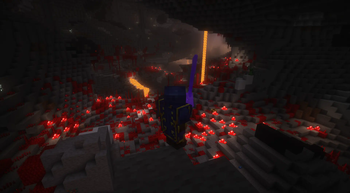
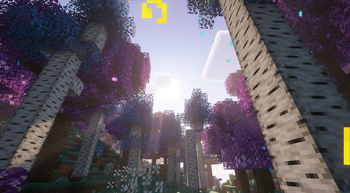
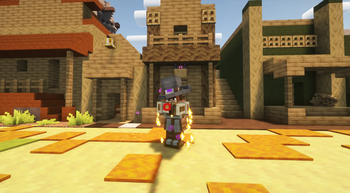
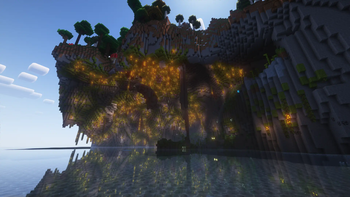
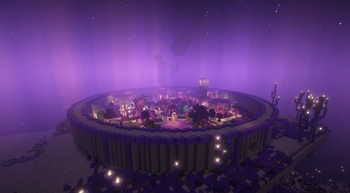
Über dieses Modpack
](https://pixeldreamstudios.net)
**]()
!
This modpack is based on New in Town | The Settler's Experience Data Pack by kanokarob, an extensive data pack in which the player is in charge of building up their settlement and defending their outpost against the forces of the Nether.
In this modpack, our goal was to create an exciting adventure for players. It features around 200 carefully picked mods that greatly enhance the gameplay. The modpack has been optimized for performance, ensuring a smooth and uninterrupted experience.
Step into the immersive world of Exploria where you can build a thriving town in the Overworld, create a stronghold in the dangerous Nether, and establish a majestic city in the End. But before you can undertake these ambitious projects, you must defeat the evil tyrant who has invaded your humble abode.
As you construct impressive structures, you will unlock valuable rewards that will help you overcome challenging bosses and obtain coveted artifacts through meticulous crafting. The end dimension has been revamped with Stellarity, and the difficulty has been raised with Extravanilla's hard mode, making your journey even more thrilling.
Embark on this exhilarating adventure and indulge in the endless opportunities for exploration and enjoyment that Exploria has to offer.
READ BEFORE PLAYING
Due to FTBQuests not being on Modrinth, you will need to download these mods and manually add them to the modpack to get the full experience!
FTB Quests | FTBTeams | FTB Xmod Compat | FTB Library | Item Filters
!
](https://discord.gg/pixel-dream-studios-872788557553610802)
Verfügbare Versionen
Exploria Server einrichten
Server bestellen
Wähle mindestens 6 GB RAM (10 GB empfohlen für Exploria). Je nach Spieleranzahl: +1 GB pro 4 Spieler.
Modpack im Dashboard installieren
Öffne den Modpack-Browser im Dashboard, suche nach "Exploria" und klicke "Installieren". Der fabric-Loader und Minecraft 1.20.1 werden automatisch konfiguriert.
Server starten & spielen
Starte den Server – alle Mods werden automatisch geladen. Teile die Server-IP mit Freunden und spielt zusammen!
Häufige Fragen
Exploria Server crasht oder startet nicht – was tun?
Häufigste Ursachen: zu wenig RAM oder falscher fabric-Loader. Prüfe latest.log auf "OutOfMemoryError" → erhöhe RAM auf mindestens 10 GB. Bei "Mixin" oder "ClassNotFoundException": Modpack-Version und Loader stimmen nicht überein. Bei Mado Hosting werden Loader und Minecraft-Version beim Modpack-Install automatisch konfiguriert – das verhindert die meisten Startprobleme.
Wie viel RAM braucht ein Exploria Server wirklich?
Minimum 6 GB, empfohlen 10 GB für stabile Performance. +1 GB pro 4 Spieler. Wichtig: Minecraft-Modpacks brauchen mehr RAM als Vanilla – plane pro zusätzlichem Spieler extra ein. Bei Mado Hosting kannst du den RAM jederzeit live hochskalieren, ohne Datenverlust (ab €7.800000000000001/Monat).
Kann ich eigene Mods zu Exploria hinzufügen, ohne Konflikte?
Ja, aber achte auf die Kompatibilität: Nutze nur Mods für den gleichen Loader (fabric) und die gleiche Minecraft-Version (1.20.1). Häufige Probleme: ID-Konflikte bei Rezept-Mods und inkompatible Coremod-Versionen. Im Mado Dashboard zeigt der Mod-Browser nur kompatible Mods an und warnt bei bekannten Konflikten.
Exploria Server laggt – Performance-Tipps
1) RAM auf 10 GB+ erhöhen. 2) Server-View-Distance auf 8 reduzieren (server.properties). 3) Pre-Generiere Chunks mit dem "Chunky" Plugin. 4) Prüfe mit /spark profiler welche Mods die meiste Tick-Time verbrauchen. Bei Mado Hosting laufen alle Server auf NVMe-SSDs mit dedizierten CPU-Kernen – das eliminiert Hardware als Engpass.
Ähnliche Modpacks


Exploria Server mieten
Starte deinen eigenen Server mit automatischer Modpack-Installation.
Details
- Lizenz
- LicenseRef-All-Rights-Reserved
- Server-seitig
- Nicht unterstützt
- Client-seitig
- Erforderlich
Unterstützte Versionen
Starte deinen Exploria Server jetzt
Ab €7.80/Monat; für die beste Performance werden 10 GB RAM empfohlen.
Server konfigurieren →