
Exploria
Town Building & Exploration
Screenshots
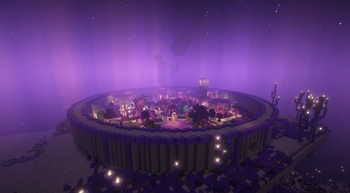
About this Modpack
](https://pixeldreamstudios.net)
**]()
!
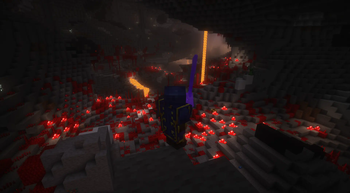
This modpack is based on New in Town | The Settler's Experience Data Pack by kanokarob, an extensive data pack in which the player is in charge of building up their settlement and defending their outpost against the forces of the Nether.
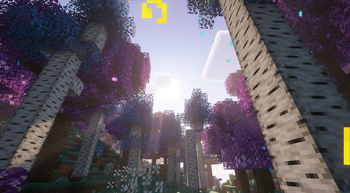
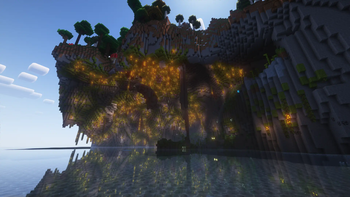
In this modpack, our goal was to create an exciting adventure for players. It features around 200 carefully picked mods that greatly enhance the gameplay. The modpack has been optimized for performance, ensuring a smooth and uninterrupted experience.
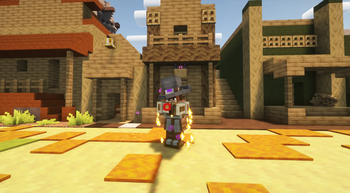
Step into the immersive world of Exploria where you can build a thriving town in the Overworld, create a stronghold in the dangerous Nether, and establish a majestic city in the End. But before you can undertake these ambitious projects, you must defeat the evil tyrant who has invaded your humble abode.
As you construct impressive structures, you will unlock valuable rewards that will help you overcome challenging bosses and obtain coveted artifacts through meticulous crafting. The end dimension has been revamped with Stellarity, and the difficulty has been raised with Extravanilla's hard mode, making your journey even more thrilling.
Embark on this exhilarating adventure and indulge in the endless opportunities for exploration and enjoyment that Exploria has to offer.
READ BEFORE PLAYING
Due to FTBQuests not being on Modrinth, you will need to download these mods and manually add them to the modpack to get the full experience!
FTB Quests | FTBTeams | FTB Xmod Compat | FTB Library | Item Filters
!
](https://discord.gg/pixel-dream-studios-872788557553610802)
Available Versions
How to Set Up a Exploria Server
Order Server
Choose at least 6 GB RAM (10 GB recommended for Exploria). Based on player count: per 4 players.
Install Modpack in Dashboard
Open the modpack browser in the dashboard, search for "Exploria" and click "Install". The fabric loader and Minecraft 1.20.1 are configured automatically.
Start Server & Play
Start the server – all mods are loaded automatically. Share the server IP with friends and play together!
Frequently Asked Questions
Exploria server crashes or won't start – what to do?
Most common causes: insufficient RAM or wrong fabric loader. Check latest.log for "OutOfMemoryError" → increase RAM to at least 10 GB. For "Mixin" or "ClassNotFoundException" errors: modpack version and loader don't match. With Mado Hosting, loader and Minecraft version are auto-configured on modpack install – preventing most startup issues.
How much RAM does a Exploria server really need?
Minimum 6 GB, recommended 10 GB for stable performance. per 4 players. Important: Minecraft modpacks need more RAM than vanilla – plan extra per additional player. With Mado Hosting, you can scale RAM up live at any time without data loss (from €7.800000000000001/month).
Can I add custom mods to Exploria without conflicts?
Yes, but check compatibility: only use mods for the same loader (fabric) and same Minecraft version (1.20.1). Common issues: ID conflicts with recipe mods and incompatible coremod versions. The Mado dashboard mod browser only shows compatible mods and warns about known conflicts.
Exploria server lagging – performance tips
1) Increase RAM to 10 GB+. 2) Reduce server view-distance to 8 (server.properties). 3) Pre-generate chunks with the "Chunky" plugin. 4) Use /spark profiler to check which mods consume the most tick time. With Mado Hosting, all servers run on NVMe SSDs with dedicated CPU cores – eliminating hardware as a bottleneck.
Similar Modpacks


Rent Exploria Server
Start your own server with automatic modpack installation.
Details
- License
- LicenseRef-All-Rights-Reserved
- Server-side
- Unsupported
- Client-side
- Required
Supported Versions
Start your Exploria Server now
From €7.80/month; 10 GB RAM is recommended for best performance.
Configure Server →