
Extreme Optimization!
Threaten your game to run faster
Screenshots
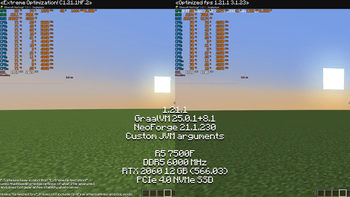
Über dieses Modpack
Modpack is undergoing slow renovation 🔃!
Besides a pure FPS boost, now tries to account for in-game situations, such as the use of block entities that can cause lag, and so on. Each mod goes through a multi-stage checking process and verified with trusted developers. In case of issues, I try to stay in contact with the developers of the respective mod. If you're surprised that some mod isn't here, things might not be as clear as you thought.
Hope I can help in the swamp of slop 🥀
Modpack is partially influenced by MC-Optimization-Guide.
If you've ever been looking for a list of thoroughly vetted mods, this might be the place.
If you can allocate 8+ GB of RAM to Minecraft, I can suggest my client Java Arguments.
I'm not fully sure of their correctness, but they've been tested for about half a year without any issues. However, I'm sure they can be improved or fine-tuned to perfection.
TL;DR: Use this if you want to eliminate freezes.
preferably use with GraalVM 25+. If it fails to launch - outdated Java or conflicting JVM flag.
Z Garbage Collector
-XX:+UnlockExperimentalVMOptions -XX:+UseZGC -XX:+ZGenerational -XX:+DisableExplicitGC -XX:+AlwaysPreTouch -XX:+PerfDisableSharedMem -XX:+ParallelRefProcEnabled -XX:+OptimizeStringConcat -XX:+UseCriticalJavaThreadPriority -Djava.locale.providers=JRE --enable-native-access=ALL-UNNAMED -XX:+UseCompactObjectHeaders -XX:+UseCompressedOops -XX:+UseStringDeduplication
Want to squeeze every fps out of your minecraft? 
Don't need any extra mods, and only care about FPS? Right place! Extreme Optimization! modpack assembled to get the maximum possible FPS.
Other Modpacks
According to my observations and life experience, many modpacks add something of themselves, some improved cursors, effects, new sounds and so on, but this is not about Extreme Optimization!
But what exactly Extreme Optimization! do?
I decided to make it "modular". You download the base  , its whole task is to squeeze out absolutely every FPS, but what about "modularity"?..
MOD-U-LES!
Some mods can be on Fabric, Quilt or (Neo)Forge. Mod is out of date? Try to find it (or its fork(s)) on Modrinth / CurseForge. Enjoy! (thanks to all the creators of such wonderful mods <3)
QoL / Vanilla+ mods
The previous mods were packaged into the new collection. 🦋
illuminations - Multiple ambient particles in order to make world more enjoyable at night or in dark places, such as fireflies, glowworms and more.
DamageTilt - When you took damage, your camera angle would tilt in the direction of the damage.
Parity and Low Latency
ViaFabric - Allows to connect to older servers with older versions.
Multiconnect - connect to multiple Minecraft server versions.
Raknetify - Uses RakNet to improve multiplayer experience significantly under unreliable and rate-limited connections.
Rebrand - Anonymize or disguise your modded client from servers.
Optifine Substitutes (Hopefully without its bugs  )
)
ETF (1.16+) - Many new Entity Texture Features , including entity and player skin features! Provides more OptiFine parity.
MoreMcmeta (1.16+) - Animate almost any texture with more options.
Animatica (1.17+) - Intended to load the MCPatcher/OptiFine animated texture format.
LambDynamicLights (1.15+) - Adds dynamic lights to the game.
CEM Family
CEM (1.16+) - An implementation of custom entity models heavily based off of Optifine's format that aims to achieve feature parity with Optifine's custom entity models.
CEM (FORK) (1.17+) - An implementation of custom entity models heavily based off of Optifine's format that aims to achieve feature parity with Optifine's custom entity models.
EMF (1.18.2+) - OptiFine format, Custom Entity Model replacement mod available for Fabric and Forge.
CITResewn (1.17+) - Custom Item Textures allowed resourcepacks to replace the appearance of items when they met certain conditions.
Colormatic (1.14+) - Independent implementation that is resource-pack-compatible with the original Custom Colors mod for Minecraft.
FabricCapes (1.17+) - Use capes from Optifine, LabyMod, and the MinecraftCapes Mod.
Kappa (Snapshots) - OptiFine capes, + aimed for use in snapshots.
Continuity (1.17+) - Allow for the most efficient connected textures experience possible.
OptiFabric (1.14+) - Run OptiFine with Non-Forge Mod Loader.
MCPPPP (1.17+) - Converts from optifine/mcpatcher format to other formats.
I want to make my modpack 
You can freely use this modpack as a base for your modpack, it will facilitate the creation of your modpack, and you will not have to think about its optimization.
Verfügbare Versionen
Extreme Optimization! Server einrichten
Server bestellen
Wähle mindestens 4 GB RAM (6 GB empfohlen für Extreme Optimization!). Je nach Spieleranzahl: +1 GB pro 5 Spieler.
Modpack im Dashboard installieren
Öffne den Modpack-Browser im Dashboard, suche nach "Extreme Optimization!" und klicke "Installieren". Der quilt-Loader und Minecraft 1.21.4 werden automatisch konfiguriert.
Server starten & spielen
Starte den Server – alle Mods werden automatisch geladen. Teile die Server-IP mit Freunden und spielt zusammen!
Häufige Fragen
Extreme Optimization! Server crasht oder startet nicht – was tun?
Häufigste Ursachen: zu wenig RAM oder falscher quilt-Loader. Prüfe latest.log auf "OutOfMemoryError" → erhöhe RAM auf mindestens 6 GB. Bei "Mixin" oder "ClassNotFoundException": Modpack-Version und Loader stimmen nicht überein. Bei Mado Hosting werden Loader und Minecraft-Version beim Modpack-Install automatisch konfiguriert – das verhindert die meisten Startprobleme.
Wie viel RAM braucht ein Extreme Optimization! Server wirklich?
Minimum 4 GB, empfohlen 6 GB für stabile Performance. +1 GB pro 5 Spieler. Wichtig: Minecraft-Modpacks brauchen mehr RAM als Vanilla – plane pro zusätzlichem Spieler extra ein. Bei Mado Hosting kannst du den RAM jederzeit live hochskalieren, ohne Datenverlust (ab €5.2/Monat).
Kann ich eigene Mods zu Extreme Optimization! hinzufügen, ohne Konflikte?
Ja, aber achte auf die Kompatibilität: Nutze nur Mods für den gleichen Loader (quilt) und die gleiche Minecraft-Version (1.21.4). Häufige Probleme: ID-Konflikte bei Rezept-Mods und inkompatible Coremod-Versionen. Im Mado Dashboard zeigt der Mod-Browser nur kompatible Mods an und warnt bei bekannten Konflikten.
Extreme Optimization! Server laggt – Performance-Tipps
1) RAM auf 6 GB+ erhöhen. 2) Server-View-Distance auf 8 reduzieren (server.properties). 3) Pre-Generiere Chunks mit dem "Chunky" Plugin. 4) Prüfe mit /spark profiler welche Mods die meiste Tick-Time verbrauchen. Bei Mado Hosting laufen alle Server auf NVMe-SSDs mit dedizierten CPU-Kernen – das eliminiert Hardware als Engpass.
Ähnliche Modpacks

![Cobblemon Official Modpack [Fabric]](https://cdn.modrinth.com/data/5FFgwNNP/e7f9ee2e9d361623847853fe2ddce42f519ee64f.png)
![COBBLEVERSE - Pokemon Adventure [Cobblemon]](https://cdn.modrinth.com/data/Jkb29YJU/581ecf54530972afb18a04660afd820f2f24f6c7.png)
![Better MC [FABRIC] - BMC2](https://cdn.modrinth.com/data/shFhR8Vx/a19c2bcb51d38f32f138d3607e91cb2b7b8e387f_96.webp)


Extreme Optimization! Server mieten
Starte deinen eigenen Server mit automatischer Modpack-Installation.
Details
- Lizenz
- Creative Commons Attribution Non Commercial 4.0 International
- Server-seitig
- Optional
- Client-seitig
- Optional
Unterstützte Versionen
Starte deinen Extreme Optimization! Server jetzt
Ab €5.20/Monat; für die beste Performance werden 6 GB RAM empfohlen.
Server konfigurieren →