
FPS++
This modpack gives you a big fps boost.
Screenshots
Über dieses Modpack
INFO
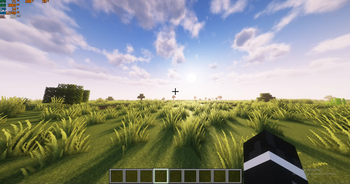
This modpack is made to boost your fps, so you can use it to boost your fps. The only mod that doesn't contribute to more fps or is dependency is iris shaders. This pack is client side, but some of its mods will work on the server side as well. Use this if you want better performance in minecraft. It also contains a shader and a nice texture pack. You can use this as a base for your modpack. More mc versions will be added in the future.
PERFORMANCE
This modpack boosts the performance by a ton. In a big storage room, my fps without any mods was 200-300(with default settings and 16 chunks). With the modpack it increased by ~640%, going to around 1700-1950 fps. Because I have a decent pc, I can use shaders, and with shaders my pc gets around 120-180 fps with 12 chunks and 80-110 with 16 chunks(with complementary unbound ultra preset).
Without the modpack here I get 314 fps: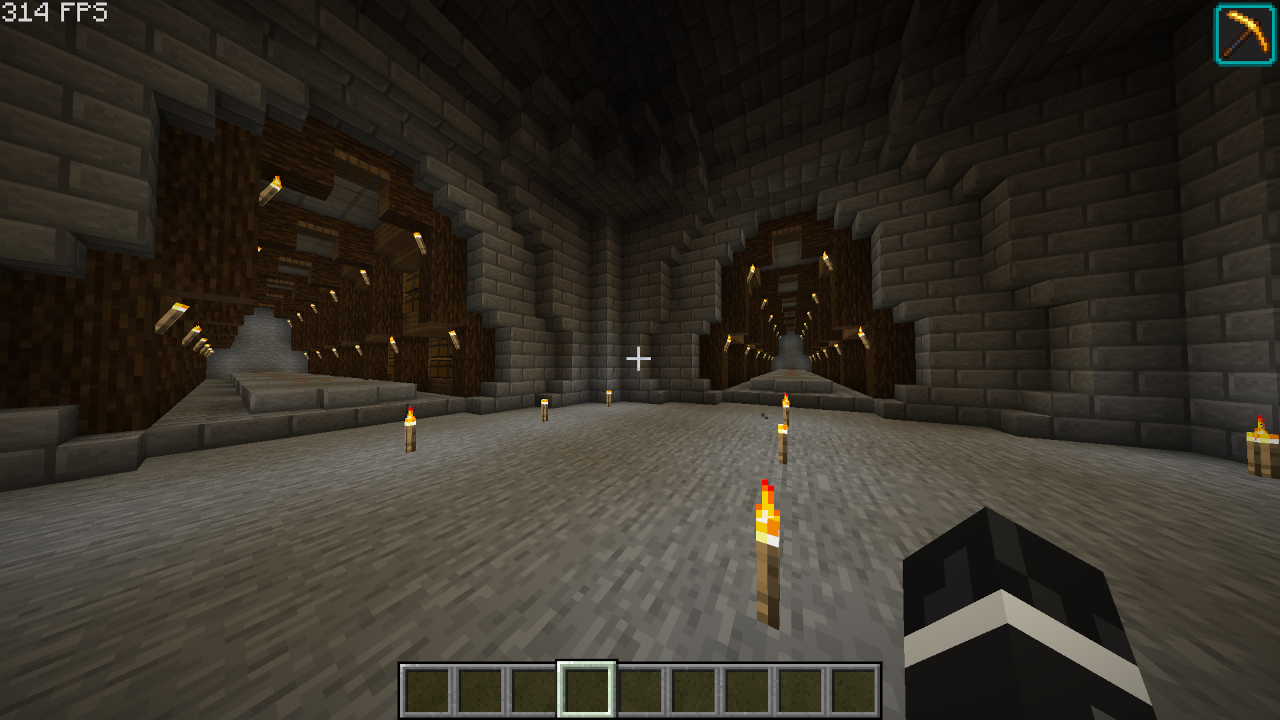
With the modpack here I get 2277 fps(624% fps increase):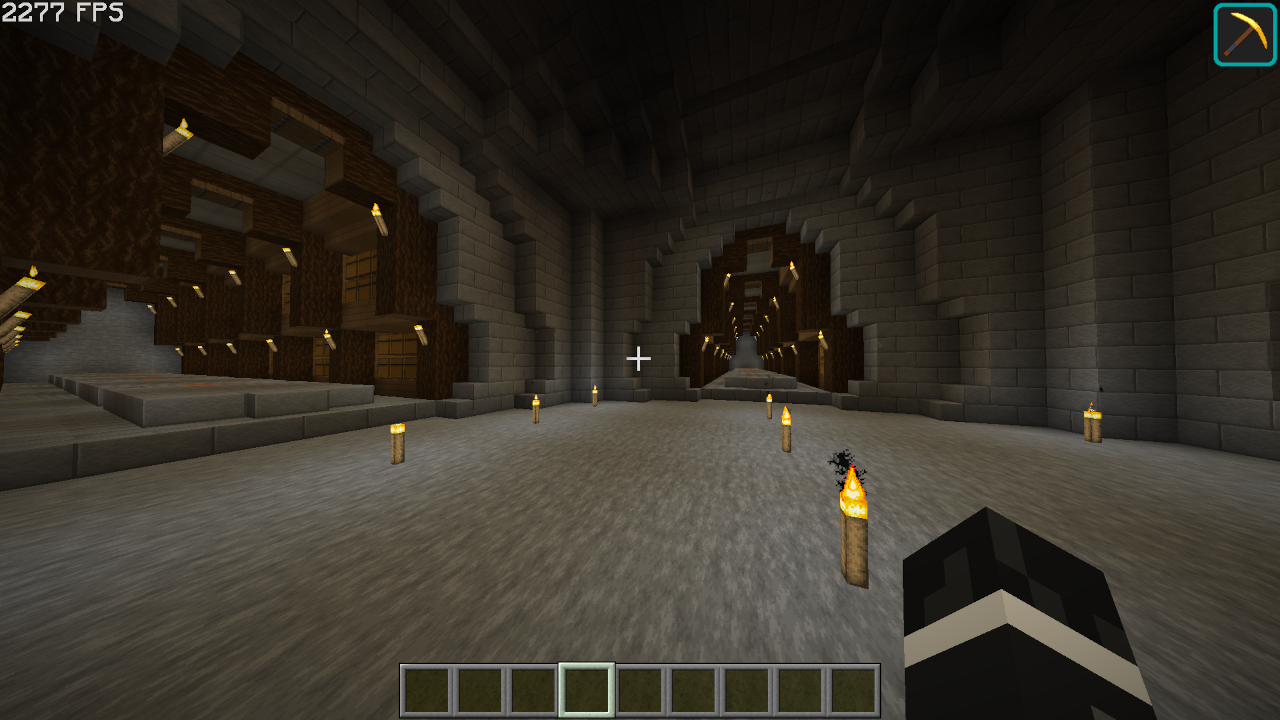
MODS
Optimization Mods
Alternate Current - Optimizes redstone so it reduces performance less.
BadOptimizations - Adds a few micro optimizations.
Bedrodium - Hides the invisible sides of bedrock, increasing performance.
Concurrent Chunk Management Engine - Boosts chunk performance.
Cull Less Leaves - Hides inner(almost unnoticeable) layers of leaves, increasing performance
Enhanced Block Entities - Increases block entity performance
Entity Culling - Doesn't render entities that you can't see, increasing performance
FastAnim - Speeds up entity animation calculations
Faster Random - Speeds up getting random numbers, unnoticiable differences in world gen.(check note)
FerriteCore - Optimizes memory usage
ImmediatelyFast - Speeds up immediate mode rendering
Lithium - No-compromises game logic/server optimizations
More Culling - Culls a lot of things
Noisium - Optimizes worldgen
Reese's Sodium Options - Adds an alternative options menu for sodium
ServerCore - Optimizes the server
Sodium - Replaces the rendering engine with a better one
Sodium Extra - Adds more settings for sodium
Starlight - Rewrites the light engine, making it better
Methane - Replacement for Starlight for 1.20.6+
Other Mods
Cloth Config API
Fabric API
Iris Shaders
Mod Menu
YetAnotherConfigLib
Shaders/Texture Packs
Complementary Shaders - Unbound (Shader)
Faithful 64x (Texture Pack)
Note: Feel free to remove this if you want don't want slightly different world gen.
SUPPORT
if you have any problems with the modpack, dm me(legoaggelos) on discord.
Verfügbare Versionen
FPS++ Server einrichten
Server bestellen
Wähle mindestens 4 GB RAM (6 GB empfohlen für FPS++). Je nach Spieleranzahl: +1 GB pro 8 Spieler.
Modpack im Dashboard installieren
Öffne den Modpack-Browser im Dashboard, suche nach "FPS++" und klicke "Installieren". Der fabric-Loader und Minecraft 1.21.8 werden automatisch konfiguriert.
Server starten & spielen
Starte den Server – alle Mods werden automatisch geladen. Teile die Server-IP mit Freunden und spielt zusammen!
Häufige Fragen
FPS++ Server crasht oder startet nicht – was tun?
Häufigste Ursachen: zu wenig RAM oder falscher fabric-Loader. Prüfe latest.log auf "OutOfMemoryError" → erhöhe RAM auf mindestens 6 GB. Bei "Mixin" oder "ClassNotFoundException": Modpack-Version und Loader stimmen nicht überein. Bei Mado Hosting werden Loader und Minecraft-Version beim Modpack-Install automatisch konfiguriert – das verhindert die meisten Startprobleme.
Wie viel RAM braucht ein FPS++ Server wirklich?
Minimum 4 GB, empfohlen 6 GB für stabile Performance. +1 GB pro 8 Spieler. Wichtig: Minecraft-Modpacks brauchen mehr RAM als Vanilla – plane pro zusätzlichem Spieler extra ein. Bei Mado Hosting kannst du den RAM jederzeit live hochskalieren, ohne Datenverlust (ab €5.2/Monat).
Kann ich eigene Mods zu FPS++ hinzufügen, ohne Konflikte?
Ja, aber achte auf die Kompatibilität: Nutze nur Mods für den gleichen Loader (fabric) und die gleiche Minecraft-Version (1.21.8). Häufige Probleme: ID-Konflikte bei Rezept-Mods und inkompatible Coremod-Versionen. Im Mado Dashboard zeigt der Mod-Browser nur kompatible Mods an und warnt bei bekannten Konflikten.
FPS++ Server laggt – Performance-Tipps
1) RAM auf 6 GB+ erhöhen. 2) Server-View-Distance auf 8 reduzieren (server.properties). 3) Pre-Generiere Chunks mit dem "Chunky" Plugin. 4) Prüfe mit /spark profiler welche Mods die meiste Tick-Time verbrauchen. Bei Mado Hosting laufen alle Server auf NVMe-SSDs mit dedizierten CPU-Kernen – das eliminiert Hardware als Engpass.
Ähnliche Modpacks

![Cobblemon Official Modpack [Fabric]](https://cdn.modrinth.com/data/5FFgwNNP/e7f9ee2e9d361623847853fe2ddce42f519ee64f.png)
![COBBLEVERSE - Pokemon Adventure [Cobblemon]](https://cdn.modrinth.com/data/Jkb29YJU/581ecf54530972afb18a04660afd820f2f24f6c7.png)
![Better MC [FABRIC] - BMC2](https://cdn.modrinth.com/data/shFhR8Vx/a19c2bcb51d38f32f138d3607e91cb2b7b8e387f_96.webp)


FPS++ Server mieten
Starte deinen eigenen Server mit automatischer Modpack-Installation.
Unterstützte Versionen
Starte deinen FPS++ Server jetzt
Ab €5.20/Monat; für die beste Performance werden 6 GB RAM empfohlen.
Server konfigurieren →