
FPS++
This modpack gives you a big fps boost.
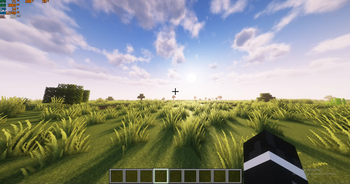
Screenshots
About this Modpack
INFO
This modpack is made to boost your fps, so you can use it to boost your fps. The only mod that doesn't contribute to more fps or is dependency is iris shaders. This pack is client side, but some of its mods will work on the server side as well. Use this if you want better performance in minecraft. It also contains a shader and a nice texture pack. You can use this as a base for your modpack. More mc versions will be added in the future.
PERFORMANCE
This modpack boosts the performance by a ton. In a big storage room, my fps without any mods was 200-300(with default settings and 16 chunks). With the modpack it increased by ~640%, going to around 1700-1950 fps. Because I have a decent pc, I can use shaders, and with shaders my pc gets around 120-180 fps with 12 chunks and 80-110 with 16 chunks(with complementary unbound ultra preset).
Without the modpack here I get 314 fps: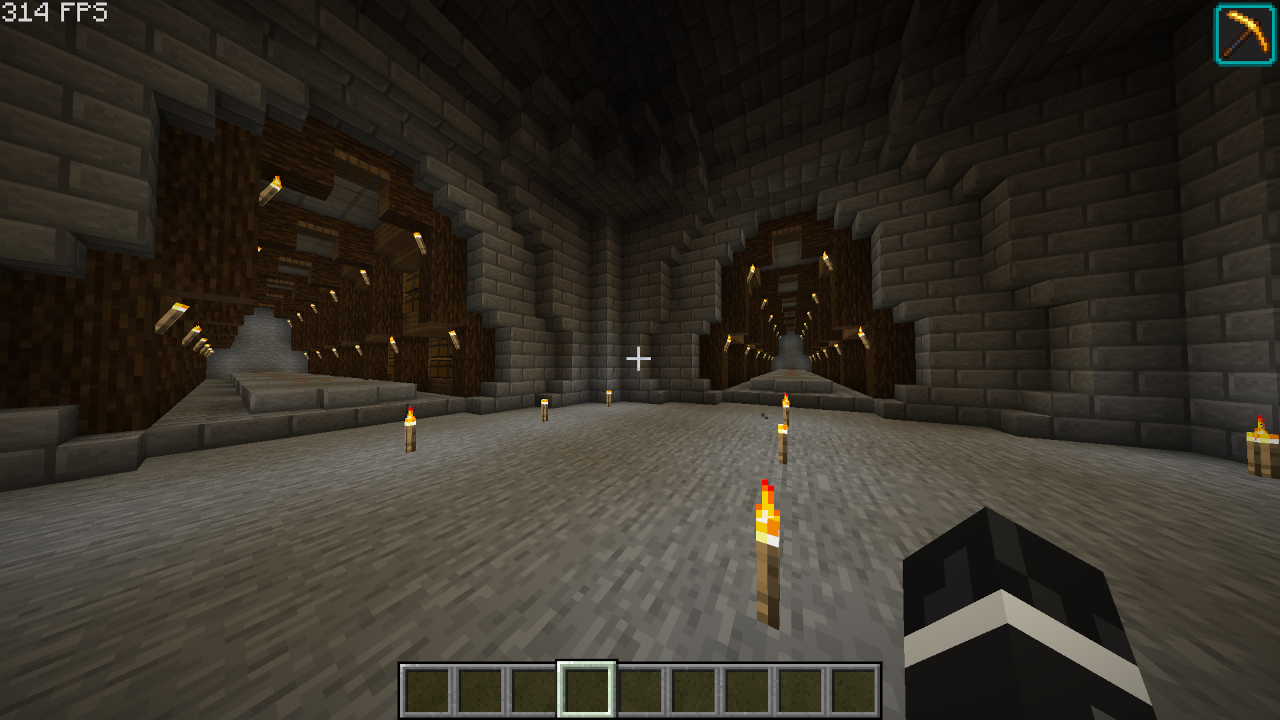
With the modpack here I get 2277 fps(624% fps increase):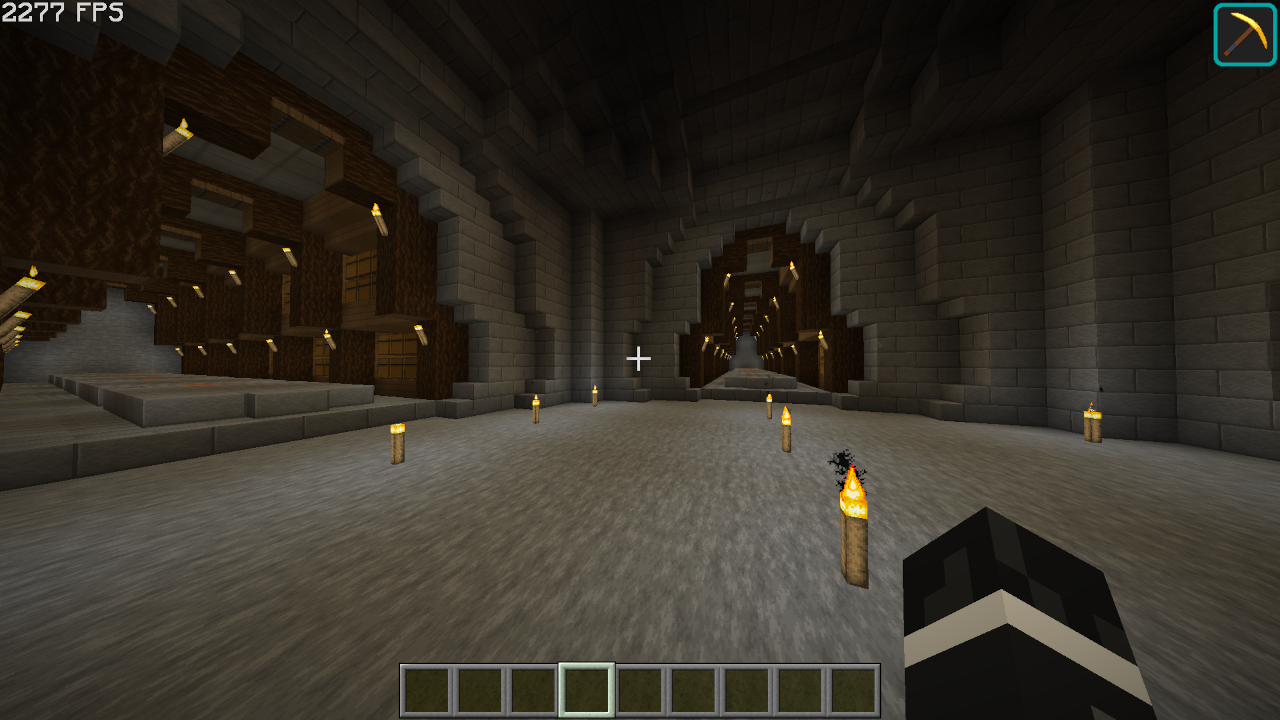
MODS
Optimization Mods
Alternate Current - Optimizes redstone so it reduces performance less.
BadOptimizations - Adds a few micro optimizations.
Bedrodium - Hides the invisible sides of bedrock, increasing performance.
Concurrent Chunk Management Engine - Boosts chunk performance.
Cull Less Leaves - Hides inner(almost unnoticeable) layers of leaves, increasing performance
Enhanced Block Entities - Increases block entity performance
Entity Culling - Doesn't render entities that you can't see, increasing performance
FastAnim - Speeds up entity animation calculations
Faster Random - Speeds up getting random numbers, unnoticiable differences in world gen.(check note)
FerriteCore - Optimizes memory usage
ImmediatelyFast - Speeds up immediate mode rendering
Lithium - No-compromises game logic/server optimizations
More Culling - Culls a lot of things
Noisium - Optimizes worldgen
Reese's Sodium Options - Adds an alternative options menu for sodium
ServerCore - Optimizes the server
Sodium - Replaces the rendering engine with a better one
Sodium Extra - Adds more settings for sodium
Starlight - Rewrites the light engine, making it better
Methane - Replacement for Starlight for 1.20.6+
Other Mods
Cloth Config API
Fabric API
Iris Shaders
Mod Menu
YetAnotherConfigLib
Shaders/Texture Packs
Complementary Shaders - Unbound (Shader)
Faithful 64x (Texture Pack)
Note: Feel free to remove this if you want don't want slightly different world gen.
SUPPORT
if you have any problems with the modpack, dm me(legoaggelos) on discord.
Available Versions
How to Set Up a FPS++ Server
Order Server
Choose at least 4 GB RAM (6 GB recommended for FPS++). Based on player count: per 8 players.
Install Modpack in Dashboard
Open the modpack browser in the dashboard, search for "FPS++" and click "Install". The fabric loader and Minecraft 1.21.8 are configured automatically.
Start Server & Play
Start the server – all mods are loaded automatically. Share the server IP with friends and play together!
Frequently Asked Questions
FPS++ server crashes or won't start – what to do?
Most common causes: insufficient RAM or wrong fabric loader. Check latest.log for "OutOfMemoryError" → increase RAM to at least 6 GB. For "Mixin" or "ClassNotFoundException" errors: modpack version and loader don't match. With Mado Hosting, loader and Minecraft version are auto-configured on modpack install – preventing most startup issues.
How much RAM does a FPS++ server really need?
Minimum 4 GB, recommended 6 GB for stable performance. per 8 players. Important: Minecraft modpacks need more RAM than vanilla – plan extra per additional player. With Mado Hosting, you can scale RAM up live at any time without data loss (from €5.2/month).
Can I add custom mods to FPS++ without conflicts?
Yes, but check compatibility: only use mods for the same loader (fabric) and same Minecraft version (1.21.8). Common issues: ID conflicts with recipe mods and incompatible coremod versions. The Mado dashboard mod browser only shows compatible mods and warns about known conflicts.
FPS++ server lagging – performance tips
1) Increase RAM to 6 GB+. 2) Reduce server view-distance to 8 (server.properties). 3) Pre-generate chunks with the "Chunky" plugin. 4) Use /spark profiler to check which mods consume the most tick time. With Mado Hosting, all servers run on NVMe SSDs with dedicated CPU cores – eliminating hardware as a bottleneck.
Similar Modpacks

![Cobblemon Official Modpack [Fabric]](https://cdn.modrinth.com/data/5FFgwNNP/e7f9ee2e9d361623847853fe2ddce42f519ee64f.png)
![COBBLEVERSE - Pokemon Adventure [Cobblemon]](https://cdn.modrinth.com/data/Jkb29YJU/581ecf54530972afb18a04660afd820f2f24f6c7.png)
![Better MC [FABRIC] - BMC2](https://cdn.modrinth.com/data/shFhR8Vx/a19c2bcb51d38f32f138d3607e91cb2b7b8e387f_96.webp)


Rent FPS++ Server
Start your own server with automatic modpack installation.
Supported Versions
Start your FPS++ Server now
From €5.20/month; 6 GB RAM is recommended for best performance.
Configure Server →