
Legacy Console Experience
A simple modpack trying to recreate the old LCE feel, with the power of fabric!
Screenshots
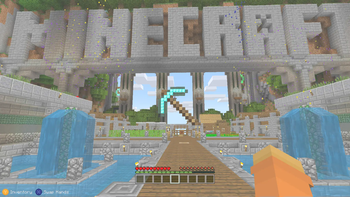
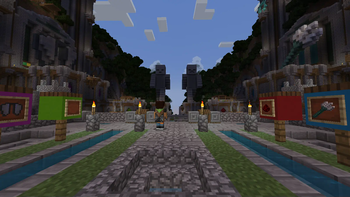
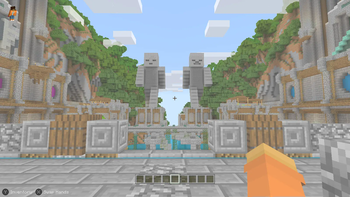
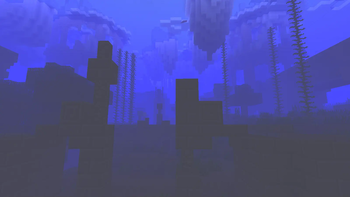
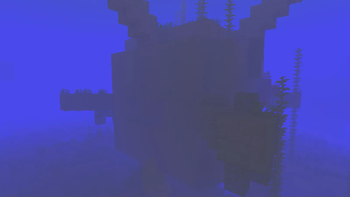
Über dieses Modpack
Legacy Console Experience is a modpack made to bring back that old feeling of turning on you xbox 360 and inserting the minecraft disc in it(although it isn't an exact replica) by mimicking the user interface, textures, sounds and that sort of stuff, enjoy!
But wait there's still stuff missing as i couldn't find anything to replicate it with:
- Crafting menu's still missing as i cannot find anything to edit it with
- World creation screen in 1.19.4, because the changes made to it don't allow fancymenu support at the same level
- The gamma( the shader is there, it's just disabled by default because it destroys fps)
- 1 to 1 recreation because there needed to be a lot of cut corners to fit fancymenu
- The elytra roll, because the Cool Elytra Mod isn't updated to 1.19.4
Credits
Resourcepack list(and shader too ig)
catplusdog by
RufusDragon
Programmer Art + by
Cracker0106
Legacy Edition by
lyann
CPHSBC (not ON by default btw) by
CrushedPixel
Modlist
Bedrockify by
juancarloscp52 & lonefelidae16
Bedrock Skin Utility by
Camotoy
Bedrock Waters by
2Retr0
Cloth config by
shedaniel
C2M Engine by
RelativityMC & ishland
Console Sounds by
hattolo (or Hattozo) and updated by S-N00B-1
Drippy loading screen, Fancymenu, Konkrete and LoadMyResources by
Keksuccino
Entity texture Features by
Traben
EntityCulling Fabric by
tr7zw
Essential Mod by
Spark Universe
Fabric API by
FabricMC
Ferrite Core by
malte0811
Iris by
coderbot, IMS212, Justsnoopy30 & FoundationGames
Krypton by
tuxed
LEM Client Helper by
kyrptonaught
Lithium by
JellySquid & 2No2Name
Memory Leak Fix by
FX - PR0CESS
Midnight Controls by
LambdAurora, Motschen
Mod menu by
Prospector, haykam821 & TerraformersMC
No Chat reports by
Aizistral
Old Potions by
Abbie
Raised by
yurisuika
Sodium by
JellySquid & maintained by IMS212 & Burger individual
Starlight
by Spottedleaf
LEM
(please don't bother them about it)
For now there's only battle and it's a closed alpha
but i think this modpack (1.19.4 only) is compatible with the server
for more info about the server read here: minigames.derpbox.xyz
not what you were looking for?
you could also try Console Idated from N00B
Tutorial world can run at a stable 50-60 fps on an i5-7000 w/integrated graphics card
though it's a bit laggy in there so it should probably have more fps on other worlds
Verfügbare Versionen
Legacy Console Experience Server einrichten
Server bestellen
Wähle mindestens 4 GB RAM (6 GB empfohlen für Legacy Console Experience). Je nach Spieleranzahl: +1 GB pro 8 Spieler.
Modpack im Dashboard installieren
Öffne den Modpack-Browser im Dashboard, suche nach "Legacy Console Experience" und klicke "Installieren". Der fabric-Loader und Minecraft 1.19.4 werden automatisch konfiguriert.
Server starten & spielen
Starte den Server – alle Mods werden automatisch geladen. Teile die Server-IP mit Freunden und spielt zusammen!
Häufige Fragen
Legacy Console Experience Server crasht oder startet nicht – was tun?
Häufigste Ursachen: zu wenig RAM oder falscher fabric-Loader. Prüfe latest.log auf "OutOfMemoryError" → erhöhe RAM auf mindestens 6 GB. Bei "Mixin" oder "ClassNotFoundException": Modpack-Version und Loader stimmen nicht überein. Bei Mado Hosting werden Loader und Minecraft-Version beim Modpack-Install automatisch konfiguriert – das verhindert die meisten Startprobleme.
Wie viel RAM braucht ein Legacy Console Experience Server wirklich?
Minimum 4 GB, empfohlen 6 GB für stabile Performance. +1 GB pro 8 Spieler. Wichtig: Minecraft-Modpacks brauchen mehr RAM als Vanilla – plane pro zusätzlichem Spieler extra ein. Bei Mado Hosting kannst du den RAM jederzeit live hochskalieren, ohne Datenverlust (ab €5.2/Monat).
Kann ich eigene Mods zu Legacy Console Experience hinzufügen, ohne Konflikte?
Ja, aber achte auf die Kompatibilität: Nutze nur Mods für den gleichen Loader (fabric) und die gleiche Minecraft-Version (1.19.4). Häufige Probleme: ID-Konflikte bei Rezept-Mods und inkompatible Coremod-Versionen. Im Mado Dashboard zeigt der Mod-Browser nur kompatible Mods an und warnt bei bekannten Konflikten.
Legacy Console Experience Server laggt – Performance-Tipps
1) RAM auf 6 GB+ erhöhen. 2) Server-View-Distance auf 8 reduzieren (server.properties). 3) Pre-Generiere Chunks mit dem "Chunky" Plugin. 4) Prüfe mit /spark profiler welche Mods die meiste Tick-Time verbrauchen. Bei Mado Hosting laufen alle Server auf NVMe-SSDs mit dedizierten CPU-Kernen – das eliminiert Hardware als Engpass.
Ähnliche Modpacks

![Cobblemon Official Modpack [Fabric]](https://cdn.modrinth.com/data/5FFgwNNP/e7f9ee2e9d361623847853fe2ddce42f519ee64f.png)
![COBBLEVERSE - Pokemon Adventure [Cobblemon]](https://cdn.modrinth.com/data/Jkb29YJU/581ecf54530972afb18a04660afd820f2f24f6c7.png)
![Better MC [FABRIC] - BMC2](https://cdn.modrinth.com/data/shFhR8Vx/a19c2bcb51d38f32f138d3607e91cb2b7b8e387f_96.webp)


Legacy Console Experience Server mieten
Starte deinen eigenen Server mit automatischer Modpack-Installation.
Unterstützte Versionen
Starte deinen Legacy Console Experience Server jetzt
Ab €5.20/Monat; für die beste Performance werden 6 GB RAM empfohlen.
Server konfigurieren →