
Legacy Console Experience
A simple modpack trying to recreate the old LCE feel, with the power of fabric!
Screenshots
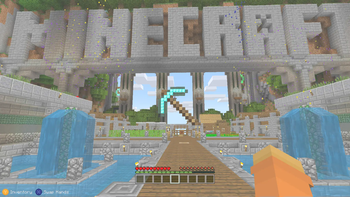
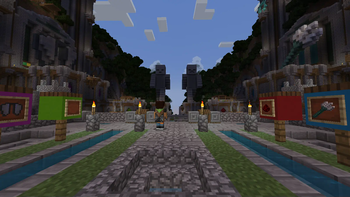
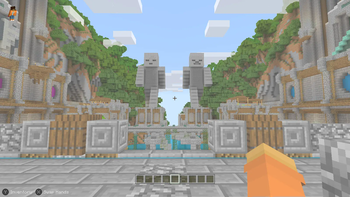
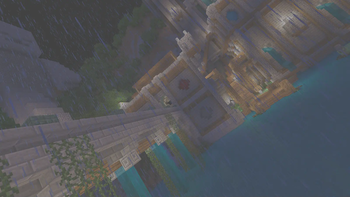
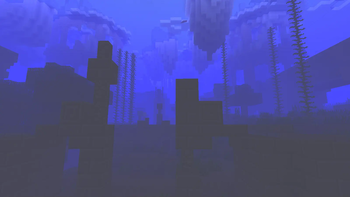
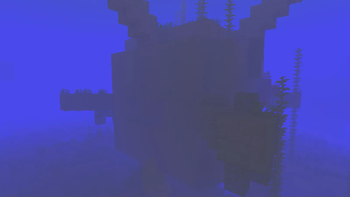
About this Modpack
Legacy Console Experience is a modpack made to bring back that old feeling of turning on you xbox 360 and inserting the minecraft disc in it(although it isn't an exact replica) by mimicking the user interface, textures, sounds and that sort of stuff, enjoy!
But wait there's still stuff missing as i couldn't find anything to replicate it with:
- Crafting menu's still missing as i cannot find anything to edit it with
- World creation screen in 1.19.4, because the changes made to it don't allow fancymenu support at the same level
- The gamma( the shader is there, it's just disabled by default because it destroys fps)
- 1 to 1 recreation because there needed to be a lot of cut corners to fit fancymenu
- The elytra roll, because the Cool Elytra Mod isn't updated to 1.19.4
Credits
Resourcepack list(and shader too ig)
catplusdog by
RufusDragon
Programmer Art + by
Cracker0106
Legacy Edition by
lyann
CPHSBC (not ON by default btw) by
CrushedPixel
Modlist
Bedrockify by
juancarloscp52 & lonefelidae16
Bedrock Skin Utility by
Camotoy
Bedrock Waters by
2Retr0
Cloth config by
shedaniel
C2M Engine by
RelativityMC & ishland
Console Sounds by
hattolo (or Hattozo) and updated by S-N00B-1
Drippy loading screen, Fancymenu, Konkrete and LoadMyResources by
Keksuccino
Entity texture Features by
Traben
EntityCulling Fabric by
tr7zw
Essential Mod by
Spark Universe
Fabric API by
FabricMC
Ferrite Core by
malte0811
Iris by
coderbot, IMS212, Justsnoopy30 & FoundationGames
Krypton by
tuxed
LEM Client Helper by
kyrptonaught
Lithium by
JellySquid & 2No2Name
Memory Leak Fix by
FX - PR0CESS
Midnight Controls by
LambdAurora, Motschen
Mod menu by
Prospector, haykam821 & TerraformersMC
No Chat reports by
Aizistral
Old Potions by
Abbie
Raised by
yurisuika
Sodium by
JellySquid & maintained by IMS212 & Burger individual
Starlight
by Spottedleaf
LEM
(please don't bother them about it)
For now there's only battle and it's a closed alpha
but i think this modpack (1.19.4 only) is compatible with the server
for more info about the server read here: minigames.derpbox.xyz
not what you were looking for?
you could also try Console Idated from N00B
Tutorial world can run at a stable 50-60 fps on an i5-7000 w/integrated graphics card
though it's a bit laggy in there so it should probably have more fps on other worlds
Available Versions
How to Set Up a Legacy Console Experience Server
Order Server
Choose at least 4 GB RAM (6 GB recommended for Legacy Console Experience). Based on player count: per 8 players.
Install Modpack in Dashboard
Open the modpack browser in the dashboard, search for "Legacy Console Experience" and click "Install". The fabric loader and Minecraft 1.19.4 are configured automatically.
Start Server & Play
Start the server – all mods are loaded automatically. Share the server IP with friends and play together!
Frequently Asked Questions
Legacy Console Experience server crashes or won't start – what to do?
Most common causes: insufficient RAM or wrong fabric loader. Check latest.log for "OutOfMemoryError" → increase RAM to at least 6 GB. For "Mixin" or "ClassNotFoundException" errors: modpack version and loader don't match. With Mado Hosting, loader and Minecraft version are auto-configured on modpack install – preventing most startup issues.
How much RAM does a Legacy Console Experience server really need?
Minimum 4 GB, recommended 6 GB for stable performance. per 8 players. Important: Minecraft modpacks need more RAM than vanilla – plan extra per additional player. With Mado Hosting, you can scale RAM up live at any time without data loss (from €5.2/month).
Can I add custom mods to Legacy Console Experience without conflicts?
Yes, but check compatibility: only use mods for the same loader (fabric) and same Minecraft version (1.19.4). Common issues: ID conflicts with recipe mods and incompatible coremod versions. The Mado dashboard mod browser only shows compatible mods and warns about known conflicts.
Legacy Console Experience server lagging – performance tips
1) Increase RAM to 6 GB+. 2) Reduce server view-distance to 8 (server.properties). 3) Pre-generate chunks with the "Chunky" plugin. 4) Use /spark profiler to check which mods consume the most tick time. With Mado Hosting, all servers run on NVMe SSDs with dedicated CPU cores – eliminating hardware as a bottleneck.
Similar Modpacks

![Cobblemon Official Modpack [Fabric]](https://cdn.modrinth.com/data/5FFgwNNP/e7f9ee2e9d361623847853fe2ddce42f519ee64f.png)
![COBBLEVERSE - Pokemon Adventure [Cobblemon]](https://cdn.modrinth.com/data/Jkb29YJU/581ecf54530972afb18a04660afd820f2f24f6c7.png)
![Better MC [FABRIC] - BMC2](https://cdn.modrinth.com/data/shFhR8Vx/a19c2bcb51d38f32f138d3607e91cb2b7b8e387f_96.webp)


Rent Legacy Console Experience Server
Start your own server with automatic modpack installation.
Supported Versions
Start your Legacy Console Experience Server now
From €5.20/month; 6 GB RAM is recommended for best performance.
Configure Server →