
Modrinth · Fabric
Metro+ Server mieten
Dein eigener Metro+ Server auf AMD Ryzen 9 ohne Thread-Limit. Der Server ist in der Regel unter 60 Sekunden bereit, das Pack installierst du danach mit einem Klick im Modpack-Browser.
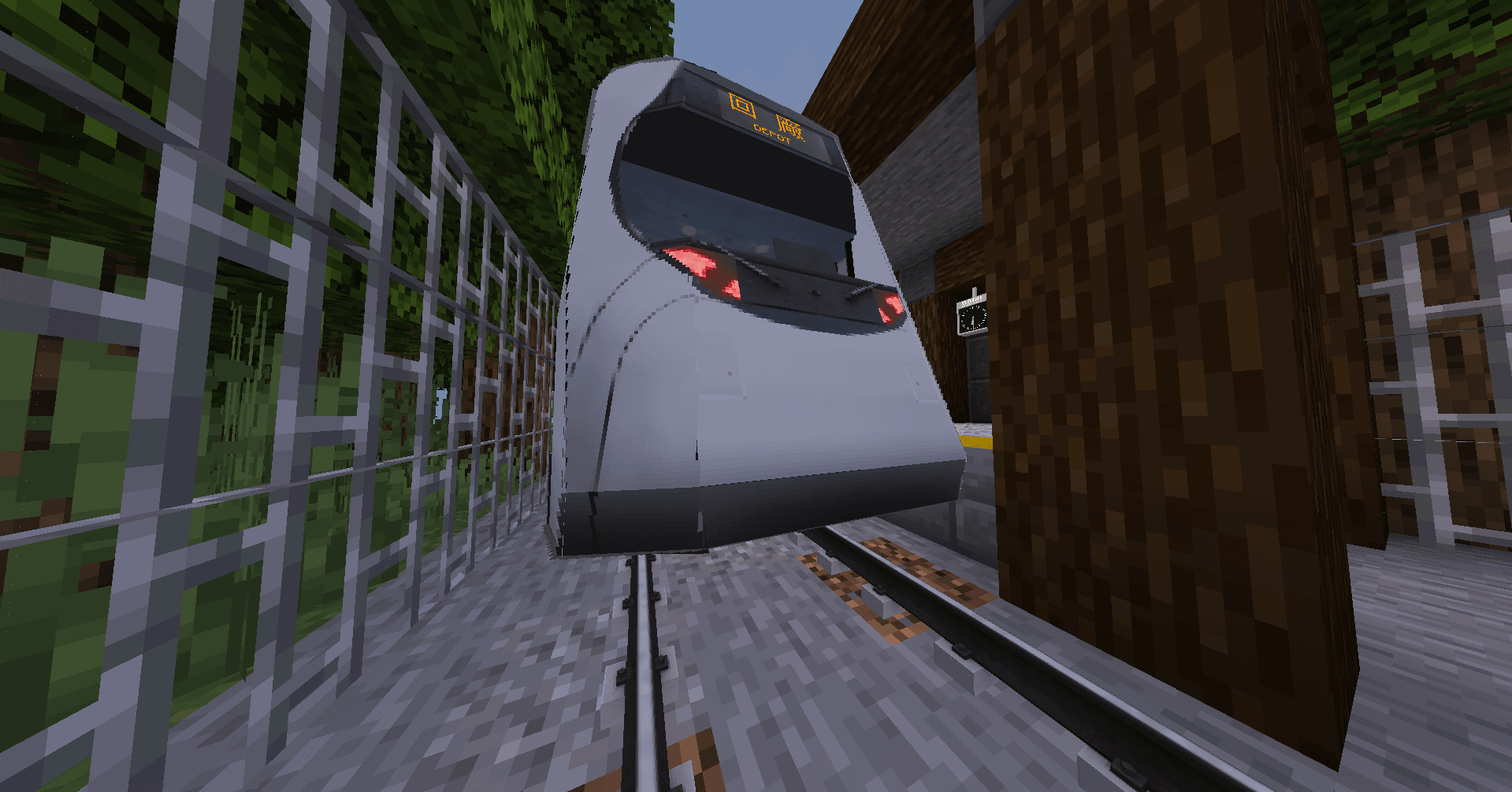
A Train Mod containing everything you need to get started on transportation!
- Downloads
- 2.9K
- Follower
- 0
- Loader
- Fabric
- Minecraft
- 1.20.1
- Aktualisiert
- –
Screenshots
So sieht Metro+ aus

Bilder: Metro+ auf Modrinth, vom Projektteam veröffentlicht.
Einrichtung
In vier Schritten zum Metro+ Server
Prüfe bei Fehlern zuerst Startprotokoll, Java-Version, Loader und Abhängigkeiten. Erhöhe RAM nur bei Hinweisen auf Speichermangel. Behalte vor Updates eine Kopie der funktionierenden Installation.
- 01
Konfigurieren
8 GB RAM sind vorausgewählt und Metro+ ist im Konfigurator vorgemerkt. Laufzeit und Add-ons wählst du selbst.
- 02
Bezahlen
Per Kreditkarte oder PayPal. Der Server ist in der Regel unter 60 Sekunden bereit.
- 03
Pack installieren
Öffne den Modpack-Browser im Panel, wähle Modrinth, prüfe die Projekt-ID und installiere die gewünschte Pack-Version. Sichere eine bestehende Welt vorher.
- 04
Verbinden
Alle Spieler installieren dieselbe Pack-Version in einem kompatiblen Launcher und verbinden sich über die Serveradresse aus dem Panel.
Modrinth-Projekt-ID: EzAWQNPS
Das Panel
Pack installieren, Fehler finden.
Echte Screenshots aus dem Mado Panel. Beides ist bei jedem Minecraft Server enthalten.
Modpack-Browser
Modrinth und CurseForge direkt im Panel.
Pack suchen, Version wählen, installieren. Loader und Serverdateien musst du nicht von Hand hochladen.

KI-Crash-Analyse
Wenn ein Mod crasht, liest die Analyse das Log.
Große Modpacks scheitern oft an einer einzelnen Mod, Java-Version oder fehlenden Abhängigkeit. Die Analyse nennt eine wahrscheinliche Ursache und einen Lösungsvorschlag.

Versionen
Veröffentlichte Pack-Versionen
Server und Spieler brauchen dieselbe Pack-Version. Wähle sie im Modpack-Browser passend zu den Clients deiner Gruppe.
Metro+ · Modrinth- Metro+ 1.1.76. August 2025Minecraft 1.20.1 · Fabric
- Metro+ 1.1.59. Juni 2025Minecraft 1.20.1 · Fabric
Originalbeschreibung des Projektautors
Metro+

General Rundown:
This Is a transportation mod, contains trains, boats, planes, cablecars, cars (Removed Temporarily), and a whole lot more stuff (Incudes but not limited to decoration mods). This mod is pre-optimized for your convinience for if you have a bad computer, it does include some shaders right off the bat. Last But not least this mod includes quality of life changes to minecraft that improve gameplay expirience.
Features:
- Shaders ("OMG So unoriginal!?!?!" i know)
- Minecraft Transit Railway ("You Stole That!?!" simply put in a modpack)
- Pre-Optimized ("How Dare you optimize MY GAME!?" optimized for people who have potatos for PC's like me)
- A Few Quality Of life Mods To Improve Overall The Expirence.
Known Issues/Incompatible Mods:
kennytvs-epic-force-close-loading-screen-mod-for-fabriccauses falling through the world more than before.- On versions older than
1.1.xIt was possible to fall through the world off spawn, chunk loading error, Leave and rejoin. (Fixes it most of the time) Tape StopCauses Major Instability within the renderer.ChunkumulatorCauses World Loading Crashes (Potentialy incorrect)- On Versions
1.0.6Or older, falling blocks will crash your game on select devices. (Fixed on1.0.7Or later) - Hosting Big worlds using
Essentialson Bad Hardware does cause game instability, crashes, and world corruption. ( Most instability issues Have been fixed on versions1.1.3Or newer ) - Bugged F3 Menu on
1.1.3Or newer, Move arround and it fixes it's self. - Bugged F3 Menu on
1.1.3Or newer causes minimap projection corruption, simply move arround and it fixes it's self. ( Your world data is not affected ) - Switching Modpack Versions Can Cause World Corruption.
- On versions prior to
1.1.7It was possible for world generation to get stuck and cause a memory leak, it has been fixed on1.1.7or newer.
Extra Need To Know Stuff:
- Use
localhost:8888In A Web Browser In Singleplayer To Open A Dynamic Train Map in singleplayer or if hosting. - To Use The Dynamic Train map In Multi-Player Use
<Server-IP>:<Port>. - Use
Mod MenuFor Customizing Any mods. - Removed
Treps carson versions1.1.0Or newer temporarily as it caused major instability. - If You want to use
Essentialsyou have to install it seperatly (I somewhat dislike their practices) - No Promises For next updates ( I do this as a hobby )
- Recomended Version to download as of last description update
1.2.1. - Description Last Updated on
2/8/26And Or1.2.1
Metro+ © 2024 Pro42good.
The Metro+ modpack (configs, scripts, and original material) is licensed under CC BY-NC-ND 4.0.
Included mods, assets, and other third-party content are the property of their respective authors and remain under their original licenses.
“Metro+” and its icon are the property of Pro42good.
Ähnliche Packs
Weitere server-fähige Modpacks
 Server-fähig

Cobblemon Official Modpack [Fabric]
von CobbledStudios
The official modpack of the Cobblemon mod, for Fabric!
 Server-fähig

COBBLEVERSE - Pokemon Adventure [Cobblemon]
von LUMYVERSE
Start a true Pokémon adventure in Minecraft: Cobblemon 1.8.4 | ALL 1025 Pokémon! | Mega Evolutions | Gyms & Badges | Starter Kit | Unique Structures | Custom Music | Shaders | Optimized | So much more! [1.21.1]
 Server-fähig

Better MC [FABRIC] - BMC2
von SHXRKIE
Version 1.20 | A Proper Vanilla+ Modpack | Don't play Vanilla play this!
 Server-fähig

Vanilla Perfected
von demonjoeTV
A compilation of Vanilla Plus mods & packs to perfect the Minecraft experience without drifting too far from the feel of the base game!
Bereit für deinen Metro+ Server?
8 GB RAM ab 16,00 € im Monat. 35 % auf den 1. Monat mit MADO35.