
Minecraft Legacy
Crafted, polished modpack, built for Fabric!
Screenshots
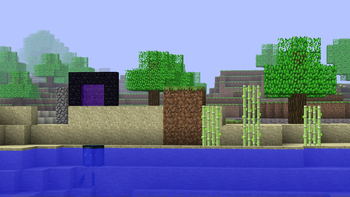
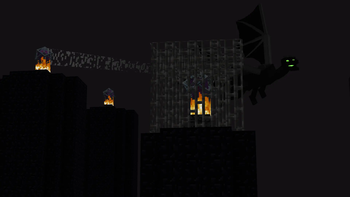
Über dieses Modpack


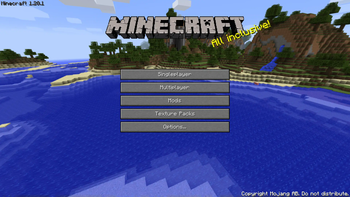
Minecraft Legacy — running on Fabric 1.20.1
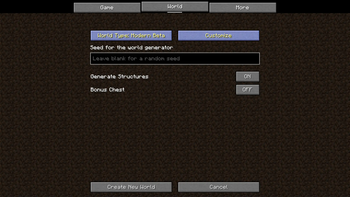
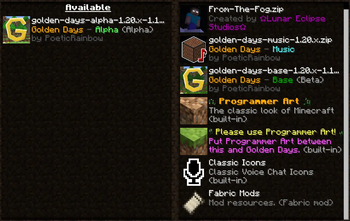
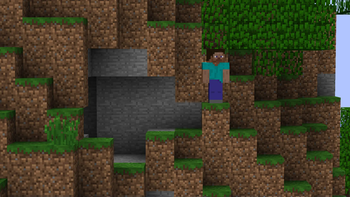
Ever wanted to replay Minecraft's history without giving up your modern client? That's the idea behind this pack. Every era gets rebuilt — from the rough early Alpha days, through Beta 1.7.3, up to the official 1.0 release — with the terrain generation, mechanics, and quirks that made each version feel the way it did, all running on Fabric 1.20.1 so it stays stable and mod-friendly.
What's inside
A real trip through the versions
World generation changes depending on which era you pick — old cave systems, old biome shapes, old crafting limitations. It's tuned to actually feel like the version it's recreating, not just "old for the sake of old."
Old-school feel, modern engine
Fabric 1.20.1 means better performance and compatibility than the original versions ever had, without breaking the vibe of the era you're playing in.
Something to do in every version
Each recreated era has its own challenges built in — it's not just a nostalgia trip, there's actual stuff to build, fight, and survive through.
Made to play with others
Pick an era with friends and go. Works well for small survival worlds or a full-on multiplayer server.
Why I made this
I've been playing Minecraft since way back, and a lot of my best memories come from versions that don't really exist in playable form anymore. This pack is my attempt to bring those eras back properly — not old textures slapped on a new version, but each one rebuilt to actually play the way it used to.
Get started
Download Minecraft Legacy, pick an era, and see how far the game's come — or how much you miss the old caves.
Verfügbare Versionen
Minecraft Legacy Server einrichten
Server bestellen
Wähle mindestens 6 GB RAM (8 GB empfohlen für Minecraft Legacy). Je nach Spieleranzahl: +1 GB pro 5 Spieler.
Modpack im Dashboard installieren
Öffne den Modpack-Browser im Dashboard, suche nach "Minecraft Legacy" und klicke "Installieren". Der fabric-Loader und Minecraft 1.20.1 werden automatisch konfiguriert.
Server starten & spielen
Starte den Server – alle Mods werden automatisch geladen. Teile die Server-IP mit Freunden und spielt zusammen!
Häufige Fragen
Minecraft Legacy Server crasht oder startet nicht – was tun?
Häufigste Ursachen: zu wenig RAM oder falscher fabric-Loader. Prüfe latest.log auf "OutOfMemoryError" → erhöhe RAM auf mindestens 8 GB. Bei "Mixin" oder "ClassNotFoundException": Modpack-Version und Loader stimmen nicht überein. Bei Mado Hosting werden Loader und Minecraft-Version beim Modpack-Install automatisch konfiguriert – das verhindert die meisten Startprobleme.
Wie viel RAM braucht ein Minecraft Legacy Server wirklich?
Minimum 6 GB, empfohlen 8 GB für stabile Performance. +1 GB pro 5 Spieler. Wichtig: Minecraft-Modpacks brauchen mehr RAM als Vanilla – plane pro zusätzlichem Spieler extra ein. Bei Mado Hosting kannst du den RAM jederzeit live hochskalieren, ohne Datenverlust (ab €7.800000000000001/Monat).
Kann ich eigene Mods zu Minecraft Legacy hinzufügen, ohne Konflikte?
Ja, aber achte auf die Kompatibilität: Nutze nur Mods für den gleichen Loader (fabric) und die gleiche Minecraft-Version (1.20.1). Häufige Probleme: ID-Konflikte bei Rezept-Mods und inkompatible Coremod-Versionen. Im Mado Dashboard zeigt der Mod-Browser nur kompatible Mods an und warnt bei bekannten Konflikten.
Minecraft Legacy Server laggt – Performance-Tipps
1) RAM auf 8 GB+ erhöhen. 2) Server-View-Distance auf 8 reduzieren (server.properties). 3) Pre-Generiere Chunks mit dem "Chunky" Plugin. 4) Prüfe mit /spark profiler welche Mods die meiste Tick-Time verbrauchen. Bei Mado Hosting laufen alle Server auf NVMe-SSDs mit dedizierten CPU-Kernen – das eliminiert Hardware als Engpass.
Ähnliche Modpacks
![Cobblemon Official Modpack [Fabric]](https://cdn.modrinth.com/data/5FFgwNNP/e7f9ee2e9d361623847853fe2ddce42f519ee64f.png)
![COBBLEVERSE - Pokemon Adventure [Cobblemon]](https://cdn.modrinth.com/data/Jkb29YJU/581ecf54530972afb18a04660afd820f2f24f6c7.png)
![Better MC [FABRIC] - BMC2](https://cdn.modrinth.com/data/shFhR8Vx/a19c2bcb51d38f32f138d3607e91cb2b7b8e387f_96.webp)


![Better MC [FORGE] - BMC4](https://cdn.modrinth.com/data/4BV47HRn/7f5ef7cc61b2593609aabef3ed07a866a4f11b73_96.webp)
Minecraft Legacy Server mieten
Starte deinen eigenen Server mit automatischer Modpack-Installation.
Details
- Lizenz
- LicenseRef-All-Rights-Reserved
- Server-seitig
- Erforderlich
- Client-seitig
- Erforderlich
Unterstützte Versionen
Starte deinen Minecraft Legacy Server jetzt
Ab €7.80/Monat; für die beste Performance werden 8 GB RAM empfohlen.
Server konfigurieren →