
The Minehattan Project
Plutonium, pulverisers, and pointed sticks: war never changes.
Screenshots
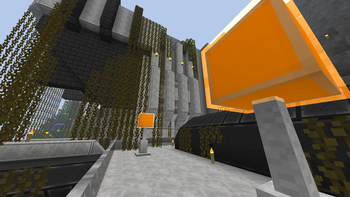
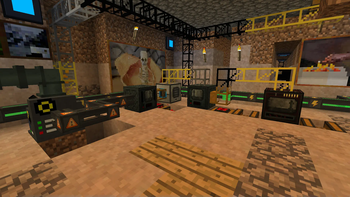
Über dieses Modpack
Welcome to The Minehattan Project
High-tech warfare on a global scale.
What's it all about?
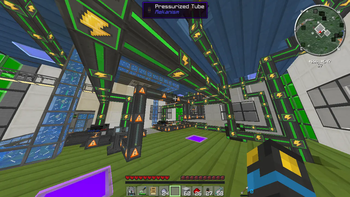
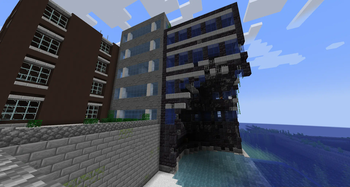
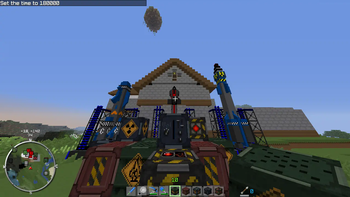
This pack contains a curated selection of technology mods, designed around the concept of a multiplayer 'cold war' scenario. Build a defensive bunker, automate your ores, construct shielding and storage solutions, and - perhaps most importantly - have an arms race with lasers, rocket launchers, and powerful explosives.
Help, I've run into a problem!
Please use the GitHub issue tracker to submit your issue. Don't forget to search first, and find out if it's been rectified already. Thanks!
Which mods are included?
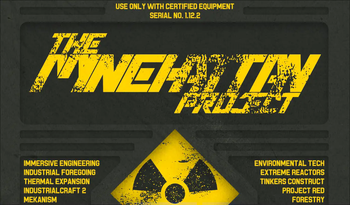
There are over 100 mods within this pack! The main gameplay-affecting mods are as follows:
- ICBM
- Mekanism
- Thermal Expansion
- IndustrialCraft 2
- Industrial Foregoing
- Extreme Reactors
- Immersive Engineering
- Modular Powersuits
- Project Red
- Tinker's Construct
- Forestry
- Biomes O' Plenty
- BiblioCraft
To see a full list, with links to each mod, see The Spreadsheet™.
Which version should I play?
The Minehattan Project was made for a YouTube series in 2013, with a later update in 2014. The older versions still work as intended, but please note they will not be updated in any major way - only if they desperately need fixing!
If you want an old-school arms race with an assortment of classic mods, go for version 1 for Minecraft 1.5.2.
To get the most authentic experience, I recommend version 2 for Minecraft 1.6.4.
Version 5 is the current version for Minecraft 1.19.2, which will give you a traditional Minehattan Project experience with a few new twists! No turtling allowed.
In case you're wondering: versions 3 and 4, for MC 1.12.1 and 1.12.2 respectively, do exist - but they lack many of the key mods which make the pack what it is, so I didn't think it was worth putting in the time to release them.
Verfügbare Versionen
The Minehattan Project Server einrichten
Server bestellen
Wähle mindestens 6 GB RAM (8 GB empfohlen für The Minehattan Project). Je nach Spieleranzahl: +1 GB pro 5 Spieler.
Modpack im Dashboard installieren
Öffne den Modpack-Browser im Dashboard, suche nach "The Minehattan Project" und klicke "Installieren". Der forge-Loader und Minecraft 1.19.2 werden automatisch konfiguriert.
Server starten & spielen
Starte den Server – alle Mods werden automatisch geladen. Teile die Server-IP mit Freunden und spielt zusammen!
Häufige Fragen
The Minehattan Project Server crasht oder startet nicht – was tun?
Häufigste Ursachen: zu wenig RAM oder falscher forge-Loader. Prüfe latest.log auf "OutOfMemoryError" → erhöhe RAM auf mindestens 8 GB. Bei "Mixin" oder "ClassNotFoundException": Modpack-Version und Loader stimmen nicht überein. Bei Mado Hosting werden Loader und Minecraft-Version beim Modpack-Install automatisch konfiguriert – das verhindert die meisten Startprobleme.
Wie viel RAM braucht ein The Minehattan Project Server wirklich?
Minimum 6 GB, empfohlen 8 GB für stabile Performance. +1 GB pro 5 Spieler. Wichtig: Minecraft-Modpacks brauchen mehr RAM als Vanilla – plane pro zusätzlichem Spieler extra ein. Bei Mado Hosting kannst du den RAM jederzeit live hochskalieren, ohne Datenverlust (ab €7.800000000000001/Monat).
Kann ich eigene Mods zu The Minehattan Project hinzufügen, ohne Konflikte?
Ja, aber achte auf die Kompatibilität: Nutze nur Mods für den gleichen Loader (forge) und die gleiche Minecraft-Version (1.19.2). Häufige Probleme: ID-Konflikte bei Rezept-Mods und inkompatible Coremod-Versionen. Im Mado Dashboard zeigt der Mod-Browser nur kompatible Mods an und warnt bei bekannten Konflikten.
The Minehattan Project Server laggt – Performance-Tipps
1) RAM auf 8 GB+ erhöhen. 2) Server-View-Distance auf 8 reduzieren (server.properties). 3) Pre-Generiere Chunks mit dem "Chunky" Plugin. 4) Prüfe mit /spark profiler welche Mods die meiste Tick-Time verbrauchen. Bei Mado Hosting laufen alle Server auf NVMe-SSDs mit dedizierten CPU-Kernen – das eliminiert Hardware als Engpass.
Ähnliche Modpacks


![Better MC [FABRIC] - BMC2](https://cdn.modrinth.com/data/shFhR8Vx/a19c2bcb51d38f32f138d3607e91cb2b7b8e387f_96.webp)
![Better MC [FORGE] - BMC4](https://cdn.modrinth.com/data/4BV47HRn/7f5ef7cc61b2593609aabef3ed07a866a4f11b73_96.webp)


The Minehattan Project Server mieten
Starte deinen eigenen Server mit automatischer Modpack-Installation.
Details
- Lizenz
- LicenseRef-All-Rights-Reserved
- Server-seitig
- Erforderlich
- Client-seitig
- Erforderlich
Unterstützte Versionen
Starte deinen The Minehattan Project Server jetzt
Ab €7.80/Monat; für die beste Performance werden 8 GB RAM empfohlen.
Server konfigurieren →