
The Minehattan Project
Plutonium, pulverisers, and pointed sticks: war never changes.
Screenshots
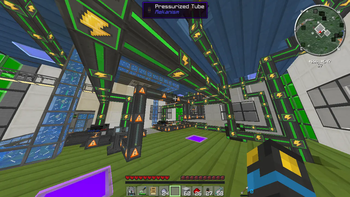
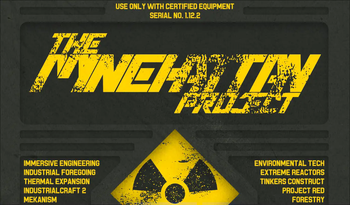
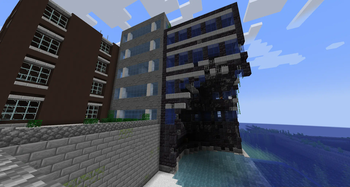
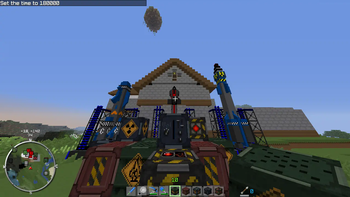
About this Modpack
Welcome to The Minehattan Project
High-tech warfare on a global scale.
What's it all about?
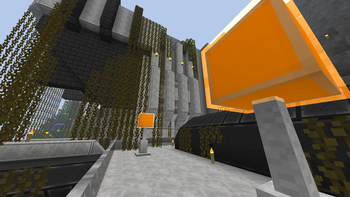
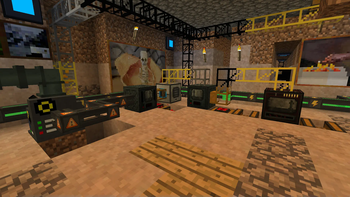
This pack contains a curated selection of technology mods, designed around the concept of a multiplayer 'cold war' scenario. Build a defensive bunker, automate your ores, construct shielding and storage solutions, and - perhaps most importantly - have an arms race with lasers, rocket launchers, and powerful explosives.
Help, I've run into a problem!
Please use the GitHub issue tracker to submit your issue. Don't forget to search first, and find out if it's been rectified already. Thanks!
Which mods are included?
There are over 100 mods within this pack! The main gameplay-affecting mods are as follows:
- ICBM
- Mekanism
- Thermal Expansion
- IndustrialCraft 2
- Industrial Foregoing
- Extreme Reactors
- Immersive Engineering
- Modular Powersuits
- Project Red
- Tinker's Construct
- Forestry
- Biomes O' Plenty
- BiblioCraft
To see a full list, with links to each mod, see The Spreadsheet™.
Which version should I play?
The Minehattan Project was made for a YouTube series in 2013, with a later update in 2014. The older versions still work as intended, but please note they will not be updated in any major way - only if they desperately need fixing!
If you want an old-school arms race with an assortment of classic mods, go for version 1 for Minecraft 1.5.2.
To get the most authentic experience, I recommend version 2 for Minecraft 1.6.4.
Version 5 is the current version for Minecraft 1.19.2, which will give you a traditional Minehattan Project experience with a few new twists! No turtling allowed.
In case you're wondering: versions 3 and 4, for MC 1.12.1 and 1.12.2 respectively, do exist - but they lack many of the key mods which make the pack what it is, so I didn't think it was worth putting in the time to release them.
Available Versions
How to Set Up a The Minehattan Project Server
Order Server
Choose at least 6 GB RAM (8 GB recommended for The Minehattan Project). Based on player count: per 5 players.
Install Modpack in Dashboard
Open the modpack browser in the dashboard, search for "The Minehattan Project" and click "Install". The forge loader and Minecraft 1.19.2 are configured automatically.
Start Server & Play
Start the server – all mods are loaded automatically. Share the server IP with friends and play together!
Frequently Asked Questions
The Minehattan Project server crashes or won't start – what to do?
Most common causes: insufficient RAM or wrong forge loader. Check latest.log for "OutOfMemoryError" → increase RAM to at least 8 GB. For "Mixin" or "ClassNotFoundException" errors: modpack version and loader don't match. With Mado Hosting, loader and Minecraft version are auto-configured on modpack install – preventing most startup issues.
How much RAM does a The Minehattan Project server really need?
Minimum 6 GB, recommended 8 GB for stable performance. per 5 players. Important: Minecraft modpacks need more RAM than vanilla – plan extra per additional player. With Mado Hosting, you can scale RAM up live at any time without data loss (from €7.800000000000001/month).
Can I add custom mods to The Minehattan Project without conflicts?
Yes, but check compatibility: only use mods for the same loader (forge) and same Minecraft version (1.19.2). Common issues: ID conflicts with recipe mods and incompatible coremod versions. The Mado dashboard mod browser only shows compatible mods and warns about known conflicts.
The Minehattan Project server lagging – performance tips
1) Increase RAM to 8 GB+. 2) Reduce server view-distance to 8 (server.properties). 3) Pre-generate chunks with the "Chunky" plugin. 4) Use /spark profiler to check which mods consume the most tick time. With Mado Hosting, all servers run on NVMe SSDs with dedicated CPU cores – eliminating hardware as a bottleneck.
Similar Modpacks


![Better MC [FABRIC] - BMC2](https://cdn.modrinth.com/data/shFhR8Vx/a19c2bcb51d38f32f138d3607e91cb2b7b8e387f_96.webp)
![Better MC [FORGE] - BMC4](https://cdn.modrinth.com/data/4BV47HRn/7f5ef7cc61b2593609aabef3ed07a866a4f11b73_96.webp)


Rent The Minehattan Project Server
Start your own server with automatic modpack installation.
Supported Versions
Start your The Minehattan Project Server now
From €7.80/month; 8 GB RAM is recommended for best performance.
Configure Server →