
RPG Plus
The Best RPG Modpack with 170+ Mods that transform your experience while staying grounded to the Vanilla game! Distant Horizons included
Screenshots
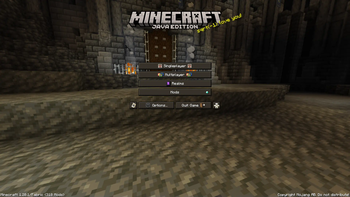
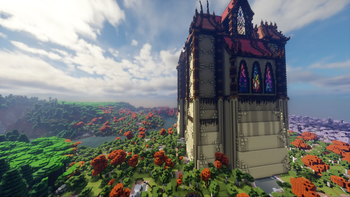
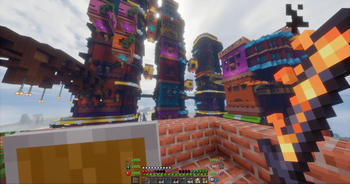
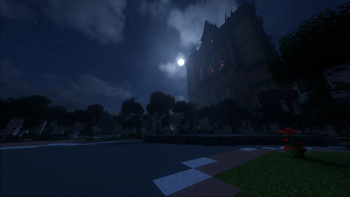
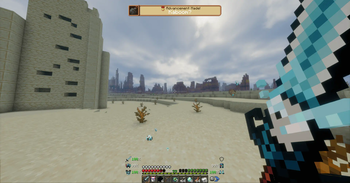
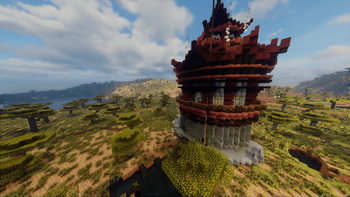
Über dieses Modpack


 RPG Plus - The Reimagined Minecraft Experience
The RPG Plus Modpack aims to immensely improve your Minecraft experience. It makes Minecraft more exciting to play by providing incredible new Features and Gameplay as well as new stunning Visuals. This makes Minecraft less boring — you get a playthrough that is more unique and fun to play!
This Modpack contains over 170+ MODS all working together to create a MINECRAFT 2.0 experience. It also includes DISTANT HORIZONS 3.3 with 7 SHADERS for your choosing, among other terrain mods which will make your world seem vast and endless.
✨The RPG Plus Experience
The early game is not easy and provides RPG-like gameplay where you are fighting for survival. As you progress, you get better gear and level points, which you can use to upgrade your skills in order to get better gear. Explore vast dungeons, slay tough enemies and create unique memories! The current progression system is WIP and I would love to hear your feedback!
📌Features
- Character Leveling System
- Picturesque Landscapes (Distant Horizons, Terralith, Tectonic)
- Quests (Optional)
- New Dungeons and Bosses
- Improved Flora and Fauna Variety
- Overhauled Progression System
- Lore-Friendly Map System
- New Armors, Items, ect.
- And More!
 Discord Server
If you have any Issues, Questions, Feedback or just want to hang out — join our Discord Server! https://discord.gg/dh7jVus9ZX
❓FAQ
- Q: How Do I play with this Modpack?
A: You have to install the Modrinth Launcher and download the pack there
- Q: I have an issue where can I get help?
A: Join our linked Discord and visit the #help-required thread
- Q: My World is loading slow why?
A: There are over 170+ mods, they all require to be loaded + Distant Horizons takes some time to load, so please be patient
- Q: I want to add a different shader, how do I do that?
A: Distant Horizons requires compatible shaders which are included in the pack, if you want a different shader that isn't included in the Modpack, you will have to find one that is compatible and add it yourself
- Q: Why is my game Low FPS?
A: This might be due to your Java memory limit, which you can change in Modrinth (the default is very low, change it based on the amount of RAM you have). You can also tweak Distant Horizons and the Shader (if you have one turned on) settings to be less intensive on your computer
- Q: Where do you get all these mods/are they official or modified?
A: All of the mods, resource packs, shaders are from Modrinth or CurseForge Official Sources. I do not modify any of the items I add to the Modpack, I am simply creating a Modpack of existing content posted by the amazing Creators
Verfügbare Versionen
RPG Plus Server einrichten
Server bestellen
Wähle mindestens 6 GB RAM (8 GB empfohlen für RPG Plus). Je nach Spieleranzahl: +1 GB pro 5 Spieler.
Modpack im Dashboard installieren
Öffne den Modpack-Browser im Dashboard, suche nach "RPG Plus" und klicke "Installieren". Der fabric-Loader und Minecraft 1.20.1 werden automatisch konfiguriert.
Server starten & spielen
Starte den Server – alle Mods werden automatisch geladen. Teile die Server-IP mit Freunden und spielt zusammen!
Häufige Fragen
RPG Plus Server crasht oder startet nicht – was tun?
Häufigste Ursachen: zu wenig RAM oder falscher fabric-Loader. Prüfe latest.log auf "OutOfMemoryError" → erhöhe RAM auf mindestens 8 GB. Bei "Mixin" oder "ClassNotFoundException": Modpack-Version und Loader stimmen nicht überein. Bei Mado Hosting werden Loader und Minecraft-Version beim Modpack-Install automatisch konfiguriert – das verhindert die meisten Startprobleme.
Wie viel RAM braucht ein RPG Plus Server wirklich?
Minimum 6 GB, empfohlen 8 GB für stabile Performance. +1 GB pro 5 Spieler. Wichtig: Minecraft-Modpacks brauchen mehr RAM als Vanilla – plane pro zusätzlichem Spieler extra ein. Bei Mado Hosting kannst du den RAM jederzeit live hochskalieren, ohne Datenverlust (ab €7.800000000000001/Monat).
Kann ich eigene Mods zu RPG Plus hinzufügen, ohne Konflikte?
Ja, aber achte auf die Kompatibilität: Nutze nur Mods für den gleichen Loader (fabric) und die gleiche Minecraft-Version (1.20.1). Häufige Probleme: ID-Konflikte bei Rezept-Mods und inkompatible Coremod-Versionen. Im Mado Dashboard zeigt der Mod-Browser nur kompatible Mods an und warnt bei bekannten Konflikten.
RPG Plus Server laggt – Performance-Tipps
1) RAM auf 8 GB+ erhöhen. 2) Server-View-Distance auf 8 reduzieren (server.properties). 3) Pre-Generiere Chunks mit dem "Chunky" Plugin. 4) Prüfe mit /spark profiler welche Mods die meiste Tick-Time verbrauchen. Bei Mado Hosting laufen alle Server auf NVMe-SSDs mit dedizierten CPU-Kernen – das eliminiert Hardware als Engpass.
Ähnliche Modpacks
![Cobblemon Official Modpack [Fabric]](https://cdn.modrinth.com/data/5FFgwNNP/e7f9ee2e9d361623847853fe2ddce42f519ee64f.png)
![COBBLEVERSE - Pokemon Adventure [Cobblemon]](https://cdn.modrinth.com/data/Jkb29YJU/581ecf54530972afb18a04660afd820f2f24f6c7.png)
![Better MC [FABRIC] - BMC2](https://cdn.modrinth.com/data/shFhR8Vx/a19c2bcb51d38f32f138d3607e91cb2b7b8e387f_96.webp)


![Better MC [FORGE] - BMC4](https://cdn.modrinth.com/data/4BV47HRn/7f5ef7cc61b2593609aabef3ed07a866a4f11b73_96.webp)
RPG Plus Server mieten
Starte deinen eigenen Server mit automatischer Modpack-Installation.
Unterstützte Versionen
Starte deinen RPG Plus Server jetzt
Ab €7.80/Monat; für die beste Performance werden 8 GB RAM empfohlen.
Server konfigurieren →