
RPG Plus
The Best RPG Modpack with 170+ Mods that transform your experience while staying grounded to the Vanilla game! Distant Horizons included
Screenshots
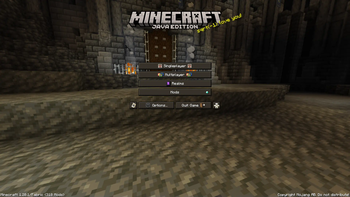
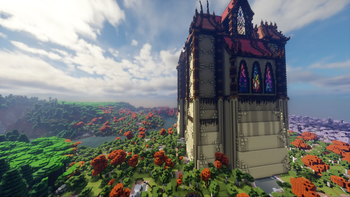
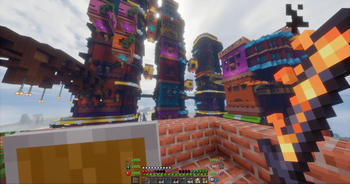
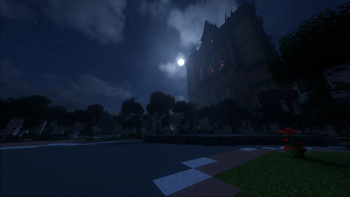
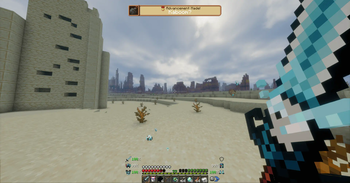
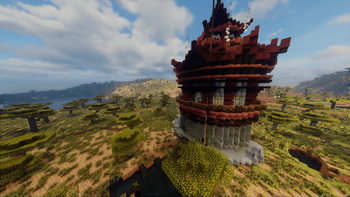
About this Modpack


 RPG Plus - The Reimagined Minecraft Experience
The RPG Plus Modpack aims to immensely improve your Minecraft experience. It makes Minecraft more exciting to play by providing incredible new Features and Gameplay as well as new stunning Visuals. This makes Minecraft less boring — you get a playthrough that is more unique and fun to play!
This Modpack contains over 170+ MODS all working together to create a MINECRAFT 2.0 experience. It also includes DISTANT HORIZONS 3.3 with 7 SHADERS for your choosing, among other terrain mods which will make your world seem vast and endless.
✨The RPG Plus Experience
The early game is not easy and provides RPG-like gameplay where you are fighting for survival. As you progress, you get better gear and level points, which you can use to upgrade your skills in order to get better gear. Explore vast dungeons, slay tough enemies and create unique memories! The current progression system is WIP and I would love to hear your feedback!
📌Features
- Character Leveling System
- Picturesque Landscapes (Distant Horizons, Terralith, Tectonic)
- Quests (Optional)
- New Dungeons and Bosses
- Improved Flora and Fauna Variety
- Overhauled Progression System
- Lore-Friendly Map System
- New Armors, Items, ect.
- And More!
 Discord Server
If you have any Issues, Questions, Feedback or just want to hang out — join our Discord Server! https://discord.gg/dh7jVus9ZX
❓FAQ
- Q: How Do I play with this Modpack?
A: You have to install the Modrinth Launcher and download the pack there
- Q: I have an issue where can I get help?
A: Join our linked Discord and visit the #help-required thread
- Q: My World is loading slow why?
A: There are over 170+ mods, they all require to be loaded + Distant Horizons takes some time to load, so please be patient
- Q: I want to add a different shader, how do I do that?
A: Distant Horizons requires compatible shaders which are included in the pack, if you want a different shader that isn't included in the Modpack, you will have to find one that is compatible and add it yourself
- Q: Why is my game Low FPS?
A: This might be due to your Java memory limit, which you can change in Modrinth (the default is very low, change it based on the amount of RAM you have). You can also tweak Distant Horizons and the Shader (if you have one turned on) settings to be less intensive on your computer
- Q: Where do you get all these mods/are they official or modified?
A: All of the mods, resource packs, shaders are from Modrinth or CurseForge Official Sources. I do not modify any of the items I add to the Modpack, I am simply creating a Modpack of existing content posted by the amazing Creators
Available Versions
How to Set Up a RPG Plus Server
Order Server
Choose at least 6 GB RAM (8 GB recommended for RPG Plus). Based on player count: per 5 players.
Install Modpack in Dashboard
Open the modpack browser in the dashboard, search for "RPG Plus" and click "Install". The fabric loader and Minecraft 1.20.1 are configured automatically.
Start Server & Play
Start the server – all mods are loaded automatically. Share the server IP with friends and play together!
Frequently Asked Questions
RPG Plus server crashes or won't start – what to do?
Most common causes: insufficient RAM or wrong fabric loader. Check latest.log for "OutOfMemoryError" → increase RAM to at least 8 GB. For "Mixin" or "ClassNotFoundException" errors: modpack version and loader don't match. With Mado Hosting, loader and Minecraft version are auto-configured on modpack install – preventing most startup issues.
How much RAM does a RPG Plus server really need?
Minimum 6 GB, recommended 8 GB for stable performance. per 5 players. Important: Minecraft modpacks need more RAM than vanilla – plan extra per additional player. With Mado Hosting, you can scale RAM up live at any time without data loss (from €7.800000000000001/month).
Can I add custom mods to RPG Plus without conflicts?
Yes, but check compatibility: only use mods for the same loader (fabric) and same Minecraft version (1.20.1). Common issues: ID conflicts with recipe mods and incompatible coremod versions. The Mado dashboard mod browser only shows compatible mods and warns about known conflicts.
RPG Plus server lagging – performance tips
1) Increase RAM to 8 GB+. 2) Reduce server view-distance to 8 (server.properties). 3) Pre-generate chunks with the "Chunky" plugin. 4) Use /spark profiler to check which mods consume the most tick time. With Mado Hosting, all servers run on NVMe SSDs with dedicated CPU cores – eliminating hardware as a bottleneck.
Similar Modpacks
![Cobblemon Official Modpack [Fabric]](https://cdn.modrinth.com/data/5FFgwNNP/e7f9ee2e9d361623847853fe2ddce42f519ee64f.png)
![COBBLEVERSE - Pokemon Adventure [Cobblemon]](https://cdn.modrinth.com/data/Jkb29YJU/581ecf54530972afb18a04660afd820f2f24f6c7.png)
![Better MC [FABRIC] - BMC2](https://cdn.modrinth.com/data/shFhR8Vx/a19c2bcb51d38f32f138d3607e91cb2b7b8e387f_96.webp)


![Better MC [FORGE] - BMC4](https://cdn.modrinth.com/data/4BV47HRn/7f5ef7cc61b2593609aabef3ed07a866a4f11b73_96.webp)
Rent RPG Plus Server
Start your own server with automatic modpack installation.
Supported Versions
Start your RPG Plus Server now
From €7.80/month; 8 GB RAM is recommended for best performance.
Configure Server →