Shingeki no Craft Official Modpack
Attack on Titan in Minecraft! Shingeki no Craft: Official Modpack!
Screenshots
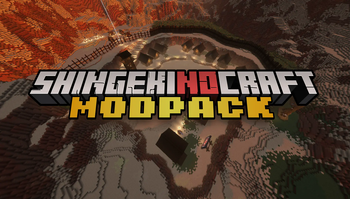
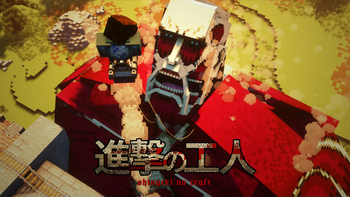
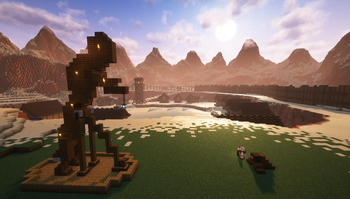
Über dieses Modpack
Bring the Titans! A new Minecraft Adventure
Welcome to the world of Shingeki no Craft, where the awe of Attack on Titan blends with the creative universe of Minecraft. Designed with both newbies and veterans in mind, this modpack is your gateway to a fully immersive experience, replete with the epic essence of the acclaimed anime.

What's included in the Modpack?
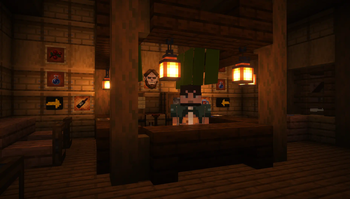
Dive into The Barracks, a custom map created by Rifleman and Fanfo. A fully interactive tutorial that goals to guide new players through the basics of the project. Like using ODM gear, crafting the iconic uniform, fighting against Titans, and even experimenting with unique drinks!
Click here to Download the map!
The heart of the modpack is the seamless integration of Shingeki no Craft, engineered to optimize gameplay and enhance multiplayer interactions. Since the closure of the official server, the aim has been to recreate the cherished community feel. Hence, the inclusion of the Essentials mod which provides a smooth local multiplayer experience without the need for a server – perfect to enjoy with a circle of 4-5 friends using a robust host PC.
Better Shingeki no Craft
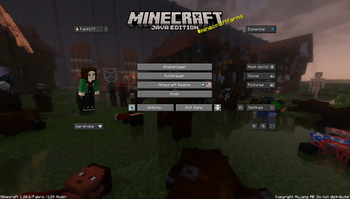
Apart from core gameplay, you can expect aesthetic enhancements including a fresh resource pack changing the main menu backdrop and a handy Discord Overlay for seamless communication.

Please note, while the datapack may not be updated as frequently, you're ensured a stable version with incremental updates for new and experimental mechanics. Keep an eye out for updates following Mojang's content releases, which might bring the modpack's version to 1.20.5 or even higher!

Ready for Your Adventure?
Verfügbare Versionen
Shingeki no Craft Official Modpack Server einrichten
Server bestellen
Wähle mindestens 6 GB RAM (8 GB empfohlen für Shingeki no Craft Official Modpack). Je nach Spieleranzahl: +1 GB pro 5 Spieler.
Modpack im Dashboard installieren
Öffne den Modpack-Browser im Dashboard, suche nach "Shingeki no Craft Official Modpack" und klicke "Installieren". Der fabric-Loader und Minecraft 1.21.11 werden automatisch konfiguriert.
Server starten & spielen
Starte den Server – alle Mods werden automatisch geladen. Teile die Server-IP mit Freunden und spielt zusammen!
Häufige Fragen
Shingeki no Craft Official Modpack Server crasht oder startet nicht – was tun?
Häufigste Ursachen: zu wenig RAM oder falscher fabric-Loader. Prüfe latest.log auf "OutOfMemoryError" → erhöhe RAM auf mindestens 8 GB. Bei "Mixin" oder "ClassNotFoundException": Modpack-Version und Loader stimmen nicht überein. Bei Mado Hosting werden Loader und Minecraft-Version beim Modpack-Install automatisch konfiguriert – das verhindert die meisten Startprobleme.
Wie viel RAM braucht ein Shingeki no Craft Official Modpack Server wirklich?
Minimum 6 GB, empfohlen 8 GB für stabile Performance. +1 GB pro 5 Spieler. Wichtig: Minecraft-Modpacks brauchen mehr RAM als Vanilla – plane pro zusätzlichem Spieler extra ein. Bei Mado Hosting kannst du den RAM jederzeit live hochskalieren, ohne Datenverlust (ab €7.800000000000001/Monat).
Kann ich eigene Mods zu Shingeki no Craft Official Modpack hinzufügen, ohne Konflikte?
Ja, aber achte auf die Kompatibilität: Nutze nur Mods für den gleichen Loader (fabric) und die gleiche Minecraft-Version (1.21.11). Häufige Probleme: ID-Konflikte bei Rezept-Mods und inkompatible Coremod-Versionen. Im Mado Dashboard zeigt der Mod-Browser nur kompatible Mods an und warnt bei bekannten Konflikten.
Shingeki no Craft Official Modpack Server laggt – Performance-Tipps
1) RAM auf 8 GB+ erhöhen. 2) Server-View-Distance auf 8 reduzieren (server.properties). 3) Pre-Generiere Chunks mit dem "Chunky" Plugin. 4) Prüfe mit /spark profiler welche Mods die meiste Tick-Time verbrauchen. Bei Mado Hosting laufen alle Server auf NVMe-SSDs mit dedizierten CPU-Kernen – das eliminiert Hardware als Engpass.
Ähnliche Modpacks
![Cobblemon Official Modpack [Fabric]](https://cdn.modrinth.com/data/5FFgwNNP/e7f9ee2e9d361623847853fe2ddce42f519ee64f.png)
![COBBLEVERSE - Pokemon Adventure [Cobblemon]](https://cdn.modrinth.com/data/Jkb29YJU/581ecf54530972afb18a04660afd820f2f24f6c7.png)
![Better MC [FABRIC] - BMC2](https://cdn.modrinth.com/data/shFhR8Vx/a19c2bcb51d38f32f138d3607e91cb2b7b8e387f_96.webp)


![Better MC [FORGE] - BMC4](https://cdn.modrinth.com/data/4BV47HRn/7f5ef7cc61b2593609aabef3ed07a866a4f11b73_96.webp)
Shingeki no Craft Official Modpack Server mieten
Starte deinen eigenen Server mit automatischer Modpack-Installation.
Details
- Lizenz
- LicenseRef-All-Rights-Reserved
- Server-seitig
- Erforderlich
- Client-seitig
- Erforderlich
Unterstützte Versionen
Starte deinen Shingeki no Craft Official Modpack Server jetzt
Ab €7.80/Monat; für die beste Performance werden 8 GB RAM empfohlen.
Server konfigurieren →