Shingeki no Craft Official Modpack
Attack on Titan in Minecraft! Shingeki no Craft: Official Modpack!
Screenshots
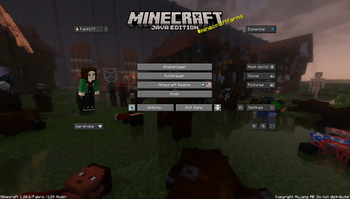
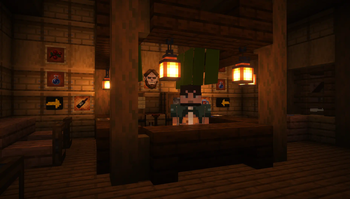
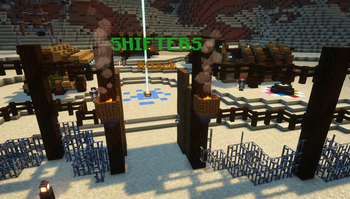
About this Modpack
Bring the Titans! A new Minecraft Adventure
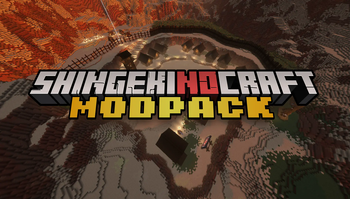
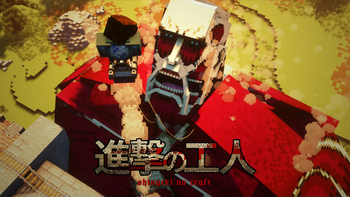
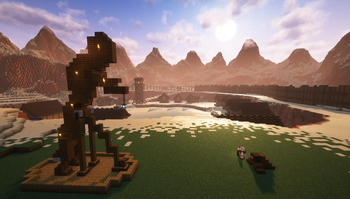
Welcome to the world of Shingeki no Craft, where the awe of Attack on Titan blends with the creative universe of Minecraft. Designed with both newbies and veterans in mind, this modpack is your gateway to a fully immersive experience, replete with the epic essence of the acclaimed anime.

What's included in the Modpack?
Dive into The Barracks, a custom map created by Rifleman and Fanfo. A fully interactive tutorial that goals to guide new players through the basics of the project. Like using ODM gear, crafting the iconic uniform, fighting against Titans, and even experimenting with unique drinks!
Click here to Download the map!
The heart of the modpack is the seamless integration of Shingeki no Craft, engineered to optimize gameplay and enhance multiplayer interactions. Since the closure of the official server, the aim has been to recreate the cherished community feel. Hence, the inclusion of the Essentials mod which provides a smooth local multiplayer experience without the need for a server – perfect to enjoy with a circle of 4-5 friends using a robust host PC.
Better Shingeki no Craft
Apart from core gameplay, you can expect aesthetic enhancements including a fresh resource pack changing the main menu backdrop and a handy Discord Overlay for seamless communication.

Please note, while the datapack may not be updated as frequently, you're ensured a stable version with incremental updates for new and experimental mechanics. Keep an eye out for updates following Mojang's content releases, which might bring the modpack's version to 1.20.5 or even higher!

Ready for Your Adventure?
Available Versions
How to Set Up a Shingeki no Craft Official Modpack Server
Order Server
Choose at least 6 GB RAM (8 GB recommended for Shingeki no Craft Official Modpack). Based on player count: per 5 players.
Install Modpack in Dashboard
Open the modpack browser in the dashboard, search for "Shingeki no Craft Official Modpack" and click "Install". The fabric loader and Minecraft 1.21.11 are configured automatically.
Start Server & Play
Start the server – all mods are loaded automatically. Share the server IP with friends and play together!
Frequently Asked Questions
Shingeki no Craft Official Modpack server crashes or won't start – what to do?
Most common causes: insufficient RAM or wrong fabric loader. Check latest.log for "OutOfMemoryError" → increase RAM to at least 8 GB. For "Mixin" or "ClassNotFoundException" errors: modpack version and loader don't match. With Mado Hosting, loader and Minecraft version are auto-configured on modpack install – preventing most startup issues.
How much RAM does a Shingeki no Craft Official Modpack server really need?
Minimum 6 GB, recommended 8 GB for stable performance. per 5 players. Important: Minecraft modpacks need more RAM than vanilla – plan extra per additional player. With Mado Hosting, you can scale RAM up live at any time without data loss (from €7.800000000000001/month).
Can I add custom mods to Shingeki no Craft Official Modpack without conflicts?
Yes, but check compatibility: only use mods for the same loader (fabric) and same Minecraft version (1.21.11). Common issues: ID conflicts with recipe mods and incompatible coremod versions. The Mado dashboard mod browser only shows compatible mods and warns about known conflicts.
Shingeki no Craft Official Modpack server lagging – performance tips
1) Increase RAM to 8 GB+. 2) Reduce server view-distance to 8 (server.properties). 3) Pre-generate chunks with the "Chunky" plugin. 4) Use /spark profiler to check which mods consume the most tick time. With Mado Hosting, all servers run on NVMe SSDs with dedicated CPU cores – eliminating hardware as a bottleneck.
Similar Modpacks
![Cobblemon Official Modpack [Fabric]](https://cdn.modrinth.com/data/5FFgwNNP/e7f9ee2e9d361623847853fe2ddce42f519ee64f.png)
![COBBLEVERSE - Pokemon Adventure [Cobblemon]](https://cdn.modrinth.com/data/Jkb29YJU/581ecf54530972afb18a04660afd820f2f24f6c7.png)
![Better MC [FABRIC] - BMC2](https://cdn.modrinth.com/data/shFhR8Vx/a19c2bcb51d38f32f138d3607e91cb2b7b8e387f_96.webp)


![Better MC [FORGE] - BMC4](https://cdn.modrinth.com/data/4BV47HRn/7f5ef7cc61b2593609aabef3ed07a866a4f11b73_96.webp)
Rent Shingeki no Craft Official Modpack Server
Start your own server with automatic modpack installation.
Details
- License
- LicenseRef-All-Rights-Reserved
- Server-side
- Required
- Client-side
- Required
Supported Versions
Start your Shingeki no Craft Official Modpack Server now
From €7.80/month; 8 GB RAM is recommended for best performance.
Configure Server →