
Spunky PVP Plus
A modpack with all the essential mods & resource packs that enhances your PVP gameplay experience.
Screenshots
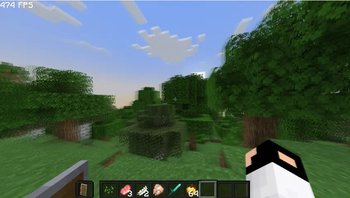

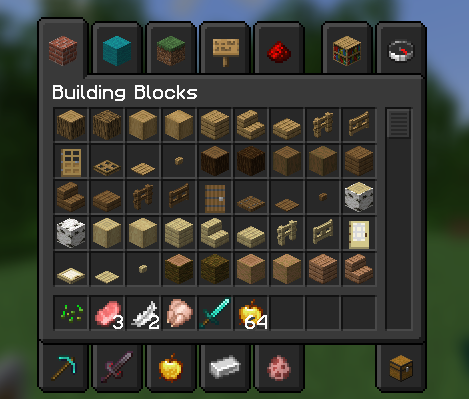
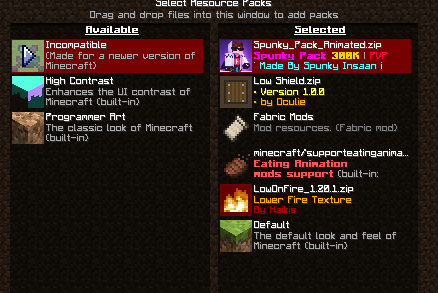
Über dieses Modpack
Spunky PVP Plus
Spunky PvP Plus is a lightweight, performance-friendly Minecraft modpack built for players who love fast-paced, smooth, and exciting PvP battles. Whether you're grinding ranked matches or just hanging out on your favorite PvP server, this pack gives you all the tools and visuals you need to step up your game.
What Makes This Pack Special?
Unlike heavy modpacks that slow down your game, Spunky PvP Plus focuses on performance, clean visuals, and better combat mechanics. It uses Fabric as the modloader, so it's fast and lightweight, even on low-end PCs.
Included Mods (Highlights)
Here's a breakdown of the mods used in the pack:
Performance & Optimization
- Sodium / Sodium Extra / Lithium / Krypton / LazyDFU / FerriteCore / MemoryLeakFix / ModernFix – Major FPS and performance boosters.
- Dynamic FPS – Saves resources when Minecraft is minimized.
- Entity Culling / More Culling – Stops rendering stuff you can't see, improving FPS.
- ImmediatelyFast / Fastload / Clumps – Faster loading and smoother gameplay.
PvP Enhancements
- ReplayMod – Record and replay fights to improve your strategy.
- Motion Blur / Blur – Adds smooth visual effects during combat.
- Chat Animation / Chat Heads / Chat Plus – Better chat visuals and customization.
- Shulker Box Tooltip / AppleSkin / Better Ping Display / Eating Animation / Dark Mode Everywhere – Small mods that improve the PvP experience.
UI & Visual Tweaks
- Dark Loading Screen / Skin Layers 3D / Enhanced Block Entities / Model Fix / Entity Texture Features – Cleaner, more polished visuals.
- Zoomify / Mouse Tweaks / Mod Menu / YetAnotherConfigLib / Cloth Config – Adds UI improvements and better customization.
- Satin / Iris (with shaders) – Enable beautiful shader support without lag.
Tech Stack
- Minecraft Version: Latest Version - 1.20.1
- Modloader: Fabric
- Total Mods: 40+ (lightweight and optimized)
Verfügbare Versionen
Spunky PVP Plus Server einrichten
Server bestellen
Wähle mindestens 4 GB RAM (6 GB empfohlen für Spunky PVP Plus). Je nach Spieleranzahl: +1 GB pro 8 Spieler.
Modpack im Dashboard installieren
Öffne den Modpack-Browser im Dashboard, suche nach "Spunky PVP Plus" und klicke "Installieren". Der fabric-Loader und Minecraft 26.3 werden automatisch konfiguriert.
Server starten & spielen
Starte den Server – alle Mods werden automatisch geladen. Teile die Server-IP mit Freunden und spielt zusammen!
Häufige Fragen
Spunky PVP Plus Server crasht oder startet nicht – was tun?
Häufigste Ursachen: zu wenig RAM oder falscher fabric-Loader. Prüfe latest.log auf "OutOfMemoryError" → erhöhe RAM auf mindestens 6 GB. Bei "Mixin" oder "ClassNotFoundException": Modpack-Version und Loader stimmen nicht überein. Bei Mado Hosting werden Loader und Minecraft-Version beim Modpack-Install automatisch konfiguriert – das verhindert die meisten Startprobleme.
Wie viel RAM braucht ein Spunky PVP Plus Server wirklich?
Minimum 4 GB, empfohlen 6 GB für stabile Performance. +1 GB pro 8 Spieler. Wichtig: Minecraft-Modpacks brauchen mehr RAM als Vanilla – plane pro zusätzlichem Spieler extra ein. Bei Mado Hosting kannst du den RAM jederzeit live hochskalieren, ohne Datenverlust (ab €5.2/Monat).
Kann ich eigene Mods zu Spunky PVP Plus hinzufügen, ohne Konflikte?
Ja, aber achte auf die Kompatibilität: Nutze nur Mods für den gleichen Loader (fabric) und die gleiche Minecraft-Version (26.3). Häufige Probleme: ID-Konflikte bei Rezept-Mods und inkompatible Coremod-Versionen. Im Mado Dashboard zeigt der Mod-Browser nur kompatible Mods an und warnt bei bekannten Konflikten.
Spunky PVP Plus Server laggt – Performance-Tipps
1) RAM auf 6 GB+ erhöhen. 2) Server-View-Distance auf 8 reduzieren (server.properties). 3) Pre-Generiere Chunks mit dem "Chunky" Plugin. 4) Prüfe mit /spark profiler welche Mods die meiste Tick-Time verbrauchen. Bei Mado Hosting laufen alle Server auf NVMe-SSDs mit dedizierten CPU-Kernen – das eliminiert Hardware als Engpass.
Ähnliche Modpacks

![COBBLEVERSE - Pokemon Adventure [Cobblemon]](https://cdn.modrinth.com/data/Jkb29YJU/581ecf54530972afb18a04660afd820f2f24f6c7.png)




Spunky PVP Plus Server mieten
Starte deinen eigenen Server mit automatischer Modpack-Installation.
Unterstützte Versionen
Starte deinen Spunky PVP Plus Server jetzt
Ab €5.20/Monat; für die beste Performance werden 6 GB RAM empfohlen.
Server konfigurieren →