
Spunky PVP Plus
A modpack with all the essential mods & resource packs that enhances your PVP gameplay experience.
Screenshots
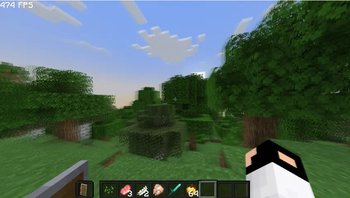

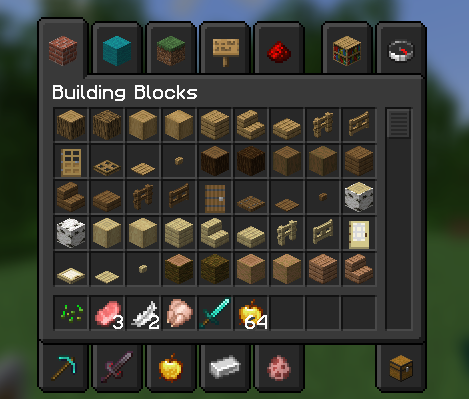
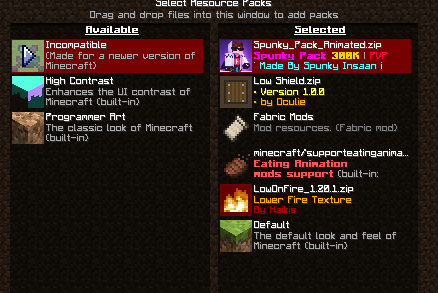
About this Modpack
Spunky PVP Plus
Spunky PvP Plus is a lightweight, performance-friendly Minecraft modpack built for players who love fast-paced, smooth, and exciting PvP battles. Whether you're grinding ranked matches or just hanging out on your favorite PvP server, this pack gives you all the tools and visuals you need to step up your game.
What Makes This Pack Special?
Unlike heavy modpacks that slow down your game, Spunky PvP Plus focuses on performance, clean visuals, and better combat mechanics. It uses Fabric as the modloader, so it's fast and lightweight, even on low-end PCs.
Included Mods (Highlights)
Here's a breakdown of the mods used in the pack:
Performance & Optimization
- Sodium / Sodium Extra / Lithium / Krypton / LazyDFU / FerriteCore / MemoryLeakFix / ModernFix – Major FPS and performance boosters.
- Dynamic FPS – Saves resources when Minecraft is minimized.
- Entity Culling / More Culling – Stops rendering stuff you can't see, improving FPS.
- ImmediatelyFast / Fastload / Clumps – Faster loading and smoother gameplay.
PvP Enhancements
- ReplayMod – Record and replay fights to improve your strategy.
- Motion Blur / Blur – Adds smooth visual effects during combat.
- Chat Animation / Chat Heads / Chat Plus – Better chat visuals and customization.
- Shulker Box Tooltip / AppleSkin / Better Ping Display / Eating Animation / Dark Mode Everywhere – Small mods that improve the PvP experience.
UI & Visual Tweaks
- Dark Loading Screen / Skin Layers 3D / Enhanced Block Entities / Model Fix / Entity Texture Features – Cleaner, more polished visuals.
- Zoomify / Mouse Tweaks / Mod Menu / YetAnotherConfigLib / Cloth Config – Adds UI improvements and better customization.
- Satin / Iris (with shaders) – Enable beautiful shader support without lag.
Tech Stack
- Minecraft Version: Latest Version - 1.20.1
- Modloader: Fabric
- Total Mods: 40+ (lightweight and optimized)
Available Versions
How to Set Up a Spunky PVP Plus Server
Order Server
Choose at least 4 GB RAM (6 GB recommended for Spunky PVP Plus). Based on player count: per 8 players.
Install Modpack in Dashboard
Open the modpack browser in the dashboard, search for "Spunky PVP Plus" and click "Install". The fabric loader and Minecraft 26.3 are configured automatically.
Start Server & Play
Start the server – all mods are loaded automatically. Share the server IP with friends and play together!
Frequently Asked Questions
Spunky PVP Plus server crashes or won't start – what to do?
Most common causes: insufficient RAM or wrong fabric loader. Check latest.log for "OutOfMemoryError" → increase RAM to at least 6 GB. For "Mixin" or "ClassNotFoundException" errors: modpack version and loader don't match. With Mado Hosting, loader and Minecraft version are auto-configured on modpack install – preventing most startup issues.
How much RAM does a Spunky PVP Plus server really need?
Minimum 4 GB, recommended 6 GB for stable performance. per 8 players. Important: Minecraft modpacks need more RAM than vanilla – plan extra per additional player. With Mado Hosting, you can scale RAM up live at any time without data loss (from €5.2/month).
Can I add custom mods to Spunky PVP Plus without conflicts?
Yes, but check compatibility: only use mods for the same loader (fabric) and same Minecraft version (26.3). Common issues: ID conflicts with recipe mods and incompatible coremod versions. The Mado dashboard mod browser only shows compatible mods and warns about known conflicts.
Spunky PVP Plus server lagging – performance tips
1) Increase RAM to 6 GB+. 2) Reduce server view-distance to 8 (server.properties). 3) Pre-generate chunks with the "Chunky" plugin. 4) Use /spark profiler to check which mods consume the most tick time. With Mado Hosting, all servers run on NVMe SSDs with dedicated CPU cores – eliminating hardware as a bottleneck.
Similar Modpacks

![COBBLEVERSE - Pokemon Adventure [Cobblemon]](https://cdn.modrinth.com/data/Jkb29YJU/581ecf54530972afb18a04660afd820f2f24f6c7.png)




Rent Spunky PVP Plus Server
Start your own server with automatic modpack installation.
Supported Versions
Start your Spunky PVP Plus Server now
From €5.20/month; 6 GB RAM is recommended for best performance.
Configure Server →