
Star Optimized
✨ This is a modpack that will make your game much more enjoyable and comfortable than you are used to.
Screenshots
Über dieses Modpack
Star Optimized - The Optimized Modpack
Welcome to the Star Optimized - The Optimized Modpack! Dive into the world of Minecraft like never before with this meticulously crafted modpack, designed to enhance every aspect of your gameplay while ensuring optimal performance.
Key Features:
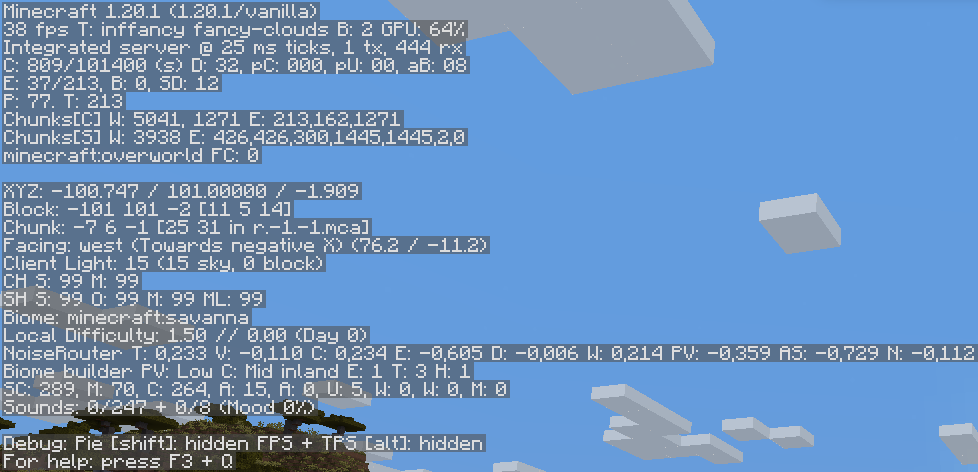
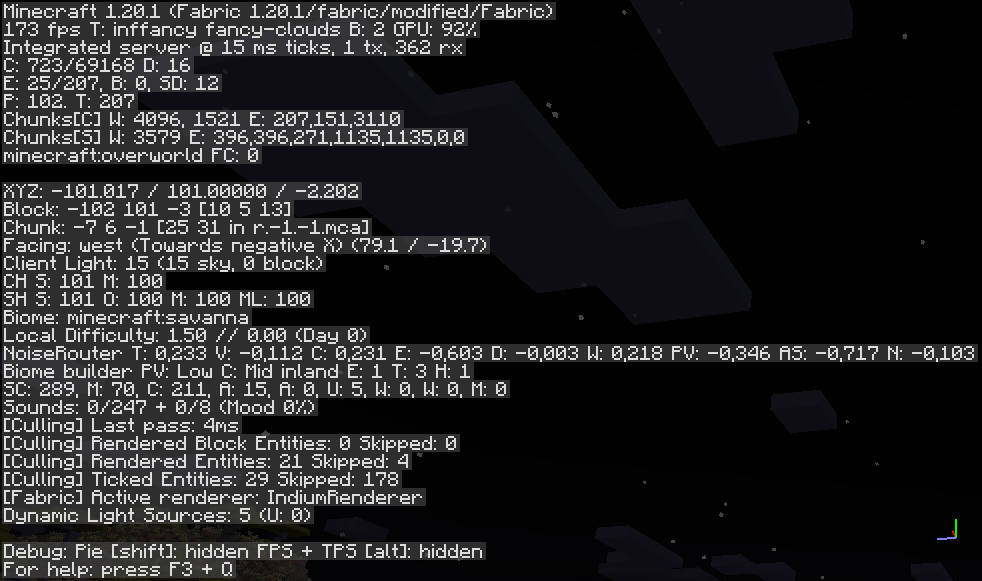
🔥Performance Optimization: I has worked tirelessly to create a seamless and lag-free experience. Say goodbye to frame drops and long loading times, as this modpack has been fine-tuned to run smoothly on a wide range of systems.
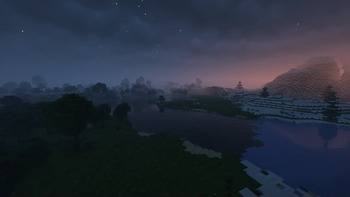
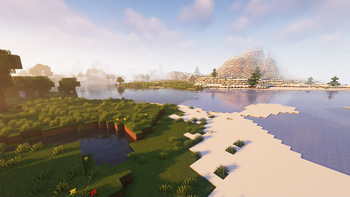
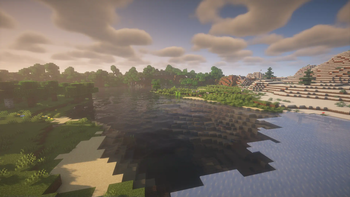
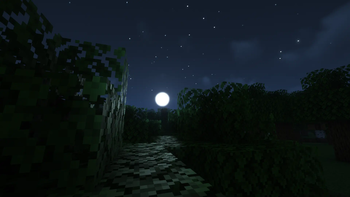
⬇️Optifine on Fabric: Immerse yourself in stunning visuals with improved textures, shaders, and lighting effects. Witness the beauty of Minecraft's landscapes like never before, from the shimmering waters to the majestic mountains.
🙋♂️Multiplayer: Join a thriving community of players who share your passion for Minecraft. Connect with others, trade resources, and team up for epic adventures in multiplayer mode.
🛠️Regular Updates: Our modpack is continually updated to ensure compatibility with the latest Minecraft versions and to introduce exciting new content, ensuring that your adventure never grows stale.
🔧Mod Compatibility: I carefully selected and tested a curated collection of mods that work seamlessly together, eliminating compatibility issues and providing a hassle-free experience.
⚙️Customization: Tailor your Minecraft journey with an array of configurable options. Adjust gameplay settings, difficulty levels, and mod parameters to create a personalized experience.
Experience Minecraft like never before with the Star Optimized - The Optimized Modpack. Whether you're a seasoned player or new to the world of Minecraft, this modpack promises to deliver an unparalleled and optimized gaming experience that will keep you hooked for hours on end. Dive in today and start your ultimate adventure!
Vanilla (No Mods) FPS:
Star Optimized Modpack:
MODS
- Animatica (by FoundationGames)
- AntiGhost
- Blur (Fabric) (by Motschen)
- Borderless Mining (by comp500)
- Concurrent Chunk Management Engine (Fabric) (by ishlandmc)
- Capes [Fabric/Forge] (by VictorKohler)
- Custom Entity Models (CEM) (by dorianpb)
- CIT Resewn (by SHsuperCM)
- Cloth Config API
- Continuity (by Pepper_Bell)
- Dark Loading Screen (by Neecko5b84)
- Debugify (by XanderIsDev)
- Dynamic FPS (by juliand665)
- [ETF] Entity Texture Features - [Fabric & Forge] (by traben_0)
- Entity Culling Fabric/Forge (by tr7zw)
- Fabric API (by modmuss50)
- Fabric Language Kotlin (by modmuss50)
- FabricSkyboxes (by AMereBagatelle)
- Falling Leaves (Fabric) (by RandomMcSomethin)
- FerriteCore
- ImmediatelyFast (by RaphiMC)
- Indium (by comp500)
- Iris Shaders (by coderbot)
- Krypton (by tuxed)
- LambDynamicLights (by LambdAurora)
- Language Reload (by Jerozgen)
- LazyDFU (by tuxed)
- Lithium
- Main Menu Credits (by XanderIsDev)
- Memory Leak Fix
- Model Gap Fix (MehVahdJukaar)
- Mod Menu
- More Chat History (by JackFred2)
- More Culling
- Not Enough Animations (by tr7zw)
- Presence Footsteps
- Reese's Sodium Options (by FlashyReese)
- Sodium Extra (by FlashyReese)
- Sodium (by jellysquid3_)
- Starlight (Fabric) (by Spottedstar)
- YetAnotherConfigLib (by XanderIsDev)
- Your Options Shall Be Respected (YOSBR)
- Zoomify (by isxander)
SHADERS PACK
RESOURCEPACKS
Verfügbare Versionen
Star Optimized Server einrichten
Server bestellen
Wähle mindestens 4 GB RAM (6 GB empfohlen für Star Optimized). Je nach Spieleranzahl: +1 GB pro 8 Spieler.
Modpack im Dashboard installieren
Öffne den Modpack-Browser im Dashboard, suche nach "Star Optimized" und klicke "Installieren". Der fabric-Loader und Minecraft 1.21.5 werden automatisch konfiguriert.
Server starten & spielen
Starte den Server – alle Mods werden automatisch geladen. Teile die Server-IP mit Freunden und spielt zusammen!
Häufige Fragen
Star Optimized Server crasht oder startet nicht – was tun?
Häufigste Ursachen: zu wenig RAM oder falscher fabric-Loader. Prüfe latest.log auf "OutOfMemoryError" → erhöhe RAM auf mindestens 6 GB. Bei "Mixin" oder "ClassNotFoundException": Modpack-Version und Loader stimmen nicht überein. Bei Mado Hosting werden Loader und Minecraft-Version beim Modpack-Install automatisch konfiguriert – das verhindert die meisten Startprobleme.
Wie viel RAM braucht ein Star Optimized Server wirklich?
Minimum 4 GB, empfohlen 6 GB für stabile Performance. +1 GB pro 8 Spieler. Wichtig: Minecraft-Modpacks brauchen mehr RAM als Vanilla – plane pro zusätzlichem Spieler extra ein. Bei Mado Hosting kannst du den RAM jederzeit live hochskalieren, ohne Datenverlust (ab €5.2/Monat).
Kann ich eigene Mods zu Star Optimized hinzufügen, ohne Konflikte?
Ja, aber achte auf die Kompatibilität: Nutze nur Mods für den gleichen Loader (fabric) und die gleiche Minecraft-Version (1.21.5). Häufige Probleme: ID-Konflikte bei Rezept-Mods und inkompatible Coremod-Versionen. Im Mado Dashboard zeigt der Mod-Browser nur kompatible Mods an und warnt bei bekannten Konflikten.
Star Optimized Server laggt – Performance-Tipps
1) RAM auf 6 GB+ erhöhen. 2) Server-View-Distance auf 8 reduzieren (server.properties). 3) Pre-Generiere Chunks mit dem "Chunky" Plugin. 4) Prüfe mit /spark profiler welche Mods die meiste Tick-Time verbrauchen. Bei Mado Hosting laufen alle Server auf NVMe-SSDs mit dedizierten CPU-Kernen – das eliminiert Hardware als Engpass.
Ähnliche Modpacks

![Cobblemon Official Modpack [Fabric]](https://cdn.modrinth.com/data/5FFgwNNP/e7f9ee2e9d361623847853fe2ddce42f519ee64f.png)
![COBBLEVERSE - Pokemon Adventure [Cobblemon]](https://cdn.modrinth.com/data/Jkb29YJU/581ecf54530972afb18a04660afd820f2f24f6c7.png)
![Better MC [FABRIC] - BMC2](https://cdn.modrinth.com/data/shFhR8Vx/a19c2bcb51d38f32f138d3607e91cb2b7b8e387f_96.webp)


Star Optimized Server mieten
Starte deinen eigenen Server mit automatischer Modpack-Installation.
Unterstützte Versionen
Starte deinen Star Optimized Server jetzt
Ab €5.20/Monat; für die beste Performance werden 6 GB RAM empfohlen.
Server konfigurieren →