
Star Optimized
✨ This is a modpack that will make your game much more enjoyable and comfortable than you are used to.
Screenshots
About this Modpack
Star Optimized - The Optimized Modpack
Welcome to the Star Optimized - The Optimized Modpack! Dive into the world of Minecraft like never before with this meticulously crafted modpack, designed to enhance every aspect of your gameplay while ensuring optimal performance.
Key Features:
🔥Performance Optimization: I has worked tirelessly to create a seamless and lag-free experience. Say goodbye to frame drops and long loading times, as this modpack has been fine-tuned to run smoothly on a wide range of systems.
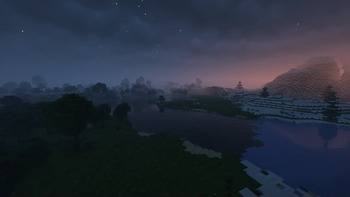
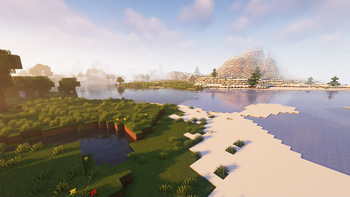
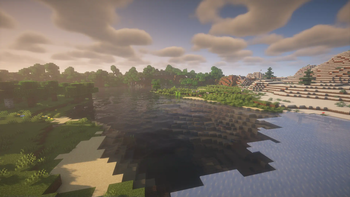
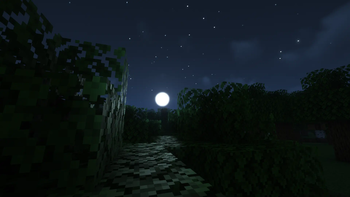
⬇️Optifine on Fabric: Immerse yourself in stunning visuals with improved textures, shaders, and lighting effects. Witness the beauty of Minecraft's landscapes like never before, from the shimmering waters to the majestic mountains.
🙋♂️Multiplayer: Join a thriving community of players who share your passion for Minecraft. Connect with others, trade resources, and team up for epic adventures in multiplayer mode.
🛠️Regular Updates: Our modpack is continually updated to ensure compatibility with the latest Minecraft versions and to introduce exciting new content, ensuring that your adventure never grows stale.
🔧Mod Compatibility: I carefully selected and tested a curated collection of mods that work seamlessly together, eliminating compatibility issues and providing a hassle-free experience.
⚙️Customization: Tailor your Minecraft journey with an array of configurable options. Adjust gameplay settings, difficulty levels, and mod parameters to create a personalized experience.
Experience Minecraft like never before with the Star Optimized - The Optimized Modpack. Whether you're a seasoned player or new to the world of Minecraft, this modpack promises to deliver an unparalleled and optimized gaming experience that will keep you hooked for hours on end. Dive in today and start your ultimate adventure!
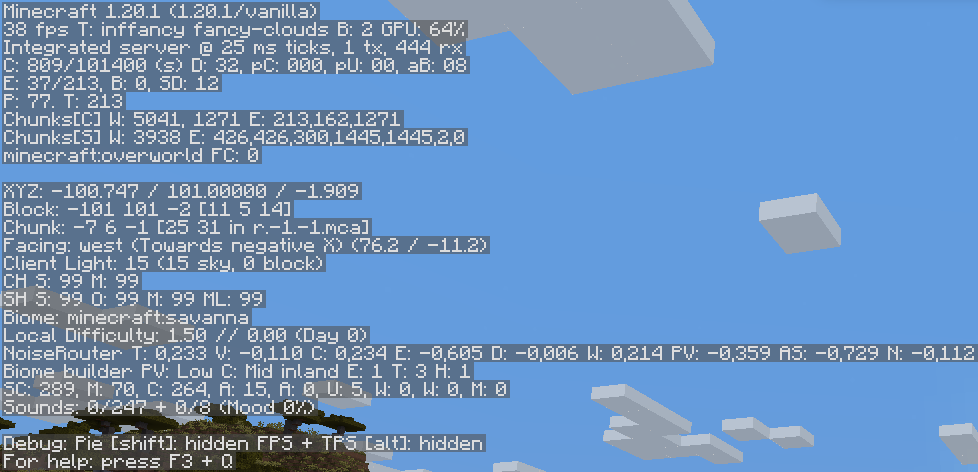
Vanilla (No Mods) FPS:
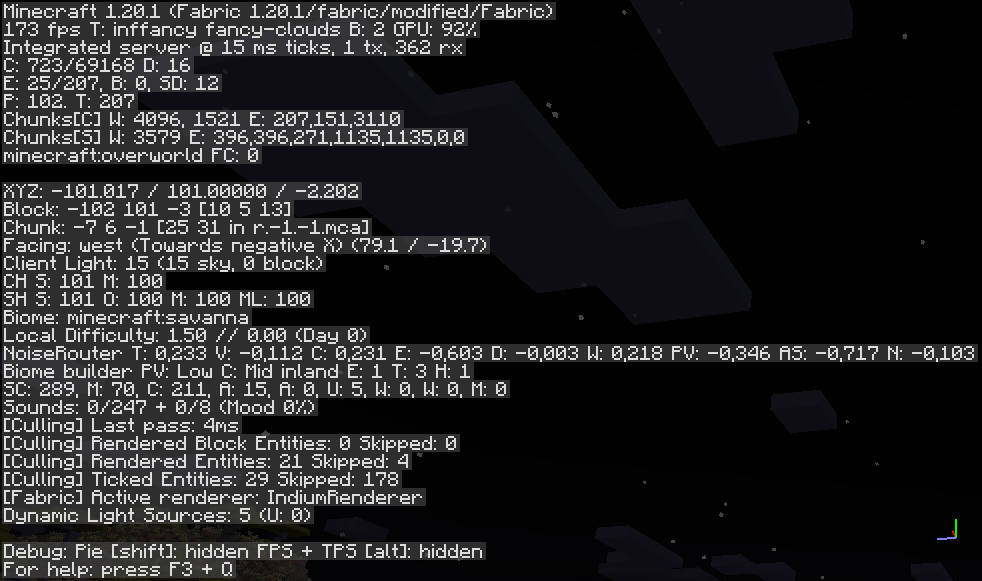
Star Optimized Modpack:
MODS
- Animatica (by FoundationGames)
- AntiGhost
- Blur (Fabric) (by Motschen)
- Borderless Mining (by comp500)
- Concurrent Chunk Management Engine (Fabric) (by ishlandmc)
- Capes [Fabric/Forge] (by VictorKohler)
- Custom Entity Models (CEM) (by dorianpb)
- CIT Resewn (by SHsuperCM)
- Cloth Config API
- Continuity (by Pepper_Bell)
- Dark Loading Screen (by Neecko5b84)
- Debugify (by XanderIsDev)
- Dynamic FPS (by juliand665)
- [ETF] Entity Texture Features - [Fabric & Forge] (by traben_0)
- Entity Culling Fabric/Forge (by tr7zw)
- Fabric API (by modmuss50)
- Fabric Language Kotlin (by modmuss50)
- FabricSkyboxes (by AMereBagatelle)
- Falling Leaves (Fabric) (by RandomMcSomethin)
- FerriteCore
- ImmediatelyFast (by RaphiMC)
- Indium (by comp500)
- Iris Shaders (by coderbot)
- Krypton (by tuxed)
- LambDynamicLights (by LambdAurora)
- Language Reload (by Jerozgen)
- LazyDFU (by tuxed)
- Lithium
- Main Menu Credits (by XanderIsDev)
- Memory Leak Fix
- Model Gap Fix (MehVahdJukaar)
- Mod Menu
- More Chat History (by JackFred2)
- More Culling
- Not Enough Animations (by tr7zw)
- Presence Footsteps
- Reese's Sodium Options (by FlashyReese)
- Sodium Extra (by FlashyReese)
- Sodium (by jellysquid3_)
- Starlight (Fabric) (by Spottedstar)
- YetAnotherConfigLib (by XanderIsDev)
- Your Options Shall Be Respected (YOSBR)
- Zoomify (by isxander)
SHADERS PACK
RESOURCEPACKS
Available Versions
How to Set Up a Star Optimized Server
Order Server
Choose at least 4 GB RAM (6 GB recommended for Star Optimized). Based on player count: per 8 players.
Install Modpack in Dashboard
Open the modpack browser in the dashboard, search for "Star Optimized" and click "Install". The fabric loader and Minecraft 1.21.5 are configured automatically.
Start Server & Play
Start the server – all mods are loaded automatically. Share the server IP with friends and play together!
Frequently Asked Questions
Star Optimized server crashes or won't start – what to do?
Most common causes: insufficient RAM or wrong fabric loader. Check latest.log for "OutOfMemoryError" → increase RAM to at least 6 GB. For "Mixin" or "ClassNotFoundException" errors: modpack version and loader don't match. With Mado Hosting, loader and Minecraft version are auto-configured on modpack install – preventing most startup issues.
How much RAM does a Star Optimized server really need?
Minimum 4 GB, recommended 6 GB for stable performance. per 8 players. Important: Minecraft modpacks need more RAM than vanilla – plan extra per additional player. With Mado Hosting, you can scale RAM up live at any time without data loss (from €5.2/month).
Can I add custom mods to Star Optimized without conflicts?
Yes, but check compatibility: only use mods for the same loader (fabric) and same Minecraft version (1.21.5). Common issues: ID conflicts with recipe mods and incompatible coremod versions. The Mado dashboard mod browser only shows compatible mods and warns about known conflicts.
Star Optimized server lagging – performance tips
1) Increase RAM to 6 GB+. 2) Reduce server view-distance to 8 (server.properties). 3) Pre-generate chunks with the "Chunky" plugin. 4) Use /spark profiler to check which mods consume the most tick time. With Mado Hosting, all servers run on NVMe SSDs with dedicated CPU cores – eliminating hardware as a bottleneck.
Similar Modpacks

![Cobblemon Official Modpack [Fabric]](https://cdn.modrinth.com/data/5FFgwNNP/e7f9ee2e9d361623847853fe2ddce42f519ee64f.png)
![COBBLEVERSE - Pokemon Adventure [Cobblemon]](https://cdn.modrinth.com/data/Jkb29YJU/581ecf54530972afb18a04660afd820f2f24f6c7.png)
![Better MC [FABRIC] - BMC2](https://cdn.modrinth.com/data/shFhR8Vx/a19c2bcb51d38f32f138d3607e91cb2b7b8e387f_96.webp)


Rent Star Optimized Server
Start your own server with automatic modpack installation.
Supported Versions
Start your Star Optimized Server now
From €5.20/month; 6 GB RAM is recommended for best performance.
Configure Server →