
Stealers Pack
A not-so simple modpack based on Adrenaline that has nerdy mods, such as Tweakeroo and EssentialGUI.
Screenshots

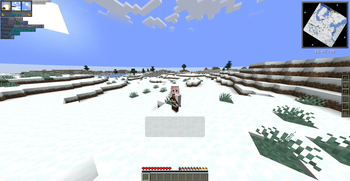
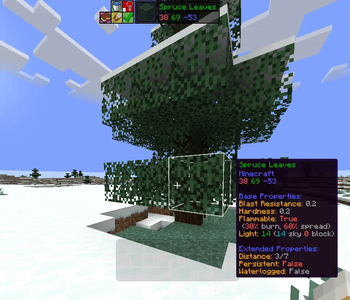
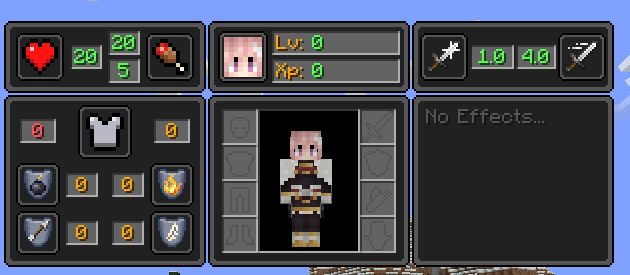
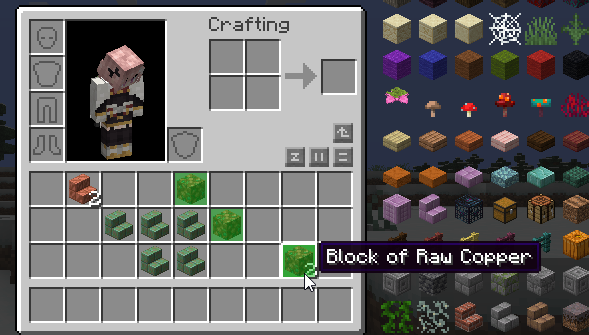
Über dieses Modpack
A not-so-simple modpack for Minecraft nerds.

Based on Adrenaline, while adding quality of life mods. Such as Tweakeroo and Bedrock Miner
Update Frequency, it isn't consistent!
- Most likely weekly.
- If I find out a mod has been ported, or if I suddenly want to add something.
Simple Voice Chat and e4mc
The modpack has two mods that makes playing with your friends easier.
Simple Voice Chat is a mod that, well, simply allows you to chat in-game with friends. If the server has it and other players have it, and you too, you can simply chat with your friends in proximity.
Don't have a server? Try e4mc. e4mc allows you to host a game yourself, with no GUIs or fancy stuff. You host LAN, click on a chat message that pops up and you get a copyable link.
(Essential was removed for a few reasons. You are free to add it back if you like.)
Completely Client Sided
The modpack is completely client-side, meaning you can connect to your friends server, any big server or basically any server that isn't modded itself.
If you really want to use this modpack on servers with mods, just add them into this modpack!
What else?
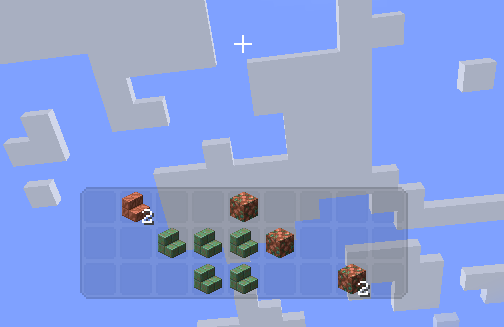
That's pretty much it. There are some pictures in the gallery section about the mod, showing the HUD and any GUIs that I think are important. This modpack is centered around the thought that you can modify it to your tastes. Remove mods, add mods, change GUIs and keybinds. Do what you want! Hell, you can base your own modpack off of this too! Credit isn't required. You are free to give credit tho :)
Notes
The modpack has four (five) mods that are from CurseForge. The reason for this is that these mods fit this modpack perfectly, but they aren't on modrinth. Installing the modpack may prompt you to download these modpacks from external sources. These mods include:
And also MaLiLib, but that's just so you can use MiniHud, Litematica or Tweakeroo.
Here's a tutorial for litematica. Feel free to skip a bit into the future, I just skipped it to after installation.
The Modlist, may be outdated.
antighost-1.20-fabric0.83.0-1.1.5.jar
appleskin-fabric-mc1.20-2.5.0.jar
architectury-9.1.12-fabric.jar
bactromod-1.8.jar
balm-fabric-1.20-7.0.7.jar
bedrock-miner-1.20.1-1.1.8.jar
bedrockwaters-1.7.7+1.20.1.jar
better-selection-1.2.jar
better-sign-edit-1.1.0.jar
betteraddserver-1.0.1-1.20.1.jar
BetterAdvancements-Fabric-1.20.1-0.3.2.161.jar
bettercommandblockui-0.4.2-1.20.jar
BetterF3-7.0.1-Fabric-1.20.1.jar
bettermounthud-1.2.2.jar
betterstats-2.10.3+1.20.1.jar
boathud-1.1.4.jar
c2me-fabric-mc1.20.1-0.2.0+alpha.10.98.jar
chat_heads-0.10.20-fabric-1.20.jar
clientsidenoteblocks-2.6.jar
clienttweaks-fabric-1.20-11.0.0.jar
cloth-config-11.1.106-fabric.jar
completeconfig-2.5.0.jar
continuity-3.0.0-beta.3+1.20.1.jar
Controlling-fabric-1.20.1-12.0.2.jar
Debugify-1.20.1+2.0.jar
dynamic-fps-2.4.0.jar
enhancedblockentities-0.9+1.20.jar
entityculling-fabric-1.6.2-mc1.20.jar
Essential-fabric_1-19.jar
EssentialGUI-1.9.1+1.20.1.jar
fabric-api-0.87.0+1.20.1.jar
fabric-language-kotlin-1.10.8+kotlin.1.9.0.jar
Fastload+1.18.2-1.20-3.4.0.jar
fastquit-3.0.0-beta.2+1.20+.jar
fastrandom-1.3.jar
ferritecore-6.0.0-fabric.jar
graphutil-fabric-1.0.0-mc1.20.1.jar
holdthatchunk-2.0.1+1.19.jar
ImmediatelyFast-1.1.27+1.20.1.jar
indium-1.0.24+mc1.20.1.jar
InventoryProfilesNext-fabric-1.20-1.10.6.jar
invhud.fabric.1.20-3.4.18.jar
iris-mc1.20.1-1.6.7.jar
language-reload-1.5.8+1.20.1.jar
libIPN-fabric-1.20-3.0.2.jar
lithium-fabric-mc1.20.1-0.11.2.jar
Log-Begone-Fabric-1.20.1-1.0.8.jar
lunade-fastanim-1.6-1.20.jar
malilib-fabric-1.20.1-0.16.1.jar
minihud-fabric-1.20.1-0.27.0.jar
modelfix-1.14-fabric.jar
modernfix-fabric-5.6.1+mc1.20.1.jar
modlist.txt
modmenu-7.2.1.jar
moreculling-1.20.1-0.19.0.jar
no-telemetry-1.7.0.jar
NoChatReports-FABRIC-1.20.1-v2.2.2.jar
notenoughanimations-fabric-1.6.4-mc1.20.jar
noxesium-1.0.2.jar
reeses_sodium_options-1.6.4+mc1.20.1-build.94.jar
RoughlyEnoughItems-12.0.645.jar
RoughlyEnoughProfessions-fabric-1.20.1-2.0.1.jar
sbet-1.1.1.jar
Searchables-fabric-1.20.1-1.0.1.jar
smoothmenu-1.0.0.jar
sneaktweak-1.9.0.jar
sodium-extra-0.5.1+mc1.20.1-build.112.jar
sodium-fabric-mc1.20.1-0.5.1.jar
spark-1.10.42-fabric.jar
starlight-1.1.2+fabric.dbc156f.jar
threadtweak-fabric-1.20.1-0.1.0.jar
tweakeroo-fabric-1.20.1-0.17.1.jar
vmp-fabric-mc1.20.1-0.2.0+beta.7.100-all.jar
voicechat-fabric-1.20.1-2.4.20.jar
vt-downloader-2.0.7+1.20.1.jar
xaero-zoomout-fabric-1.0.0+mc1.20.jar
xaeroarrowfix-fabric-1.3+1.20.jar
XaeroPlus-Fabric-1.20.1-39-WM1.32.0-MM23.6.1.jar
XaerosWorldMap_1.33.0_Fabric_1.20.jar
Xaeros_Minimap_23.6.2_Fabric_1.20.jar
yet-another-config-lib-fabric-3.1.0+1.20.jar
yosbr-0.1.2.jar
Zoomify-2.11.0.jar
Thank you for 100 downloads.
Verfügbare Versionen
Stealers Pack Server einrichten
Server bestellen
Wähle mindestens 4 GB RAM (6 GB empfohlen für Stealers Pack). Je nach Spieleranzahl: +1 GB pro 8 Spieler.
Modpack im Dashboard installieren
Öffne den Modpack-Browser im Dashboard, suche nach "Stealers Pack" und klicke "Installieren". Der fabric-Loader und Minecraft 1.20.2 werden automatisch konfiguriert.
Server starten & spielen
Starte den Server – alle Mods werden automatisch geladen. Teile die Server-IP mit Freunden und spielt zusammen!
Häufige Fragen
Stealers Pack Server crasht oder startet nicht – was tun?
Häufigste Ursachen: zu wenig RAM oder falscher fabric-Loader. Prüfe latest.log auf "OutOfMemoryError" → erhöhe RAM auf mindestens 6 GB. Bei "Mixin" oder "ClassNotFoundException": Modpack-Version und Loader stimmen nicht überein. Bei Mado Hosting werden Loader und Minecraft-Version beim Modpack-Install automatisch konfiguriert – das verhindert die meisten Startprobleme.
Wie viel RAM braucht ein Stealers Pack Server wirklich?
Minimum 4 GB, empfohlen 6 GB für stabile Performance. +1 GB pro 8 Spieler. Wichtig: Minecraft-Modpacks brauchen mehr RAM als Vanilla – plane pro zusätzlichem Spieler extra ein. Bei Mado Hosting kannst du den RAM jederzeit live hochskalieren, ohne Datenverlust (ab €5.2/Monat).
Kann ich eigene Mods zu Stealers Pack hinzufügen, ohne Konflikte?
Ja, aber achte auf die Kompatibilität: Nutze nur Mods für den gleichen Loader (fabric) und die gleiche Minecraft-Version (1.20.2). Häufige Probleme: ID-Konflikte bei Rezept-Mods und inkompatible Coremod-Versionen. Im Mado Dashboard zeigt der Mod-Browser nur kompatible Mods an und warnt bei bekannten Konflikten.
Stealers Pack Server laggt – Performance-Tipps
1) RAM auf 6 GB+ erhöhen. 2) Server-View-Distance auf 8 reduzieren (server.properties). 3) Pre-Generiere Chunks mit dem "Chunky" Plugin. 4) Prüfe mit /spark profiler welche Mods die meiste Tick-Time verbrauchen. Bei Mado Hosting laufen alle Server auf NVMe-SSDs mit dedizierten CPU-Kernen – das eliminiert Hardware als Engpass.
Ähnliche Modpacks

![Cobblemon Official Modpack [Fabric]](https://cdn.modrinth.com/data/5FFgwNNP/e7f9ee2e9d361623847853fe2ddce42f519ee64f.png)
![COBBLEVERSE - Pokemon Adventure [Cobblemon]](https://cdn.modrinth.com/data/Jkb29YJU/581ecf54530972afb18a04660afd820f2f24f6c7.png)
![Better MC [FABRIC] - BMC2](https://cdn.modrinth.com/data/shFhR8Vx/a19c2bcb51d38f32f138d3607e91cb2b7b8e387f_96.webp)


Stealers Pack Server mieten
Starte deinen eigenen Server mit automatischer Modpack-Installation.
Unterstützte Versionen
Starte deinen Stealers Pack Server jetzt
Ab €5.20/Monat; für die beste Performance werden 6 GB RAM empfohlen.
Server konfigurieren →