
Winter Zombies
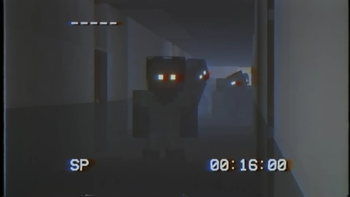
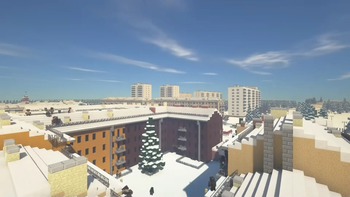
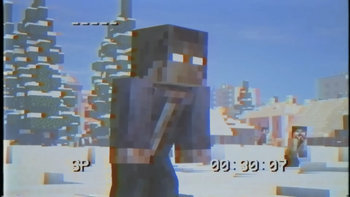
The Mustard Virus has gone global and wiped out humanity. In cooler climates, the virus has become immune to the cold. You on the other hand are still vulnerable to these harsh conditions. Will frostbite get you first, or will you succumb to the virus?
Screenshots
Über dieses Modpack
Winter Zombies by Forge Labs

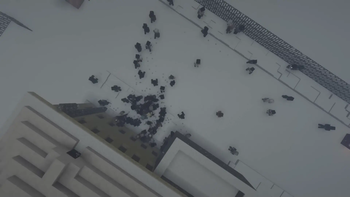
Much like the original Mustard Virus, the infected are attracted to light, sound, and players. They are immune to the effects of sunlight, and they will stop at nothing to get you.
Notice
For the Shaders / Resource Packs feature you will have to manually install
OptiFine for 1.12.2
Socials




🧪 Content Mods
AI Improvements
Armor Underwear
Bad Mobs
Bloodmoon
Dynamic Surroundings
Eternal Winter
Future MC
Just Enough Items
Macaw's Doors
Macaw's Fences and Walls
Macaw's Furniture
Macaw's Windows
Mo' Bends
Mob Dismemberment
Mob Spawner Control
Mob Sunscreen
MrCrayfish's Furniture Mod
Serene Seasons
Snow Variants
Spartan Shields
Spartan Weaponry
Spawner Control
Thicc Entities
Tough As Nails
Weapons of the Apocalypse
Winter Wonder Land
Zombie Awareness
🧬 Library Mods
Carrots Library
CoroUtil
Forgelin
iChunUtil
MixinBootstrap
OreLib
🔬 Resource Packs
⚗️ Shader Packs
Complementary Shaders - Reimagined
Complementary Shaders - Unbound
🔧 Hosting
Get your own server and use the code "ForgeLabs" at checkout!
  <img width="100" height="100"

</a>
Verfügbare Versionen
Winter Zombies Server einrichten
Server bestellen
Wähle mindestens 6 GB RAM (8 GB empfohlen für Winter Zombies). Je nach Spieleranzahl: +1 GB pro 5 Spieler.
Modpack im Dashboard installieren
Öffne den Modpack-Browser im Dashboard, suche nach "Winter Zombies" und klicke "Installieren". Der forge-Loader und Minecraft 1.12.2 werden automatisch konfiguriert.
Server starten & spielen
Starte den Server – alle Mods werden automatisch geladen. Teile die Server-IP mit Freunden und spielt zusammen!
Häufige Fragen
Winter Zombies Server crasht oder startet nicht – was tun?
Häufigste Ursachen: zu wenig RAM oder falscher forge-Loader. Prüfe latest.log auf "OutOfMemoryError" → erhöhe RAM auf mindestens 8 GB. Bei "Mixin" oder "ClassNotFoundException": Modpack-Version und Loader stimmen nicht überein. Bei Mado Hosting werden Loader und Minecraft-Version beim Modpack-Install automatisch konfiguriert – das verhindert die meisten Startprobleme.
Wie viel RAM braucht ein Winter Zombies Server wirklich?
Minimum 6 GB, empfohlen 8 GB für stabile Performance. +1 GB pro 5 Spieler. Wichtig: Minecraft-Modpacks brauchen mehr RAM als Vanilla – plane pro zusätzlichem Spieler extra ein. Bei Mado Hosting kannst du den RAM jederzeit live hochskalieren, ohne Datenverlust (ab €7.800000000000001/Monat).
Kann ich eigene Mods zu Winter Zombies hinzufügen, ohne Konflikte?
Ja, aber achte auf die Kompatibilität: Nutze nur Mods für den gleichen Loader (forge) und die gleiche Minecraft-Version (1.12.2). Häufige Probleme: ID-Konflikte bei Rezept-Mods und inkompatible Coremod-Versionen. Im Mado Dashboard zeigt der Mod-Browser nur kompatible Mods an und warnt bei bekannten Konflikten.
Winter Zombies Server laggt – Performance-Tipps
1) RAM auf 8 GB+ erhöhen. 2) Server-View-Distance auf 8 reduzieren (server.properties). 3) Pre-Generiere Chunks mit dem "Chunky" Plugin. 4) Prüfe mit /spark profiler welche Mods die meiste Tick-Time verbrauchen. Bei Mado Hosting laufen alle Server auf NVMe-SSDs mit dedizierten CPU-Kernen – das eliminiert Hardware als Engpass.
Ähnliche Modpacks
![Cobblemon Official Modpack [Fabric]](https://cdn.modrinth.com/data/5FFgwNNP/e7f9ee2e9d361623847853fe2ddce42f519ee64f.png)
![COBBLEVERSE - Pokemon Adventure [Cobblemon]](https://cdn.modrinth.com/data/Jkb29YJU/581ecf54530972afb18a04660afd820f2f24f6c7.png)
![Better MC [FABRIC] - BMC2](https://cdn.modrinth.com/data/shFhR8Vx/a19c2bcb51d38f32f138d3607e91cb2b7b8e387f_96.webp)


![Better MC [FORGE] - BMC4](https://cdn.modrinth.com/data/4BV47HRn/7f5ef7cc61b2593609aabef3ed07a866a4f11b73_96.webp)
Winter Zombies Server mieten
Starte deinen eigenen Server mit automatischer Modpack-Installation.
Details
- Lizenz
- LicenseRef-All-Rights-Reserved
- Server-seitig
- Erforderlich
- Client-seitig
- Erforderlich
Unterstützte Versionen
Starte deinen Winter Zombies Server jetzt
Ab €7.80/Monat; für die beste Performance werden 8 GB RAM empfohlen.
Server konfigurieren →