
Winter Zombies
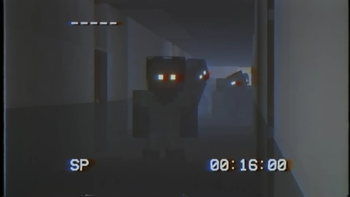
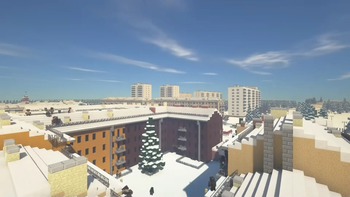
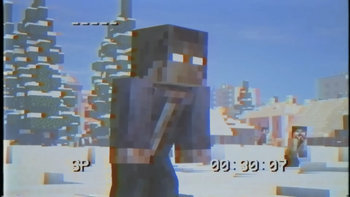
The Mustard Virus has gone global and wiped out humanity. In cooler climates, the virus has become immune to the cold. You on the other hand are still vulnerable to these harsh conditions. Will frostbite get you first, or will you succumb to the virus?
Screenshots
About this Modpack
Winter Zombies by Forge Labs

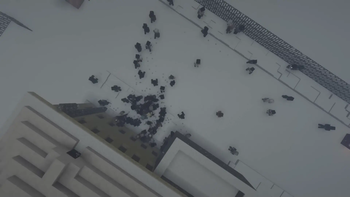
Much like the original Mustard Virus, the infected are attracted to light, sound, and players. They are immune to the effects of sunlight, and they will stop at nothing to get you.
Notice
For the Shaders / Resource Packs feature you will have to manually install
OptiFine for 1.12.2
Socials




🧪 Content Mods
AI Improvements
Armor Underwear
Bad Mobs
Bloodmoon
Dynamic Surroundings
Eternal Winter
Future MC
Just Enough Items
Macaw's Doors
Macaw's Fences and Walls
Macaw's Furniture
Macaw's Windows
Mo' Bends
Mob Dismemberment
Mob Spawner Control
Mob Sunscreen
MrCrayfish's Furniture Mod
Serene Seasons
Snow Variants
Spartan Shields
Spartan Weaponry
Spawner Control
Thicc Entities
Tough As Nails
Weapons of the Apocalypse
Winter Wonder Land
Zombie Awareness
🧬 Library Mods
Carrots Library
CoroUtil
Forgelin
iChunUtil
MixinBootstrap
OreLib
🔬 Resource Packs
⚗️ Shader Packs
Complementary Shaders - Reimagined
Complementary Shaders - Unbound
🔧 Hosting
Get your own server and use the code "ForgeLabs" at checkout!
  <img width="100" height="100"

</a>
Available Versions
How to Set Up a Winter Zombies Server
Order Server
Choose at least 6 GB RAM (8 GB recommended for Winter Zombies). Based on player count: per 5 players.
Install Modpack in Dashboard
Open the modpack browser in the dashboard, search for "Winter Zombies" and click "Install". The forge loader and Minecraft 1.12.2 are configured automatically.
Start Server & Play
Start the server – all mods are loaded automatically. Share the server IP with friends and play together!
Frequently Asked Questions
Winter Zombies server crashes or won't start – what to do?
Most common causes: insufficient RAM or wrong forge loader. Check latest.log for "OutOfMemoryError" → increase RAM to at least 8 GB. For "Mixin" or "ClassNotFoundException" errors: modpack version and loader don't match. With Mado Hosting, loader and Minecraft version are auto-configured on modpack install – preventing most startup issues.
How much RAM does a Winter Zombies server really need?
Minimum 6 GB, recommended 8 GB for stable performance. per 5 players. Important: Minecraft modpacks need more RAM than vanilla – plan extra per additional player. With Mado Hosting, you can scale RAM up live at any time without data loss (from €7.800000000000001/month).
Can I add custom mods to Winter Zombies without conflicts?
Yes, but check compatibility: only use mods for the same loader (forge) and same Minecraft version (1.12.2). Common issues: ID conflicts with recipe mods and incompatible coremod versions. The Mado dashboard mod browser only shows compatible mods and warns about known conflicts.
Winter Zombies server lagging – performance tips
1) Increase RAM to 8 GB+. 2) Reduce server view-distance to 8 (server.properties). 3) Pre-generate chunks with the "Chunky" plugin. 4) Use /spark profiler to check which mods consume the most tick time. With Mado Hosting, all servers run on NVMe SSDs with dedicated CPU cores – eliminating hardware as a bottleneck.
Similar Modpacks
![Cobblemon Official Modpack [Fabric]](https://cdn.modrinth.com/data/5FFgwNNP/e7f9ee2e9d361623847853fe2ddce42f519ee64f.png)
![COBBLEVERSE - Pokemon Adventure [Cobblemon]](https://cdn.modrinth.com/data/Jkb29YJU/581ecf54530972afb18a04660afd820f2f24f6c7.png)
![Better MC [FABRIC] - BMC2](https://cdn.modrinth.com/data/shFhR8Vx/a19c2bcb51d38f32f138d3607e91cb2b7b8e387f_96.webp)


![Better MC [FORGE] - BMC4](https://cdn.modrinth.com/data/4BV47HRn/7f5ef7cc61b2593609aabef3ed07a866a4f11b73_96.webp)
Rent Winter Zombies Server
Start your own server with automatic modpack installation.
Supported Versions
Start your Winter Zombies Server now
From €7.80/month; 8 GB RAM is recommended for best performance.
Configure Server →