
Yoru
A pre-configured, high performance and QoL optimised vanilla modpack with tools for advanced and new users alike.
Screenshots
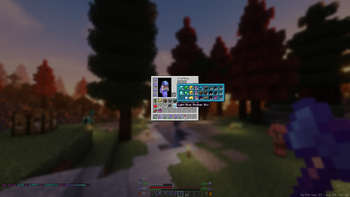
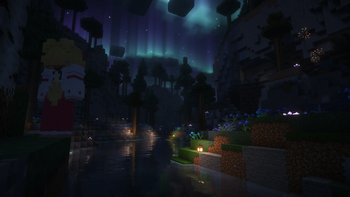
Über dieses Modpack

Why Yoru?
Yoru is a pre-configured, high performance and QoL optimised vanilla modpack with tools for advanced and new users alike.
With Yoru, you get leading performance and a polished but not overdone quality of life, expect it to work out of the box with little configuration ever required.
I personally use this pack and will frequently maintain it.
Most notably this modpack is running:
- Iris and Sodium
- Many other rendering, memory and misc fixes/optimisations.
- Inventory management, sorting, shulker viewing etc...
- World navigation and mapping.
- Technical additions such as Litematica, MiniHUD, WorldEdit(CUI) and Tweakeroo.
- Immersion additions, footsteps, sound physics and particles.
Please read the menus below to learn the range of features Yoru offers!
Special thanks HaiMcFly for allowing me to use their resourcepacks in Yoru.
Suggestions or issues are welcome via our discord!
Shaders
- Complementary v4
- Complementary Reimagined
- Shimple Shaders
Keybinds
General:
- Ctrl + Shift + F - Toggle FPS Display
- +/- Zoom map (Z for temp zoom)
- Middle Click - Sort Inventory
- K - Toggle Shaders
- C - Zoom (Scroll to adjust)
- R - Reload Shaders
- O - Select Shaders
- M - Map
- B - Waypoints
- L - Litematica
X+: Tweakeroo:
- K - Auto Weapon Switch
- T - Auto Tool
- C - Menu
- F - Freecam
- R - Gamma Override
- G - Auto refill items to hand
H+: Minihud:
- C - Menu
- R - Toggle Rendering
Mods
Quality of life improvements
Performance improvements
- Blanket Client Tweaks
- C2ME
- Debugify
- Dynamic FPS
- EntityCulling
- FastLoad
- FerriteCore
- Indium
- Iris
- Krypton
- LazyDFU
- Lithium
- Memory Leak Fix
- More Culling
- Smooth Boot
- Sodium
- Sodium Extra
- Very Many Players
- ViaVersion
Utilities
- Axiom
- Litematica
- MiniHUD
- Tweakeroo
- Xaero's Minimap and Worldmap
Licencing
All rights reserved have explicit modpack permission and have been adhered to:
Stay True
Xaero's Minimap and World Map
Complementary Shaders
Verfügbare Versionen
Yoru Server einrichten
Server bestellen
Wähle mindestens 4 GB RAM (6 GB empfohlen für Yoru). Je nach Spieleranzahl: +1 GB pro 8 Spieler.
Modpack im Dashboard installieren
Öffne den Modpack-Browser im Dashboard, suche nach "Yoru" und klicke "Installieren". Der fabric-Loader und Minecraft 26.2 werden automatisch konfiguriert.
Server starten & spielen
Starte den Server – alle Mods werden automatisch geladen. Teile die Server-IP mit Freunden und spielt zusammen!
Häufige Fragen
Yoru Server crasht oder startet nicht – was tun?
Häufigste Ursachen: zu wenig RAM oder falscher fabric-Loader. Prüfe latest.log auf "OutOfMemoryError" → erhöhe RAM auf mindestens 6 GB. Bei "Mixin" oder "ClassNotFoundException": Modpack-Version und Loader stimmen nicht überein. Bei Mado Hosting werden Loader und Minecraft-Version beim Modpack-Install automatisch konfiguriert – das verhindert die meisten Startprobleme.
Wie viel RAM braucht ein Yoru Server wirklich?
Minimum 4 GB, empfohlen 6 GB für stabile Performance. +1 GB pro 8 Spieler. Wichtig: Minecraft-Modpacks brauchen mehr RAM als Vanilla – plane pro zusätzlichem Spieler extra ein. Bei Mado Hosting kannst du den RAM jederzeit live hochskalieren, ohne Datenverlust (ab €5.2/Monat).
Kann ich eigene Mods zu Yoru hinzufügen, ohne Konflikte?
Ja, aber achte auf die Kompatibilität: Nutze nur Mods für den gleichen Loader (fabric) und die gleiche Minecraft-Version (26.2). Häufige Probleme: ID-Konflikte bei Rezept-Mods und inkompatible Coremod-Versionen. Im Mado Dashboard zeigt der Mod-Browser nur kompatible Mods an und warnt bei bekannten Konflikten.
Yoru Server laggt – Performance-Tipps
1) RAM auf 6 GB+ erhöhen. 2) Server-View-Distance auf 8 reduzieren (server.properties). 3) Pre-Generiere Chunks mit dem "Chunky" Plugin. 4) Prüfe mit /spark profiler welche Mods die meiste Tick-Time verbrauchen. Bei Mado Hosting laufen alle Server auf NVMe-SSDs mit dedizierten CPU-Kernen – das eliminiert Hardware als Engpass.
Ähnliche Modpacks

![Cobblemon Official Modpack [Fabric]](https://cdn.modrinth.com/data/5FFgwNNP/e7f9ee2e9d361623847853fe2ddce42f519ee64f.png)
![COBBLEVERSE - Pokemon Adventure [Cobblemon]](https://cdn.modrinth.com/data/Jkb29YJU/581ecf54530972afb18a04660afd820f2f24f6c7.png)
![Better MC [FABRIC] - BMC2](https://cdn.modrinth.com/data/shFhR8Vx/a19c2bcb51d38f32f138d3607e91cb2b7b8e387f_96.webp)


Yoru Server mieten
Starte deinen eigenen Server mit automatischer Modpack-Installation.
Unterstützte Versionen
Starte deinen Yoru Server jetzt
Ab €5.20/Monat; für die beste Performance werden 6 GB RAM empfohlen.
Server konfigurieren →