
Yoru
A pre-configured, high performance and QoL optimised vanilla modpack with tools for advanced and new users alike.
Screenshots
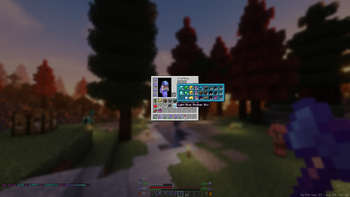
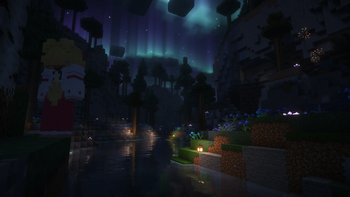
About this Modpack

Why Yoru?
Yoru is a pre-configured, high performance and QoL optimised vanilla modpack with tools for advanced and new users alike.
With Yoru, you get leading performance and a polished but not overdone quality of life, expect it to work out of the box with little configuration ever required.
I personally use this pack and will frequently maintain it.
Most notably this modpack is running:
- Iris and Sodium
- Many other rendering, memory and misc fixes/optimisations.
- Inventory management, sorting, shulker viewing etc...
- World navigation and mapping.
- Technical additions such as Litematica, MiniHUD, WorldEdit(CUI) and Tweakeroo.
- Immersion additions, footsteps, sound physics and particles.
Please read the menus below to learn the range of features Yoru offers!
Special thanks HaiMcFly for allowing me to use their resourcepacks in Yoru.
Suggestions or issues are welcome via our discord!
Shaders
- Complementary v4
- Complementary Reimagined
- Shimple Shaders
Keybinds
General:
- Ctrl + Shift + F - Toggle FPS Display
- +/- Zoom map (Z for temp zoom)
- Middle Click - Sort Inventory
- K - Toggle Shaders
- C - Zoom (Scroll to adjust)
- R - Reload Shaders
- O - Select Shaders
- M - Map
- B - Waypoints
- L - Litematica
X+: Tweakeroo:
- K - Auto Weapon Switch
- T - Auto Tool
- C - Menu
- F - Freecam
- R - Gamma Override
- G - Auto refill items to hand
H+: Minihud:
- C - Menu
- R - Toggle Rendering
Mods
Quality of life improvements
Performance improvements
- Blanket Client Tweaks
- C2ME
- Debugify
- Dynamic FPS
- EntityCulling
- FastLoad
- FerriteCore
- Indium
- Iris
- Krypton
- LazyDFU
- Lithium
- Memory Leak Fix
- More Culling
- Smooth Boot
- Sodium
- Sodium Extra
- Very Many Players
- ViaVersion
Utilities
- Axiom
- Litematica
- MiniHUD
- Tweakeroo
- Xaero's Minimap and Worldmap
Licencing
All rights reserved have explicit modpack permission and have been adhered to:
Stay True
Xaero's Minimap and World Map
Complementary Shaders
Available Versions
How to Set Up a Yoru Server
Order Server
Choose at least 4 GB RAM (6 GB recommended for Yoru). Based on player count: per 8 players.
Install Modpack in Dashboard
Open the modpack browser in the dashboard, search for "Yoru" and click "Install". The fabric loader and Minecraft 26.2 are configured automatically.
Start Server & Play
Start the server – all mods are loaded automatically. Share the server IP with friends and play together!
Frequently Asked Questions
Yoru server crashes or won't start – what to do?
Most common causes: insufficient RAM or wrong fabric loader. Check latest.log for "OutOfMemoryError" → increase RAM to at least 6 GB. For "Mixin" or "ClassNotFoundException" errors: modpack version and loader don't match. With Mado Hosting, loader and Minecraft version are auto-configured on modpack install – preventing most startup issues.
How much RAM does a Yoru server really need?
Minimum 4 GB, recommended 6 GB for stable performance. per 8 players. Important: Minecraft modpacks need more RAM than vanilla – plan extra per additional player. With Mado Hosting, you can scale RAM up live at any time without data loss (from €5.2/month).
Can I add custom mods to Yoru without conflicts?
Yes, but check compatibility: only use mods for the same loader (fabric) and same Minecraft version (26.2). Common issues: ID conflicts with recipe mods and incompatible coremod versions. The Mado dashboard mod browser only shows compatible mods and warns about known conflicts.
Yoru server lagging – performance tips
1) Increase RAM to 6 GB+. 2) Reduce server view-distance to 8 (server.properties). 3) Pre-generate chunks with the "Chunky" plugin. 4) Use /spark profiler to check which mods consume the most tick time. With Mado Hosting, all servers run on NVMe SSDs with dedicated CPU cores – eliminating hardware as a bottleneck.
Similar Modpacks

![Cobblemon Official Modpack [Fabric]](https://cdn.modrinth.com/data/5FFgwNNP/e7f9ee2e9d361623847853fe2ddce42f519ee64f.png)
![COBBLEVERSE - Pokemon Adventure [Cobblemon]](https://cdn.modrinth.com/data/Jkb29YJU/581ecf54530972afb18a04660afd820f2f24f6c7.png)
![Better MC [FABRIC] - BMC2](https://cdn.modrinth.com/data/shFhR8Vx/a19c2bcb51d38f32f138d3607e91cb2b7b8e387f_96.webp)


Rent Yoru Server
Start your own server with automatic modpack installation.
Supported Versions
Start your Yoru Server now
From €5.20/month; 6 GB RAM is recommended for best performance.
Configure Server →