Alloy Forgery
Forge some alloys
Über diese Mod
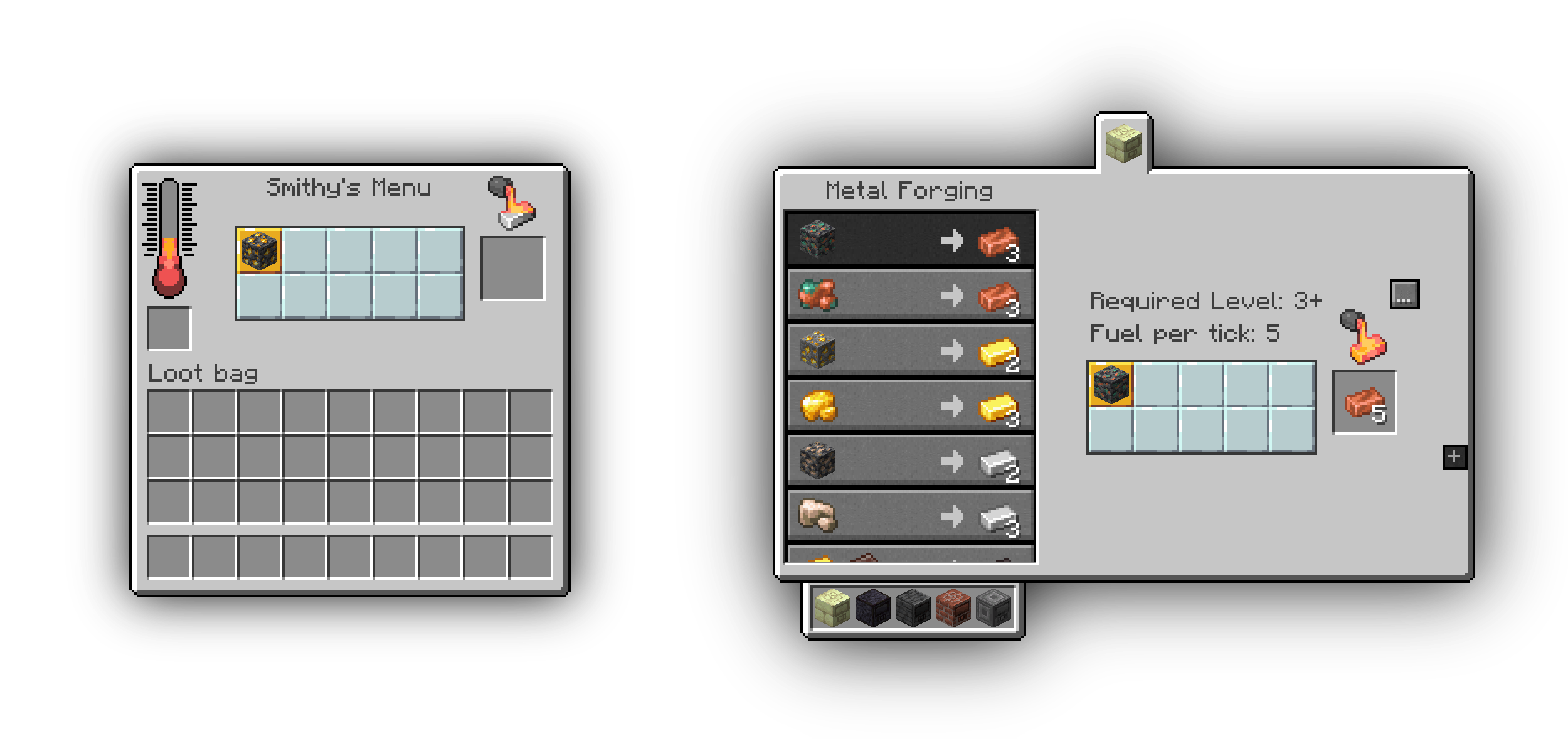
Alloy Forgery adds a multiblock alloy smelter, the Alloy Forge. In its base configuration it serves as an easy way to increase ore yield, but everything is data-driven allowing you to add new forges and recipes as you please. These data-driven features are mostly intended for mod and modpack authors, especially because new forge types can only be added through other mod-datapacks or global configuration files.
By default there are three forge tiers, each with different fuel capacity and speed. They're all made from different stone-like materials, you can look them up on the wiki.
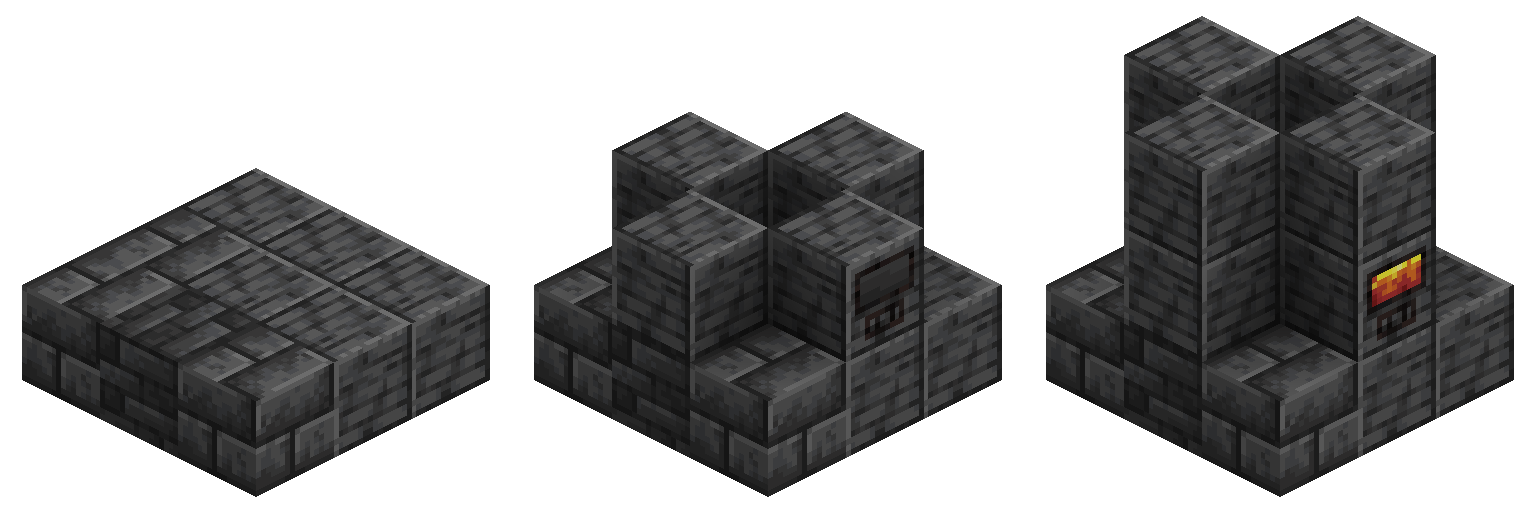
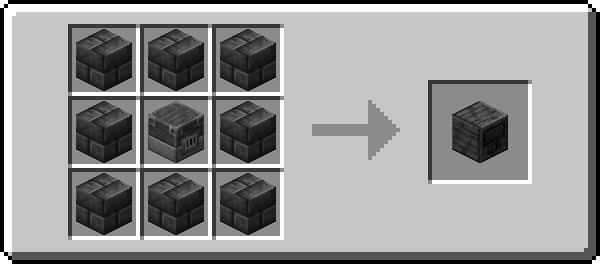
All controllers are crafted according to this pattern, with the outer ring of blocks corresponding to that controller's material. To construct a forge, simply follow the convenient guide above this piece of text using any combination of blocks that forge type supports.
Development Discord:
Join this is if you have any issues or need help adding new content
Verfügbare Versionen
Alloy Forgery auf dem Server installieren
Server bestellen
Bestelle einen Minecraft Java Server mit mindestens 3 GB RAM (4 GB empfohlen).
fabric Loader setzen
Wähle im Panel unter "Egg" den fabric-Loader und die passende Minecraft-Version (26.1.2).
Mod installieren
Öffne den Mod-Browser im Dashboard und suche nach "Alloy Forgery". Klicke "Installieren" – fertig! Alternativ: Lade die .jar via SFTP in den /mods Ordner.
Kompatibilität
Mod-Loader
Minecraft-Versionen
26.1.2, 1.21.10, 1.21.4 (+17 weitere)
Server-seitig
✓ ErforderlichEmpfohlener RAM
4 GB(min. 3 GB)Häufige Fragen
Alloy Forgery Server crasht beim Start – was tun?
Häufigste Ursache: falsche fabric-Version oder zu wenig RAM. Prüfe im Server-Log (latest.log), ob ein "OutOfMemoryError" oder "Mixin"-Fehler auftritt. Bei Mado Hosting: Stelle sicher, dass mindestens 3 GB RAM zugewiesen sind und der Loader zur Mod-Version passt (26.1.2). Über das Panel kannst du den Loader mit einem Klick wechseln.
Ist Alloy Forgery mit fabric und neoforge und quilt kompatibel?
Alloy Forgery unterstützt offiziell fabric, neoforge, quilt für Minecraft 26.1.2, 1.21.10, 1.21.4. Im Mado Dashboard werden inkompatible Loader-Kombinationen automatisch erkannt.
Server laggt mit Alloy Forgery – wie optimiere ich die Performance?
Empfohlener RAM: 4 GB (+1 GB pro 8 Spieler). Prüfe mit /spark profiler, ob Alloy Forgery den meisten Tick-Time verbraucht. Häufige Fixes: Server-View-Distance auf 8-10 reduzieren, bei Forge "performant" oder "starlight" als Zusatz-Mod installieren. Bei Mado Hosting läuft dein Server auf NVMe-SSDs mit dedizierten CPU-Kernen für minimale Latenz.
Ähnliche Mods



Modded Server mieten
Installiere Alloy Forgery mit nur einem Klick auf deinem Server.