
Alloy Forgery
Forge some alloys
About this Mod
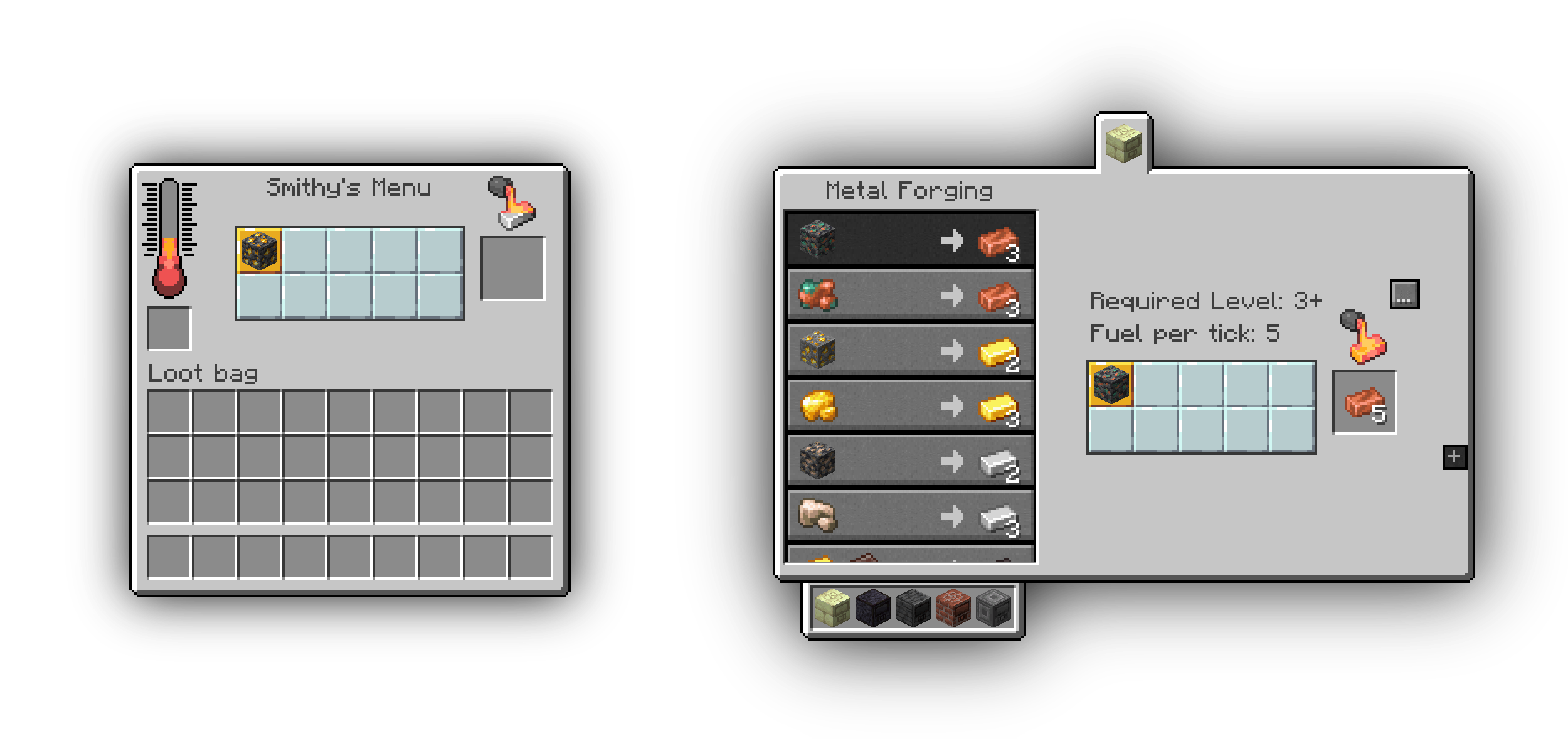
Alloy Forgery adds a multiblock alloy smelter, the Alloy Forge. In its base configuration it serves as an easy way to increase ore yield, but everything is data-driven allowing you to add new forges and recipes as you please. These data-driven features are mostly intended for mod and modpack authors, especially because new forge types can only be added through other mod-datapacks or global configuration files.
By default there are three forge tiers, each with different fuel capacity and speed. They're all made from different stone-like materials, you can look them up on the wiki.
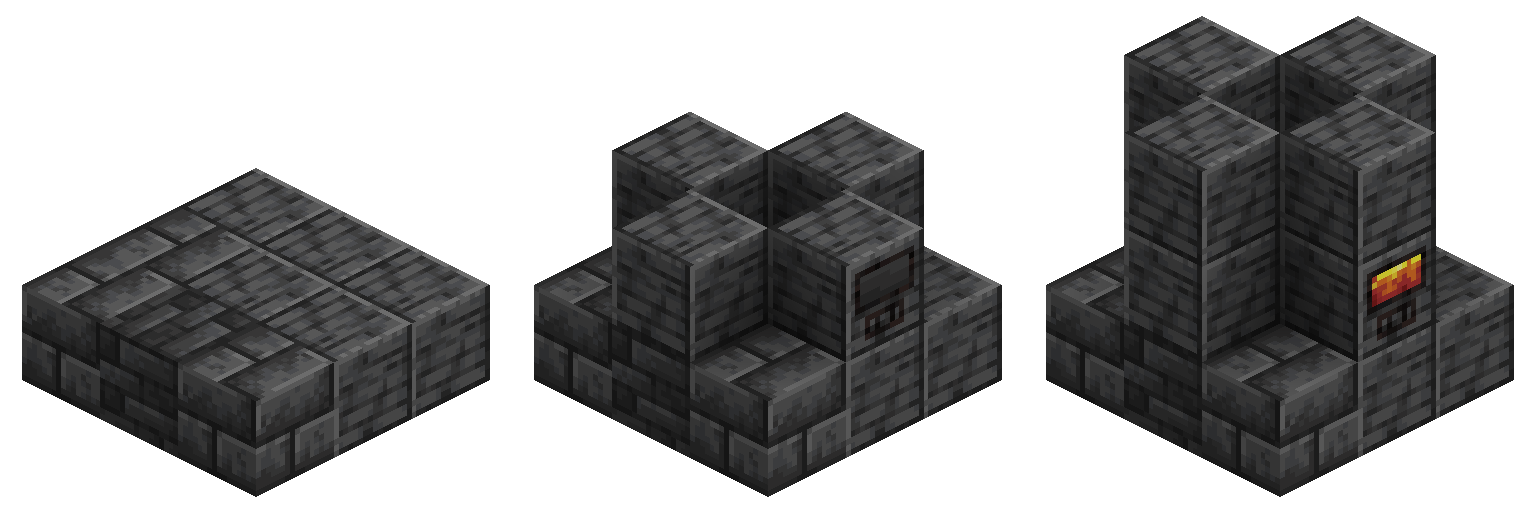
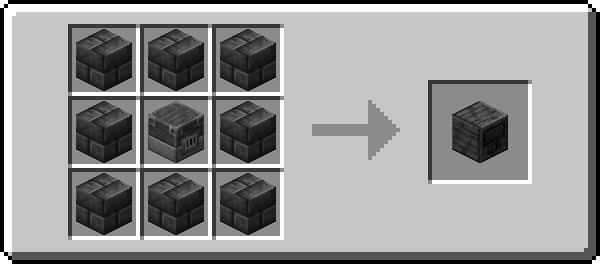
All controllers are crafted according to this pattern, with the outer ring of blocks corresponding to that controller's material. To construct a forge, simply follow the convenient guide above this piece of text using any combination of blocks that forge type supports.
Development Discord:
Join this is if you have any issues or need help adding new content

Available Versions
How to Install Alloy Forgery on Your Server
Order Server
Order a Minecraft Java server with at least 3 GB RAM (4 GB recommended).
Set fabric Loader
In the panel under "Egg", select the fabric loader and matching Minecraft version (26.1.2).
Install Mod
Open the mod browser in the dashboard and search for "Alloy Forgery". Click "Install" – done! Alternatively, upload the .jar via SFTP to the /mods folder.
Compatibility
Mod Loaders
Minecraft Versions
26.1.2, 1.21.10, 1.21.4 (+17 more)
Server-side
✓ RequiredRecommended RAM
4 GB(min. 3 GB)Frequently Asked Questions
Alloy Forgery server crashes on startup – what to do?
Most common cause: wrong fabric version or insufficient RAM. Check the server log (latest.log) for "OutOfMemoryError" or "Mixin" errors. With Mado Hosting: ensure at least 3 GB RAM is allocated and the loader matches the mod version (26.1.2). You can switch loaders with one click in the panel.
Is Alloy Forgery compatible with fabric and neoforge and quilt?
Alloy Forgery officially supports fabric, neoforge, quilt for Minecraft 26.1.2, 1.21.10, 1.21.4. The Mado dashboard automatically detects incompatible loader combinations.
Server lagging with Alloy Forgery – how to optimize performance?
Recommended RAM: 4 GB (per 8 players). Use /spark profiler to check if Alloy Forgery consumes the most tick time. Common fixes: reduce server view-distance to 8-10, install "performant" or "starlight" as supplementary mods on Forge. With Mado Hosting, your server runs on NVMe SSDs with dedicated CPU cores for minimal latency.
Similar Mods



Rent Modded Server
Install Alloy Forgery with just one click on your server.