
Modrinth · Forge
Ambient Additions auf deinem Minecraft Server
Ambient Additions läuft auf Minecraft Servern mit Forge. Bestell deinen Server, stell den Loader im Panel ein und installiere die Mod mit einem Klick im Mod-Browser.
Adds more atmospheric critters to your world!
- Downloads
- 709.8K
- Autor
- codyhuh
- Loader
- Forge
- Minecraft
- 1.20 – 1.20.1
- Aktualisiert
- –
Screenshots
So sieht Ambient Additions aus
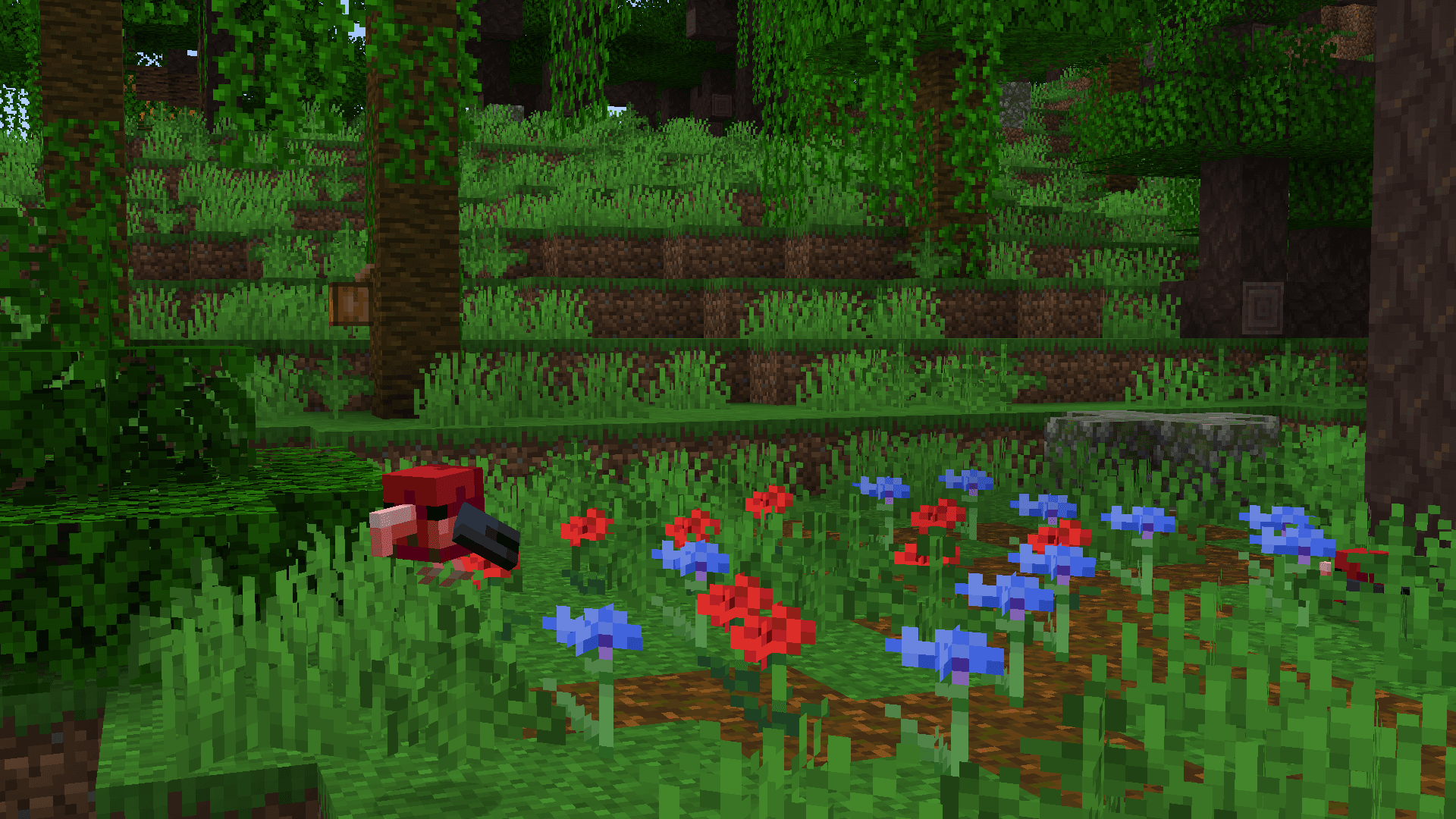
 I'iwi in the jungle
 Mata Mata in the swamp
 Napoleon Wrasse in the warm ocean
 Spider-tailed Adder in the desert
 Siamang Gibbons in the jungle
Bilder: Ambient Additions auf Modrinth, vom Projektteam veröffentlicht.
Einrichtung
Ambient Additions auf dem Server installieren
Server und Spieler brauchen denselben Loader und dieselbe Minecraft-Version. Sichere die Welt, bevor du Mods hinzufügst oder aktualisierst.
- 01
Konfigurieren
4 GB RAM sind vorausgewählt. Laufzeit und Add-ons wählst du selbst, bezahlt wird per Kreditkarte oder PayPal.
- 02
Loader einstellen
Stell im Panel die Serversoftware auf Forge und wähl die passende Minecraft-Version, zum Beispiel 1.20.1.
- 03
Mod installieren
Such im Mod-Browser nach „Ambient Additions“ und installiere die Version für deinen Loader. Alternativ lädst du die .jar per SFTP in den Ordner mods. Erforderliche Abhängigkeiten stehen auf der Projektseite.
- 04
Verbinden
Alle Spieler installieren Ambient Additions in derselben Version lokal und verbinden sich über die Serveradresse aus dem Panel.
- Auf dem Server
- Erforderlich
- Auf dem Client
- Erforderlich
- Loader
- Forge
- Minecraft
- 1.20.1, 1.20
- Lizenz
- GNU Lesser General Public License v3.0 only
Das Panel
Mods installieren, Fehler finden.
Echte Screenshots aus dem Mado Panel. Beides ist bei jedem Minecraft Server enthalten.
Mod-Browser
Modrinth und CurseForge direkt im Panel.
Der Browser filtert nach deiner Minecraft-Version. Mods installierst du mit einem Klick, ohne .jar-Dateien hochzuladen.

KI-Crash-Analyse
Wenn ein Mod crasht, liest die Analyse das Log.
Mods scheitern oft an einer falschen Loader-Version, Java-Version oder fehlenden Abhängigkeit. Die Analyse nennt eine wahrscheinliche Ursache und einen Lösungsvorschlag.

Versionen
Veröffentlichte Versionen
Nimm die Datei, die zu Loader und Minecraft-Version deines Servers passt. Server und Spieler brauchen dieselbe Version.
Ambient Additions · ModrinthOriginalbeschreibung des Projektautors

🐌 Ambient Additions 🦀
This mod adds ambient life to your world and utilities to catch them. The mod includes various fully-animated animals, ranging from adorable corgis to radially-symmetric starfish, shy crabs, and miniature armadillos. The aim is to introduce more fauna into your world, in order to fuel players' zoos and critter-catching habits!
🎯 Critter-Catching: Blowguns, Darts, and Crates!
In order to aid you in collecting and transporting animals, a multitude of the mod's animals are able to be put in buckets, pots, bottles, or bowls. Along with this, we have also added a set of items to sedate and crate any animal in general, especially those that cannot be caught by other means.

Crates are a new form of animal transport.
- Empty Crates can be used on sedated entities by right-clicking on them to capture them.
- Entities can be placed from crates by right-clicking again.
- Crates will gain a new texture and enchantment glint when containing a mob and will state the mob contained as a tooltip.
Blowguns & Darts allow you to sedate mobs for capture.
- Blowguns are ranged weapons that use darts as ammunition.
- They can be charged similarly to a bow, and fire a single dart projectile accordingly.
- Darts inflict a single level of "stun" on a mob.

After a certain number of stuns, a mob will enter a sedated mode for 30 seconds, during which it will display sleepy particles.
The number of stuns required to sedate a mob scales with it's health.

Stun requirements
2.5 hearts = 1 stun 5 hearts = 2 stuns 10 hearts = 3 stuns 25 hearts = 4 stuns 25+ hearts = 5 stunsCredits
NinniH for assetwork, code and sounds
OmayPaty for assetwork
GRAUS for assetwork
magmastrider#3837 (from our discord) for screenshots
fool#1369 (from our discord) for screenshots
& special thanks to BisectHosting for sponsoring us! 
Ambient Additions Server crasht beim Start – was tun?
Häufige Ursachen: Loader- oder Minecraft-Version passen nicht zur Mod-Datei, eine Abhängigkeit fehlt oder der RAM reicht nicht. Such im Log (latest.log) nach „OutOfMemoryError“, „Mixin“ oder fehlenden Mods. Bei Mado wertet die KI-Crash-Analyse das Log aus und schlägt eine Ursache vor. Loader und Version änderst du im Panel.
Mit welchem Loader läuft Ambient Additions?
Laut Modrinth unterstützt Ambient Additions Forge für Minecraft 1.20.1, 1.20.
Wie viel RAM braucht ein Server mit Ambient Additions?
Als Orientierung 3–4 GB für einen Server mit dieser Mod. Das ist eine Schätzung, keine gemessene Mindestanforderung. Weitere Mods, viele Spieler und große Sichtweiten brauchen mehr. Ob eine Mod die Tick-Zeit belastet, siehst du mit dem spark-Profiler.
Ähnliche Mods
Beliebte Mods aus derselben Kategorie
 Server-fähig

VeinMiner
von Miraculixx
Mine the whole vein on mining a single ore/block. Make the tedious mining experience to something satisfying and fun! FTB Ultimine alternative
 Server-fähig

Geckolib
von Gecko
A 3D animation library for entities, blocks, items, armor, and more!
 Nur Client

VeinMiner Hotkey
von Miraculixx
Veinminer Addon - Use a hotkey to veinmine with a dynamic crosshair & block highlighting
 Server-fähig

Fzzy Config
von fzzyhmstrs
Config API with automatic GUIs, powerful validation options, server-client sync, and more!
Bereit für deinen Server mit Ambient Additions?
4 GB RAM ab 8,00 € im Monat. 35 % auf den 1. Monat mit MADO35.