
Modrinth · Fabric
Awerial's Pack Editor auf deinem Minecraft Server
Awerial's Pack Editor läuft auf Minecraft Servern mit Fabric. Bestell deinen Server, stell den Loader im Panel ein und installiere die Mod mit einem Klick im Mod-Browser.
An all-in-one Minecraft customization editor. Mix resource pack textures, draw your own designs, customize PvP visuals, recolour your GUI, equip 3D cosmetics and create your own style!
- Downloads
- 6.5K
- Autor
- AwerialYT
- Loader
- Fabric
- Minecraft
- 1.21 – 26.3
- Aktualisiert
- –
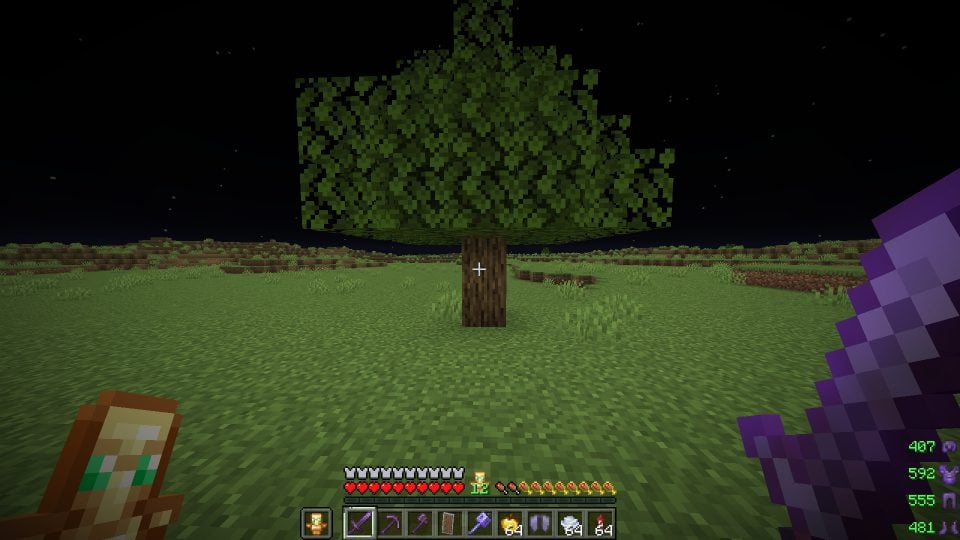
Screenshots
So sieht Awerial's Pack Editor aus


Bilder: Awerial's Pack Editor auf Modrinth, vom Projektteam veröffentlicht.
Einrichtung
Awerial's Pack Editor auf dem Server installieren
Server und Spieler brauchen denselben Loader und dieselbe Minecraft-Version. Sichere die Welt, bevor du Mods hinzufügst oder aktualisierst.
- 01
Konfigurieren
4 GB RAM sind vorausgewählt. Laufzeit und Add-ons wählst du selbst, bezahlt wird per Kreditkarte oder PayPal.
- 02
Loader einstellen
Stell im Panel die Serversoftware auf Fabric und wähl die passende Minecraft-Version, zum Beispiel 26.3.
- 03
Mod installieren
Such im Mod-Browser nach „Awerial's Pack Editor“ und installiere die Version für deinen Loader. Alternativ lädst du die .jar per SFTP in den Ordner mods. Erforderliche Abhängigkeiten stehen auf der Projektseite.
- 04
Verbinden
Awerial's Pack Editor ist auf dem Client optional. Spieler verbinden sich über die Serveradresse aus dem Panel.
- Auf dem Server
- Optional
- Auf dem Client
- Optional
- Loader
- Fabric
- Minecraft
- 26.3, 26.2, 1.21.9 +11 weitere
- Lizenz
- MIT License
Das Panel
Mods installieren, Fehler finden.
Echte Screenshots aus dem Mado Panel. Beides ist bei jedem Minecraft Server enthalten.
Mod-Browser
Modrinth und CurseForge direkt im Panel.
Der Browser filtert nach deiner Minecraft-Version. Mods installierst du mit einem Klick, ohne .jar-Dateien hochzuladen.

KI-Crash-Analyse
Wenn ein Mod crasht, liest die Analyse das Log.
Mods scheitern oft an einer falschen Loader-Version, Java-Version oder fehlenden Abhängigkeit. Die Analyse nennt eine wahrscheinliche Ursache und einen Lösungsvorschlag.

Versionen
Veröffentlichte Versionen
Nimm die Datei, die zu Loader und Minecraft-Version deines Servers passt. Server und Spieler brauchen dieselbe Version.
Awerial's Pack Editor · Modrinth- Awerial's Pack Editor 1.45.714. November 2026Minecraft 26.3 · Fabric
- Awerial's Pack Editor 1.45.01. November 2026Minecraft 26.2 · Fabric
- Awerial's Pack Editor 1.45.01. November 2026Minecraft 1.21.11 · Fabric
- Awerial's Pack Editor 1.45.01. November 2026Minecraft 1.21.10, 1.21.9 · Fabric
- Awerial's Pack Editor 1.45.01. November 2026Minecraft 1.21.6, 1.21.7, 1.21.8 · Fabric
Originalbeschreibung des Projektautors


✦ Awerial's Pack Editor (APE)
Your Minecraft. Your style. Your creation.
Take complete control of your Minecraft visuals with Awerial's Pack Editor.
Mix textures from your favourite resource packs, create your own pixel-art designs, customize PvP visuals, recolour your inventory, equip 3D cosmetics, and transform the way Minecraft looks — all from one in-game editor.
Press O in-game to open APE.


Awerial's Pack Editor is an all-in-one Minecraft customization mod designed to give you complete creative freedom.
Instead of manually editing resource packs, APE lets you customize individual textures, combine different packs, draw your own designs, change colours, create presets and personalize your Minecraft experience.
Whether you're building the perfect PvP setup or creating an entirely unique visual style, APE gives you the tools to make Minecraft yours.

🎨 Complete Texture Customization
Choose the appearance of individual Minecraft items and blocks.
End Crystals
Respawn Anchors
Totems
Ender Pearls
Golden Apples
Shields
Weapons and Tools
Armour
Fire
Obsidian and Glowstone
Cobwebs
Crosshairs
And much more!
Mix textures from different resource packs without manually editing files.
✏️ Create Your Own Textures
Your creativity, without limits.
Use the built-in drawing editor to create custom textures pixel by pixel.
Draw directly inside the game
Customize individual texture faces
Create your own crystals and anchors
Choose custom colours
Save your creations
Create animated drawings with up to four frames
Your creations can appear directly in your Minecraft world.
🌈 Advanced Colour Customization
Give your entire game a consistent visual identity.
Choose from 12 built-in colour styles:
Crimson · Frost · Toxic · Royal · Gilded · Sakura · Ocean · Midnight · Neon · Pastel · Monochrome · Inverted
You can also use the custom colour picker to create your own combinations.
Customize inventory interfaces, shields, effects, skies, particles and more.
⚔️ PvP Customization
Customize your visuals to suit your playstyle.
Smaller shields
Smaller Golden Apples
Smaller Ender Pearls
Low fire
Custom shield colours
Disabled shield colours
Custom totem sizes
Crystal customization
Custom crosshair sizes
Explosion particle controls
Custom hitbox colours
Damage and totem effects
Armour customization
📦 Import Your Own Resource Packs
Already have a favourite resource pack?
Import your own resource packs in ZIP or folder format.
APE automatically organizes their textures into the appropriate editor categories and generates previews, making it easy to combine textures from multiple packs.
You can create your own unique combination without manually searching through resource pack files.
🎭 Cosmetics
Customize your character with a growing collection of cosmetics.
Capes
Real 3D hats
Crowns
Halos
Top hats
Witch hats
Cat ears
Devil horns
Auras
Trails
Choose one cosmetic from each category and combine them to create your own look.
New cosmetics can be added without requiring a mod update.
🖥️ Inventory & GUI Customization
Completely change the appearance of your Minecraft interface.
Custom inventory colours
Two-colour gradients
Top-to-bottom gradients
Left-to-right gradients
Diagonal gradients
Custom chest interfaces
Button colours
Hotbar customization
Preview your changes before applying them.
🌌 Effects & Visual Enhancements
Add personality to your Minecraft experience.
Animated title screen
Aurora and night sky
Custom hitbox colours
Crystal glow outlines
Totem pop counter
Damage tint
Armour tint
Kill effects
Mace smash rings
Lunge indicators
Custom hand appearance
Armour durability warnings
Coloured hit and totem particles
Most visual effects can be individually customized.
🗂️ Presets & Configuration Codes
Save your favourite setups and switch between them instantly.
One-click presets
Custom configurations
Import and export configuration codes
Share setups with friends
Configuration gallery
Saved drawings
Animated textures
Share your entire visual setup using a simple APE configuration code.
🎨 Screenshot Colour Extraction
Found a colour scheme you love?
Drag a screenshot from another resource pack into the editor.
APE can extract its colours and apply them to your selected texture while preserving its shading and animation.
📸 Screenshots & Showcase
Explore some of the customization possibilities available in APE.
PvP Customization

Create Your Own Textures

Inventory Gradients

Screenshot Colour Extraction

Cosmetics

3D Hats

Configuration Sharing


Important: Make sure the downloaded mod, Fabric Loader and Fabric API match your Minecraft version.
For Minecraft 26.x, Fabric Loader 0.20.0 or newer is required.

**Minecraft: Java Edition**

APE supports the following versions according to the current release information:

- 26.3
- 26.2
- 26.1 – 26.1.2
- 1.21.11
- 1.21.9 – 1.21.10
- 1.21.6 – 1.21.8
- 1.21.5
- 1.21.4
- 1.21.2 – 1.21.3
- 1.21 – 1.21.1

**Mod Loader:** Fabric

Check the download page for the correct file for your Minecraft version.

How do I open APE?
Press O in-game to open the editor.
Do I need a resource pack?
No. APE includes its own customization tools. You can also import your own resource packs.
Can I create my own textures?
Yes! The built-in drawing editor lets you create custom textures pixel by pixel.
Can I combine multiple resource packs?
Yes. Import your packs and choose individual textures from each one.
Can I share my configurations?
Yes. Save your setup and share it using an APE configuration code.
Can I customize my inventory?
Yes. APE supports custom inventory colours and two-colour gradients.
Are cosmetics included?
Yes. APE includes capes, 3D hats, auras and trails.
Does APE support different Minecraft versions?
Yes. Multiple Minecraft versions are supported. Always download the correct version for your installation.
Does APE update automatically?
APE checks for updates when Minecraft launches and can install updates when you close the game.
Created by Awerial.
Thank you to everyone who uses APE, shares their creations, reports bugs and supports the project.
License: All Rights Reserved (ARR).
Please do not redistribute or mirror the original mod JAR files without permission.
Awerial's Pack Editor is a fan-made Minecraft modification and is not affiliated with, endorsed by, or associated with Mojang or Microsoft.
Thanks to the awesome translators and contributors on GitHub! 
<sub>AWERIAL'S PACK EDITOR — YOUR GAME. YOUR STYLE. YOUR CREATION. 💜</sub>
Awerial's Pack Editor Server crasht beim Start – was tun?
Häufige Ursachen: Loader- oder Minecraft-Version passen nicht zur Mod-Datei, eine Abhängigkeit fehlt oder der RAM reicht nicht. Such im Log (latest.log) nach „OutOfMemoryError“, „Mixin“ oder fehlenden Mods. Bei Mado wertet die KI-Crash-Analyse das Log aus und schlägt eine Ursache vor. Loader und Version änderst du im Panel.
Mit welchem Loader läuft Awerial's Pack Editor?
Laut Modrinth unterstützt Awerial's Pack Editor Fabric für Minecraft 26.3, 26.2, 1.21.9.
Wie viel RAM braucht ein Server mit Awerial's Pack Editor?
Als Orientierung 3–4 GB für einen Server mit dieser Mod. Das ist eine Schätzung, keine gemessene Mindestanforderung. Weitere Mods, viele Spieler und große Sichtweiten brauchen mehr. Ob eine Mod die Tick-Zeit belastet, siehst du mit dem spark-Profiler.
Ähnliche Mods
Beliebte Mods aus derselben Kategorie
 Server-fähig

VeinMiner
von Miraculixx
Mine the whole vein on mining a single ore/block. Make the tedious mining experience to something satisfying and fun! FTB Ultimine alternative
 Nur Client

VeinMiner Hotkey
von Miraculixx
Veinminer Addon - Use a hotkey to veinmine with a dynamic crosshair & block highlighting
 Server-fähig

Curios API
von TheIllusiveC4
A flexible and expandable accessory/equipment API for users and developers.
 Server-fähig

[TaCZ] Timeless and Classics Zero
von craneblock6666
The most Immersive and Customizable modern FPS experience in Minecraft - A complete Remaster of the TaC gun mod by the original team.
Bereit für deinen Server mit Awerial's Pack Editor?
4 GB RAM ab 8,00 € im Monat. 35 % auf den 1. Monat mit MADO35.