
AutomaticMemories
A simple mod that periodically takes screenshots, capturing memories of your Minecraft experience.
Screenshots


Über diese Mod
Automatic Memories
Automatic Memories periodically takes screenshots, capturing memories of your Minecraft experience.
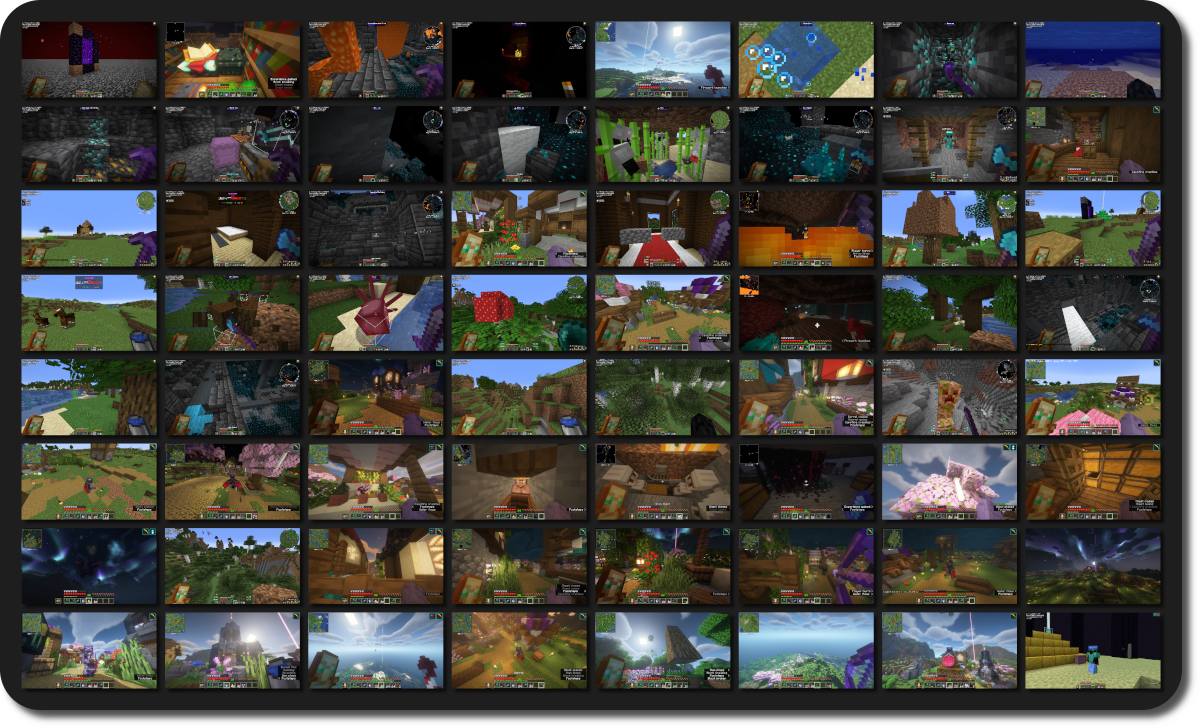
This mod takes screenshots at set intervals, so when you return, you'll find hundreds of unexpected snapshots capturing your time in the game.
Inspiration
There's a few YouTube videos that compile years' worth of accidentally taken screenhots, offering an unexpected glimpse into the players' long-term experience in Minecraft.
Unfortunately, if you rarely mispress keys or have a keyboard without dedicated function keys, you might miss out on this unique perspective of your playtime.
This mod solves this by automatically taking a screenshot every 3 hours by default, over time giving you a catalog of random screenshots!

Configuration
AutomaticMemories is a simple and lightweight mod, but it still offers plenty of configuration options, allowing you to tailor it to your exact preferences.
Cloth Config API and ModMenu are required to configure the mod.
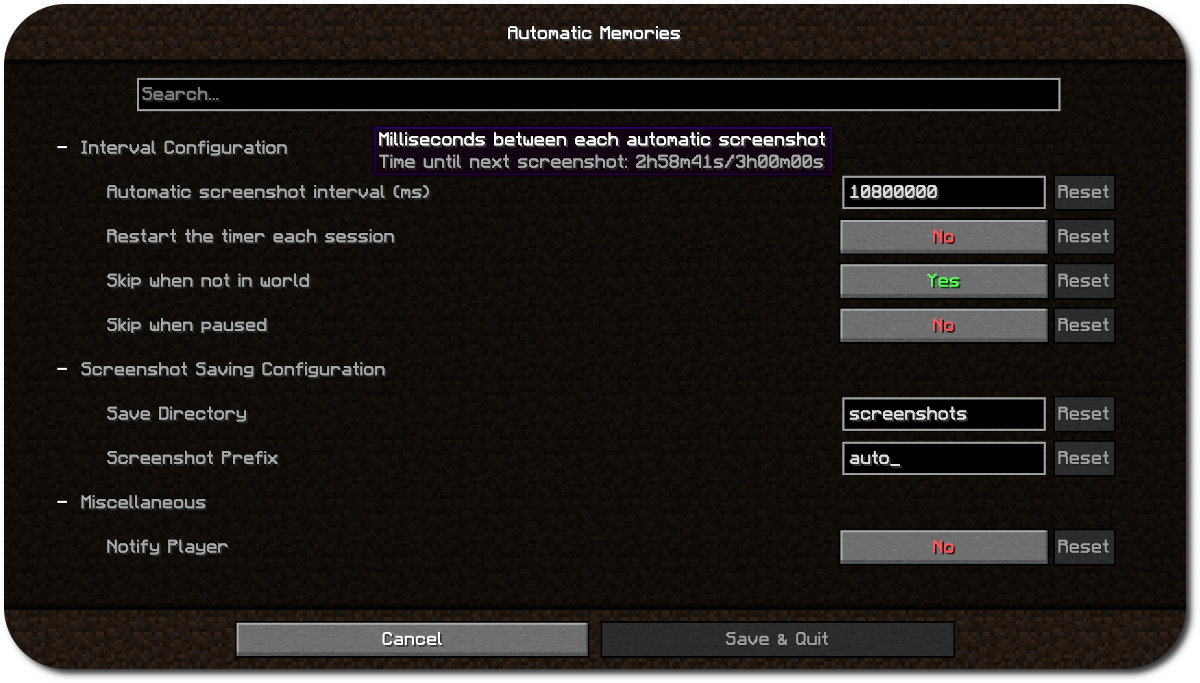
Using the configuration you can make the screenshots more or less frequent, save them in a different folder, or skip taking a screenshot when you aren't in game.
By default, this mod will carry over the timer between sessions. For exmaple, if you set the interval to every four hours and play for three hours one day, the next time you play it will take a screenshot one hour in.
This is useful since you probably won't often play for as long as your interval is, which would mean the mod wouldn't ever take a screenshot. Leaving "Restart timer each session" disabled solves this.
Support
Dependencies
- Fabric API
- ModMenu (Optional, for configuration)
- Cloth Config API (Optional, for configuration)
Verfügbare Versionen
AutomaticMemories auf deinem Client installieren
Mod-Loader lokal installieren
Installiere fabric für deine lokale Minecraft-Version.
Passende Datei herunterladen
Wähle die AutomaticMemories-Datei für fabric und Minecraft 1.21.11.
Mod installieren
Lege die .jar-Datei in deinem lokalen .minecraft/mods-Ordner ab und starte Minecraft neu. Eine Installation auf dem Server ist nicht nötig.
Kompatibilität
Mod-Loader
Minecraft-Versionen
1.21.11, 1.21.10, 1.21.9 (+18 weitere)
Server-seitig
✗ Nicht unterstütztEmpfohlener RAM
4 GB(min. 3 GB)Häufige Fragen
Muss AutomaticMemories auf dem Minecraft Server installiert werden?
Nein. Modrinth kennzeichnet AutomaticMemories serverseitig als nicht unterstützt. Installiere die Mod nur im lokalen Minecraft-Mods-Ordner. Dein Server kann unverändert bleiben, sofern die Mod-Seite keine zusätzliche Abhängigkeit nennt.
Welche Version und welchen Loader braucht AutomaticMemories?
Nutze eine Datei für fabric und exakt deine Minecraft-Version. Unterstützte Versionen sind unter anderem 1.21.11, 1.21.10, 1.21.9. Loader-Dateien sind nicht untereinander austauschbar.
AutomaticMemories funktioniert nicht – was kann ich prüfen?
Prüfe zuerst Minecraft-Version, Loader-Version und erforderliche Abhängigkeiten. Lege die .jar-Datei im lokalen .minecraft/mods-Ordner ab und entferne ältere Duplikate. Da die Mod clientseitig ist, löst mehr Server-RAM dieses Problem nicht.
Ähnliche Mods






Minecraft Server für deine Gruppe
AutomaticMemories bleibt auf deinem Client. Hoste dazu eine kompatible Welt für deine Mitspieler.